pg 22
DIG - dual digital delay
External Control
Expression Pedal Setup
Use a TRS expression pedal to control the knobs of DIG �
1 Configure the EXP/MIDI jack for Expression mode� (See page 20 for
configuration instructions�)
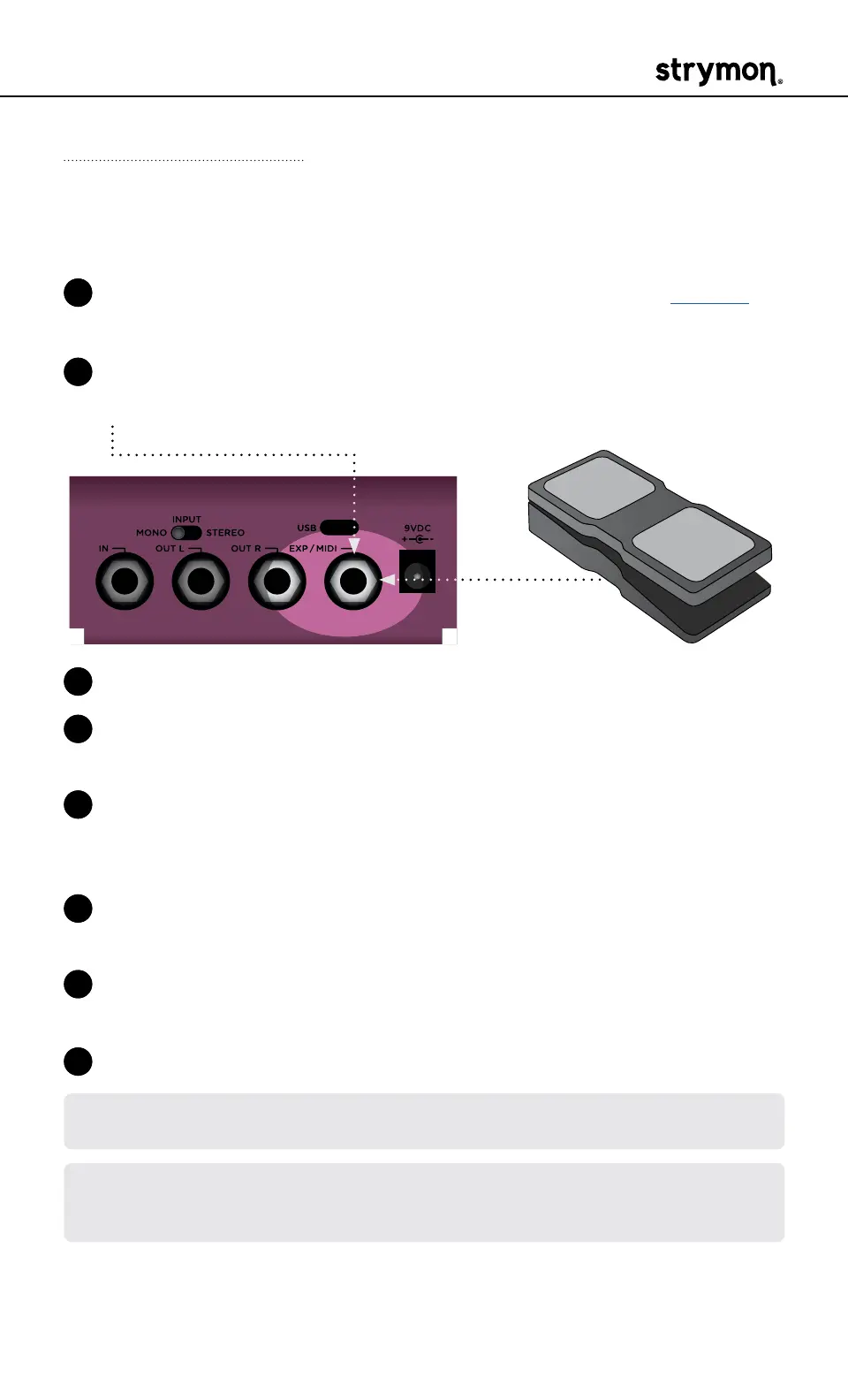
2 Connect an expression pedal to the EXP/MIDI jack of DIG using a TRS
cable�
RIGHT IN LEFT OUT RIGHT OUT EXP
MIDI IN
USB
MIDI OUT
3 Press and hold both footswitches until both LEDs blink GREEN�
4 Rock the expression pedal to the HEEL position� Only the TAP LED will
blink GREEN�
5 Set the knob(s) you would like to control to the desired settings for
the HEEL position of the expression pedal� Only the TAP LED will turn
RED�
6 Rock the expression pedal to the TOE position� Only the ON LED will
blink GREEN�
7 Set the knob(s) you would like to control to the desired settings for the
TOE position of the expression pedal� Only the ON LED will turn RED�
8 Press either footswitch to exit and store your expression pedal setup�
NOTE: Your expression pedal assignment is saved per Favorite setting or
MIDI preset�
NOTE: If DIG is set to respond to MIDI EXPRESSION and the EXP/MIDI jack is
set to MIDI mode, you can send MIDI CC# 100 with values 0 (heel) to 127 (toe)
to perform the expression pedal setup�



 To Next Page