pg 12
DIG - dual digital delay
Live Edit Functions
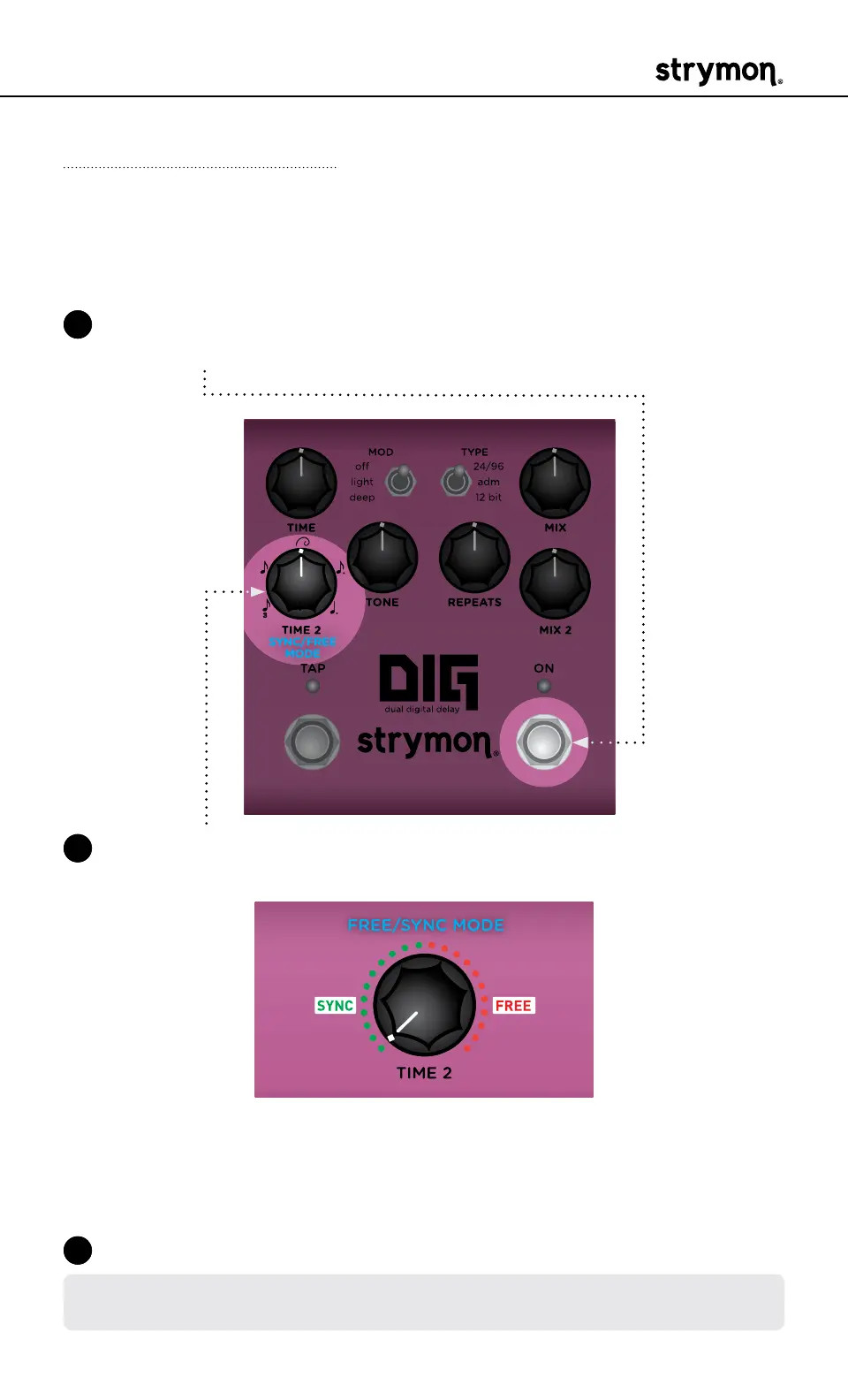
Sync/Free Mode
Enables and disables time sync and subdivisions between Delay 1 and
Delay 2�
1 Press and hold the ON footswitch to enter Live Edit mode� Once both
LEDs flash, release the footswitch�
2 Turn the TIME 2 (SYNC/FREE MODE) knob to select the mode� Both
LEDs will light to indicate your selection:
• Turn counter-clockwise to engage Sync Mode (GREEN, default) which
enables time sync and subdivisions between Delay 1 and Delay 2�
• Turn clockwise for Free mode (RED), which provides the TIME 2
knob with a full delay range from 20ms to 1�6s�
3 Press the ON footswitch to exit and store your setting�
NOTE: The Sync/Free mode setting is saved per Favorite setting or per MIDI
preset�



 To Next Page