pg 14
DIG - dual digital delay
Live Edit Functions
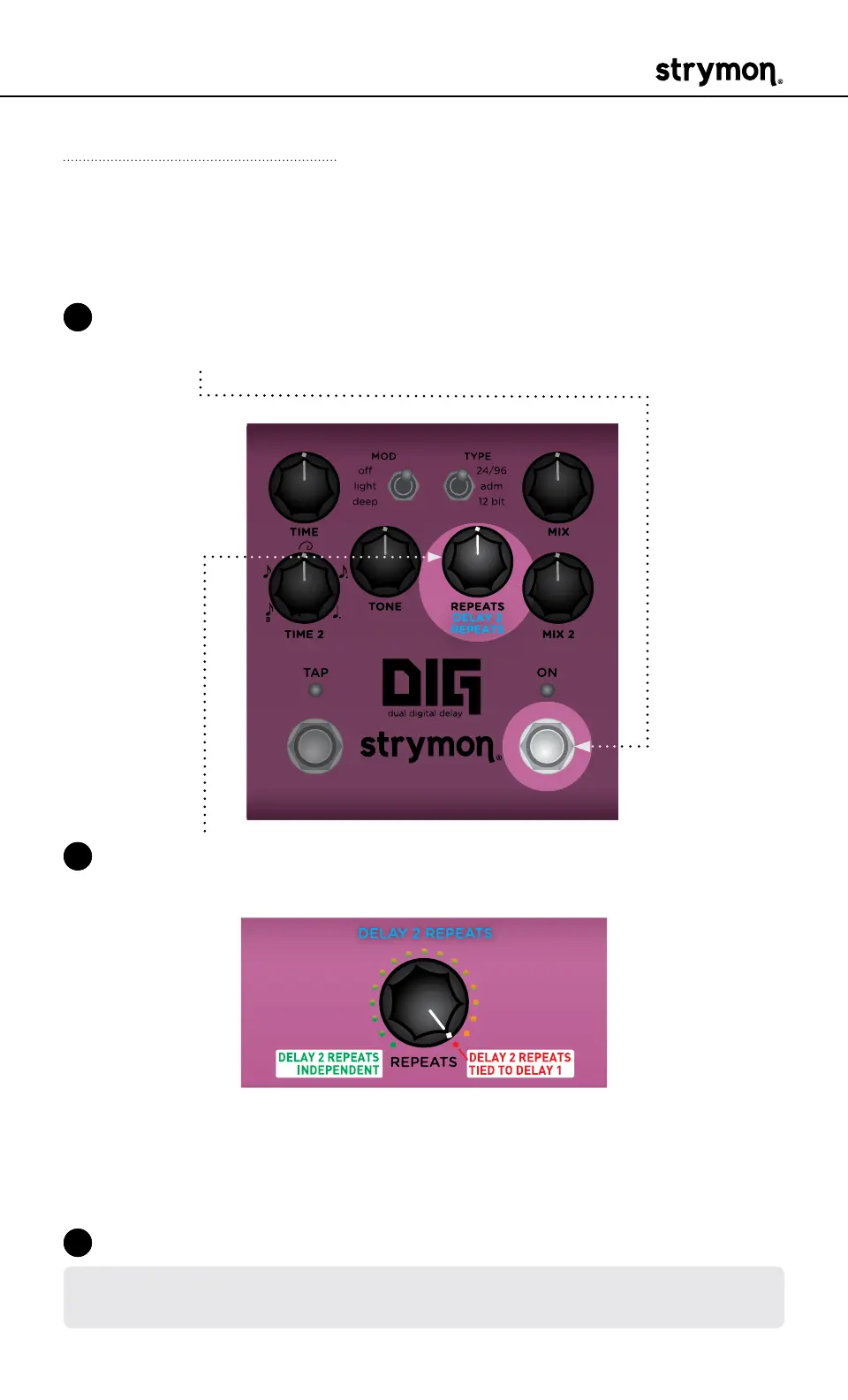
Delay 2 Repeats
Sets the number of repeats for Delay 2 independently, or to track the
REPEATS knob setting for Delay 1�
1 Press and hold the ON footswitch to enter Live Edit mode� Once both
LEDs flash, release the footswitch�
2 Turn the REPEATS (DELAY 2 REPEATS) knob to set the desired repeats
for Delay 2� Both the TAP and ON LEDs indicate your selection:
• Turn REPEATS from minimum to independently set Delay 2’s
number of repeats
(from
GREEN through AMBER
)�
• Set knob to maximum to tie the repeats of Delay 1 and Delay 2
together (
RED
, default)�
3 Press the ON footswitch to exit and store your Delay 2 Repeats setting�
NOTE: The Delay 2 Repeats setting is saved per Favorite setting or per MIDI
preset�



 To Next Page