pg 12
Power Up Modes
Spillover Mode
Setting EC-1 to Spillover Mode allows the wet delay signal of the
currently selected preset to “spill” into bypass—or into the next loaded
preset if you’re using a Multiswitch Plus or MIDI for preset switching�
NOTE: Because of the buffer architecture, the current preset must be active
for at least 5 seconds before Spillover between presets will be operational�
Spillover is available immediately when bypassing the effect�
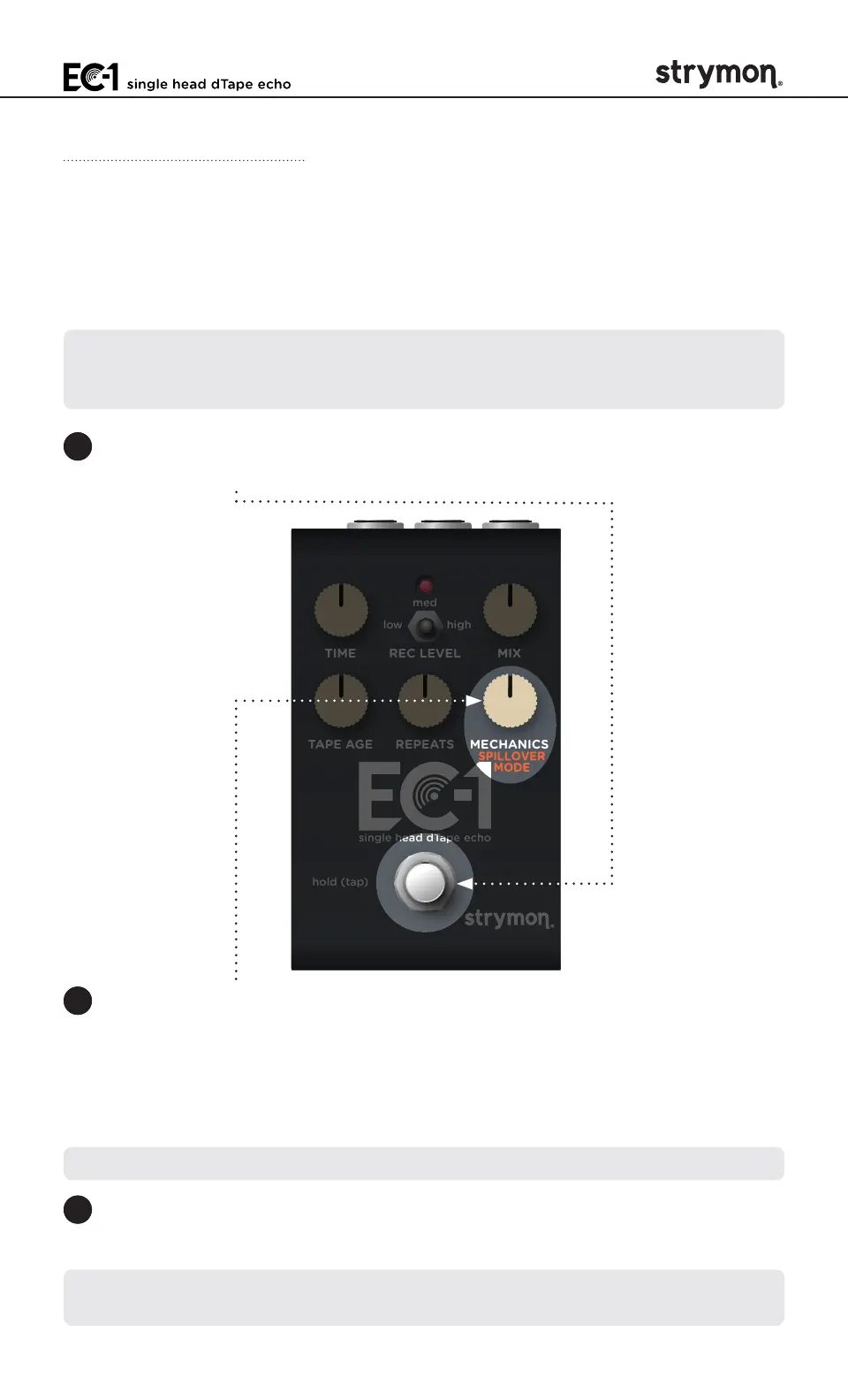
1 Press and hold the
FOOTSWITCH
for at least 2 seconds while powering
up EC-1� Once the LED flashes RED, release the footswitch�
TIME REC LEVEL MIX
TAPE AGE REPEATS MECHANICS
low high
med
hold (tap)
single head dTape echo
2 Turn the
MECHANICS
(SPILLOVER MODE) knob to set Spillover Mode
on or off� The LED will change color to indicate the current status as
you turn the knob�
• Spillover Mode Off: AMBER (default, minimum)
• Spillover Mode On: PURPLE (maximum)
NOTE: When Spillover is set to On, Bypass Mode is set to Buffered Bypass�
3 Press the
FOOTSWITCH
to store the Spillover Mode setting and begin
using EC-1�
NOTE: The Spillover Mode setting persists across power cycles and is not
saved per preset�



 To Next Page