pg 15
Power Up Modes
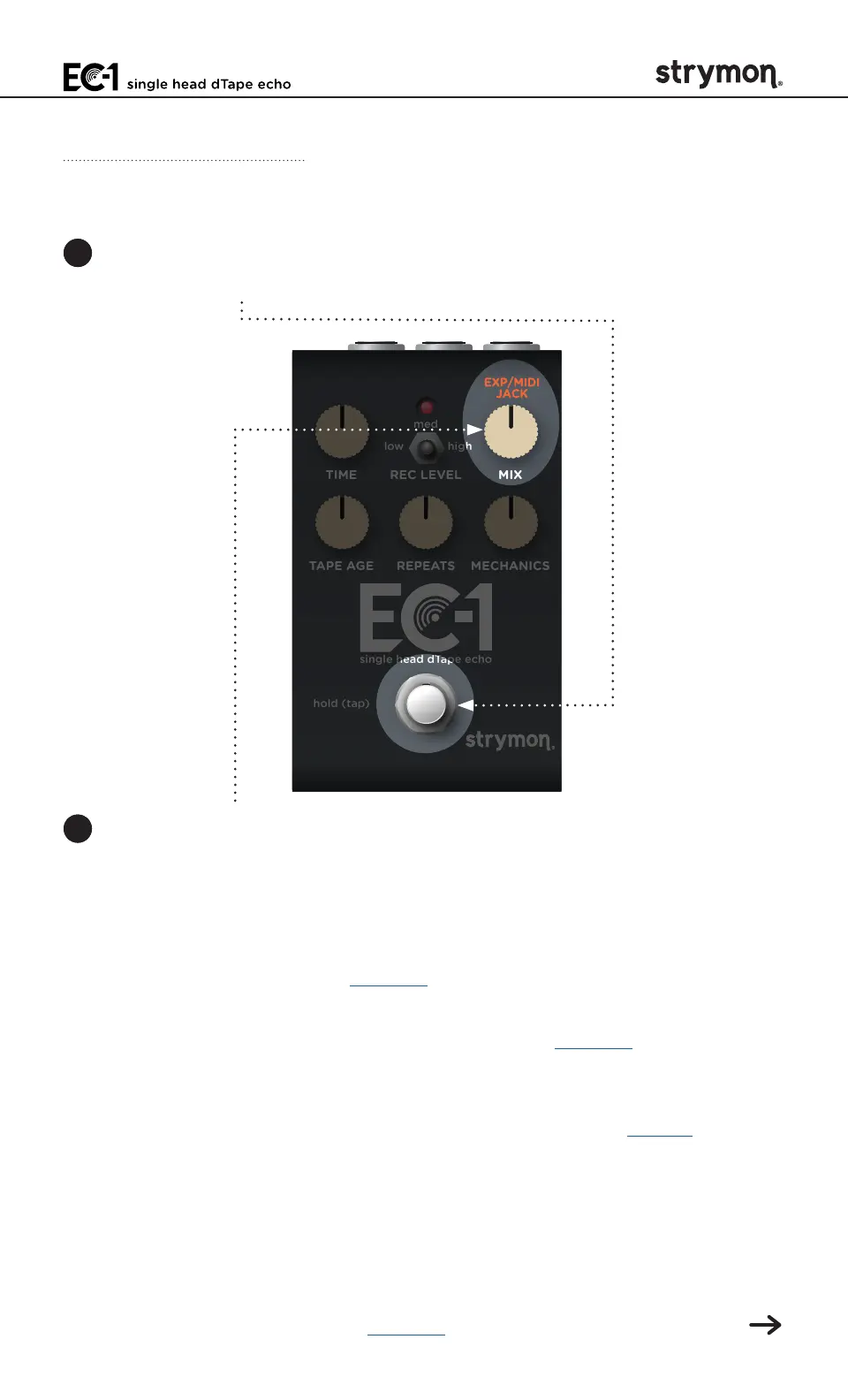
Configuring the EXP/MIDI Jack
1 Press and hold the
FOOTSWITCH
for at least 2 seconds while powering
up EC-1� Once the LED flashes RED, release the footswitch�
TIME REC LEVEL MIX
TAPE AGE REPEATS MECHANICS
low high
med
hold (tap)
single head dTape echo
2 Turn the MIX (EXP/MIDI JACK) knob to select the function of the rear
panel’s EXP/MIDI jack� The LED will change color to indicate the
current status as you turn the knob�
• Expression Pedal Mode: GREEN (default, minimum) - Using a
standard TRS expression pedal, allows continuous control over
any of the knobs� (See page 18 for details�)
• Favorite Mode: AMBER (11 o’clock) - Using a Strymon MiniSwitch,
allows you to recall a Favorite setting� (See page 19 for details�)
• Tap Mode: RED (12 o’clock) - Using a Strymon MiniSwitch, allows
you to tap in a tempo in quarter notes for your delay repeats to
follow� (Also, see the FOOTSWITCH description on page 4 for
note division options�) Additionally, when configured for Tap Mode,
pressing and holding the external switch will perform infinite
delay repeats�
• Infinite Mode: PURPLE (2 o’clock) - Using a Strymon MiniSwitch
allows for infinite delay repeats of the input signal when the
switch is held—essentially the same as turning the REPEATS
knob to maximum� (See page 21 for configuration details�)



 To Next Page