pg 9
Live Edit Functions
Use the following steps to access the EC-1 “Live Edit mode” secondary
functions�
Preamp Select
EC-1 includes an optional preamp model, which offers the beloved sonic
characteristics of an early tape machine’s tube preamp and is applied to
both the dry and the EC-1 processed signals�*
NOTE: This preamp is independent of the EC-1’s REC LEVEL feature�
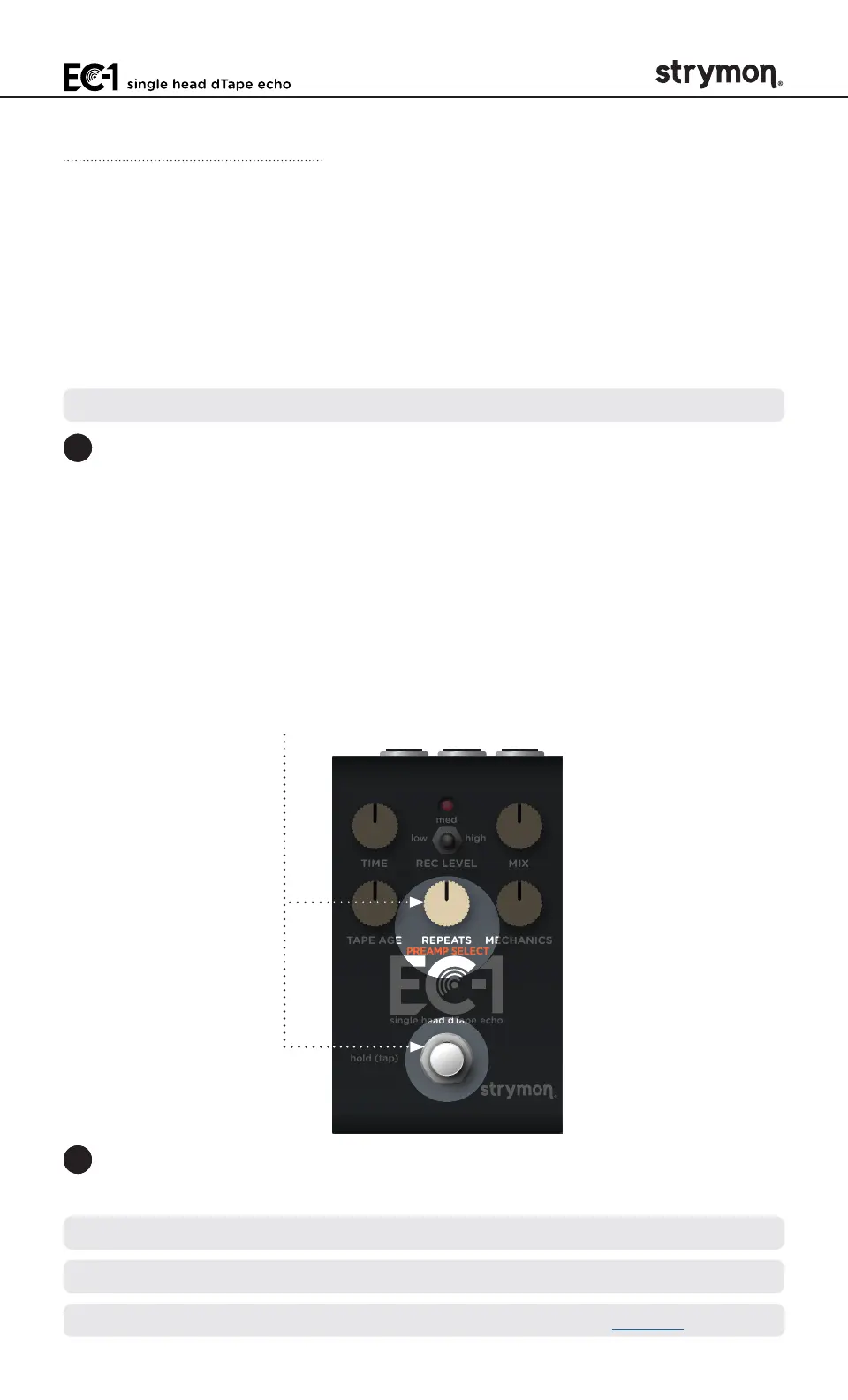
1 Press and hold the ON footswitch, and within one second turn the
REPEATS (PREAMP SELECT) knob while holding the footswitch to
select the preferred Preamp option� (If the switch is held for longer
than one second without turning the REPEATS knob, the pedal will
enter TAP mode�)
• Preamp Off: RED - Bypasses the preamp�
• Modded Tube Preamp Enabled: AMBER - (the default) A tube
preamp modded for a more balanced frequency response�
• Original Tube Preamp Enabled: GREEN - A tube preamp with its
inherent accentuated highs�
TIME REC LEVEL MIX
TAPE AGE REPEATS MECHANICS
low high
med
hold (tap)
single head dTape echo
2 Release the ON footswitch once you’ve made your selection to exit
and store your Preamp Select setting�
TIP: The Tube Preamp also offers a Preamp Boost option—see the next page�
NOTE: The Preamp Select setting is saved per Favorite setting or MIDI preset�
*NOTE: Applies to dry signal when set to Digital Mode� See page 13�



 To Next Page