pg 4
Knobs and Switches
Front Panel Controls
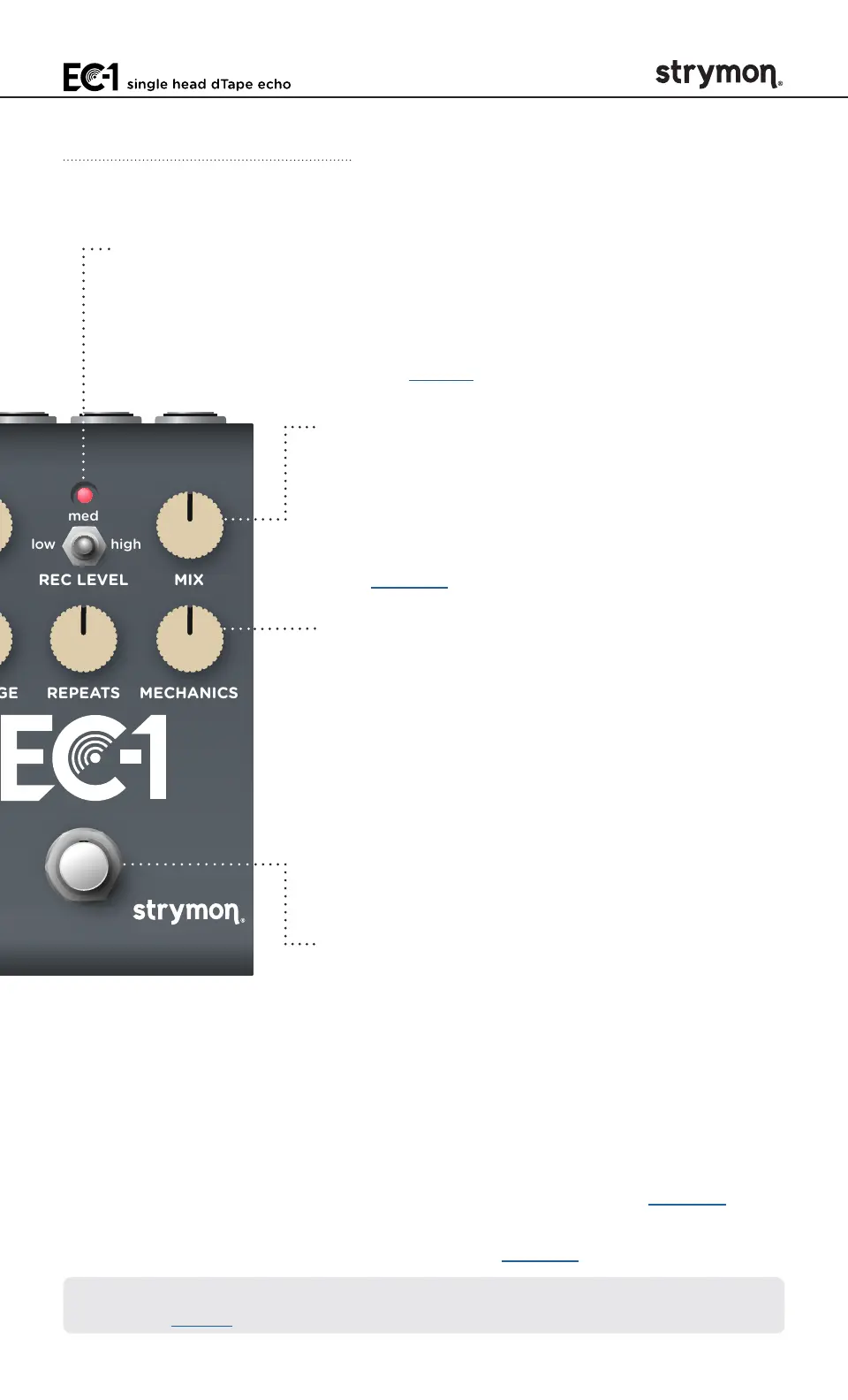
MIX
Controls the balance of dry and wet signals
from 100% dry at minimum to 100% wet
at maximum� 50/50 mix is at the 3 o’clock
position when REC LEVEL is set to low�
(See page 13 for Dry Signal selection�)
MECHANICS
Controls the amount of mechanically-related
speed fluctuations and media irregularities,
including friction, creases, splices, and
contaminants� Set to minimum for a fresh,
clean recording medium� Set to maximum for
a recording medium that is in need of service�
The left half of the knob increases low-speed
fluctuations, while the right half settings bring
in high-speed irregularities�
FOOTSWITCH
Engages and disengages the effect� The RED
LED on at the top of the pedal indicates that
the effect is engaged�
Push and hold the FOOTSWITCH for 1 second
to enter/exit Tap Mode, as covered on the next
page�
Push and hold the FOOTSWITCH for 2
seconds to enter Save Mode (see page 33),
or to configure Expression Pedal parameter
assignments (see page 18)�
REC LEVEL MIX
REPEATS MECHANICS
low high
med
hold (tap)
single head dTape echo
LED INDICATOR
Blinks at the tempo of the delay TIME when the effect is engaged�*
Use the FOOTSWITCH to engage and disengage the effect� Also
lights or flashes additional colors when configuring Live Edit and
Power Up Mode features (see page 9)�
*NOTE: This LED behavior applies when the pedal is not in Onboard TAP
Mode� See page 5�



 To Next Page