15.2 Searching results files
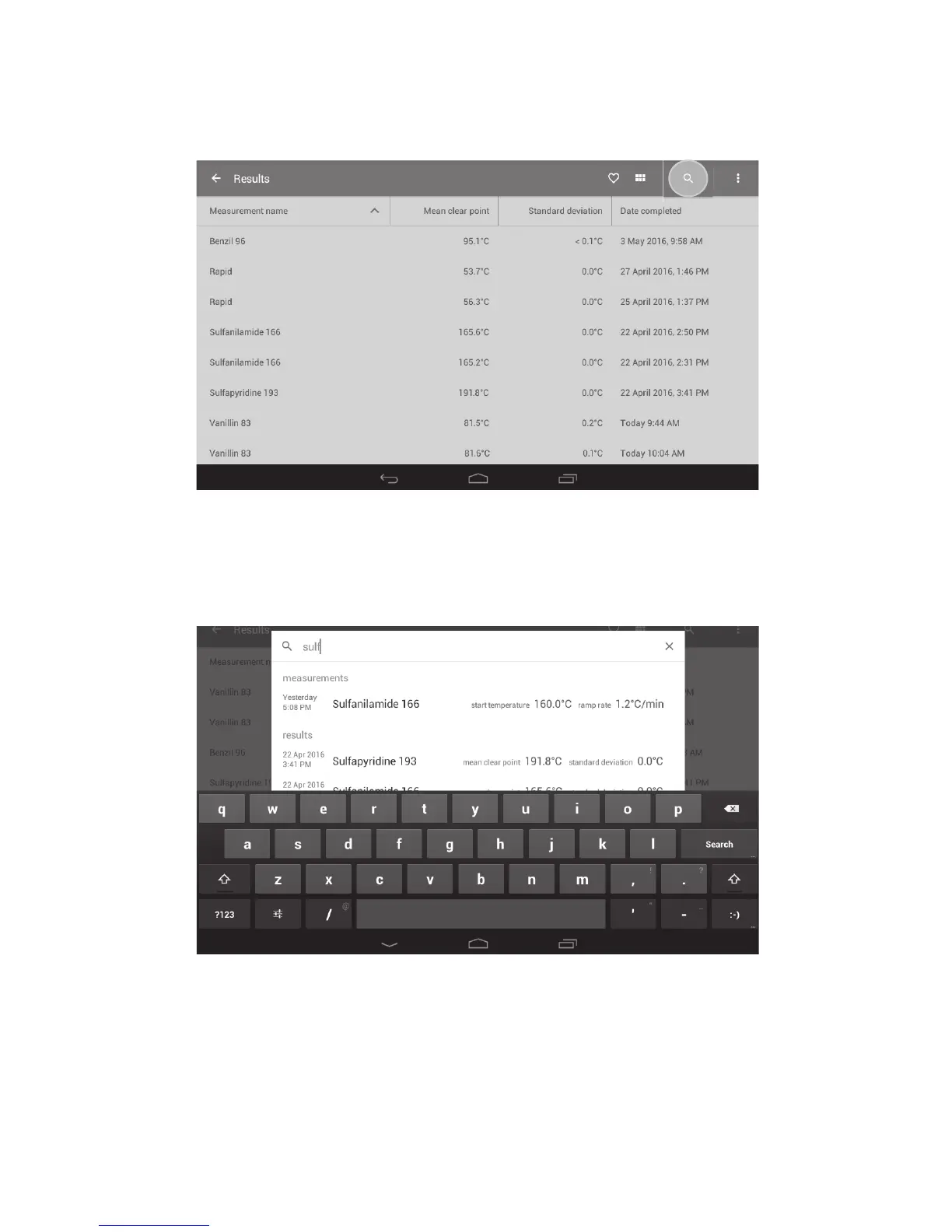
Using the search function will help you to find the results file you require quickly and easily.
❖ Touch the ‘Search’ icon.
Results folder with the Search icon highlighted
❖ Using the keypad, begin typing the name of the file. Both measurements and results files
containing the search term will be displayed.
Searching for a results file
❖ Touch to select the required result.
The Melt report for the file will open.
41



 To Next Page