16. Printing results
If you have the accessory printer (SMP50/PRINTER) connected to the SMP50 it is possible to print a
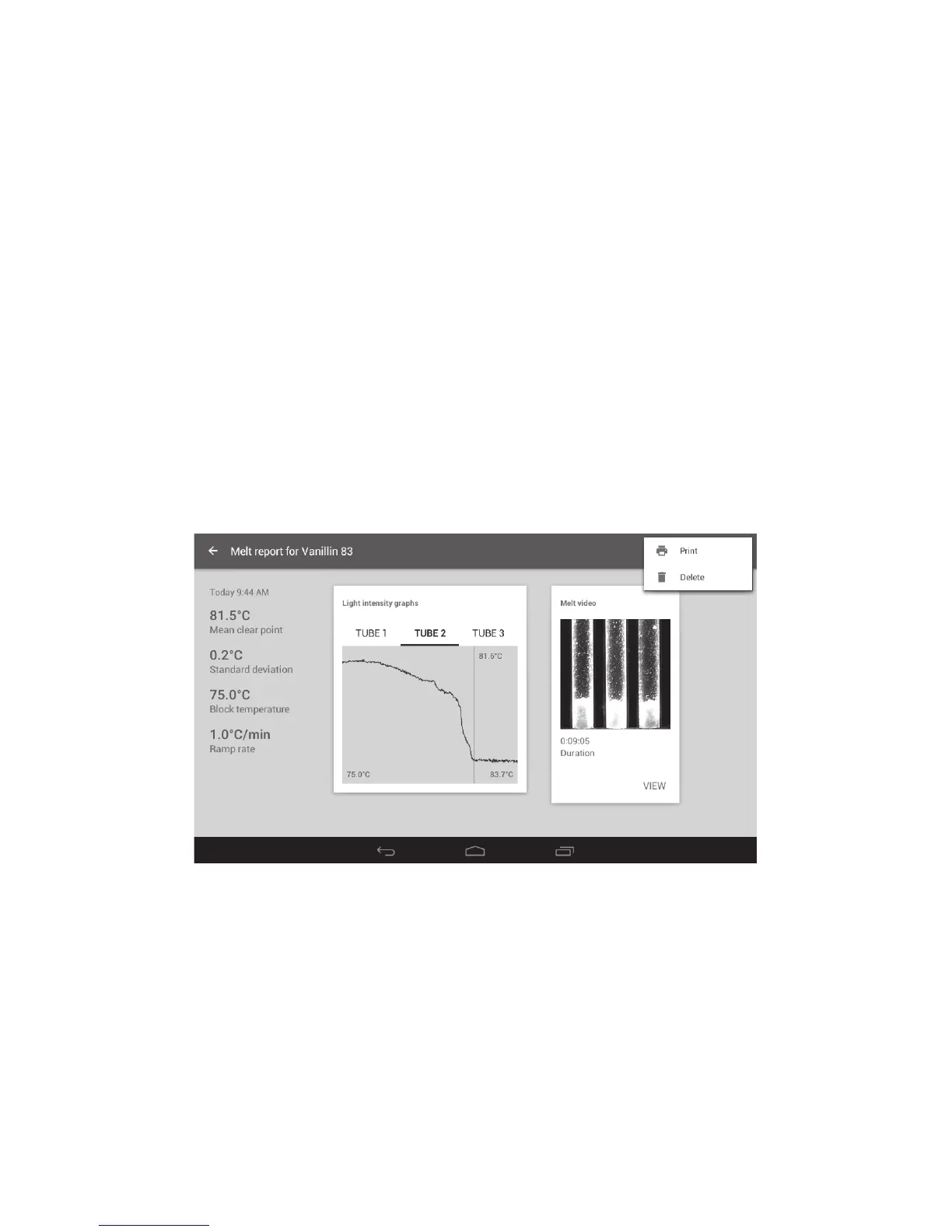
Melt report. The Melt report print-out will show the following information:
❖ File name
❖ Date and time
❖ Mean clear point
❖ Standard deviation
❖ Start temperature
❖ Ramp rate
❖ Light intensity graphs for each capillary
❖ Any manually added tagged events for each capillary
❖ Touch the ‘Overflow’ icon at the top right of a Melt report screen. This will open the option for
printing the report.
Note: The accessory printer must be connected to the SMP50 for the ‘Print’ option to be active.
Print/delete options
❖ Touch ‘Print’ to print the Melt report.
Printing a Melt report can also be carried out from the results preview card.
❖ Touch a Results file to open the preview card.
❖ Touch the ‘Overflow icon to open the delete/print options.
Note: The accessory printer must be connected to the SMP50 for the ‘Print’ option to be active.
47



 To Next Page