43
().
② Meter display of playback and record
Display meter of Playback and Record in real time
③ Playback list
Display playlist in the USB drive, single press a soundtrack to play it.
④ Record
Record switch is OFF as default, and the sound source to be recorded is taken from the
Master L/R, single press the record button to record the audio content of Master L/R bus to
the USB drive in .WAV format. Press again to stop the recording and save the file to your
USB drive.
Monitor Page
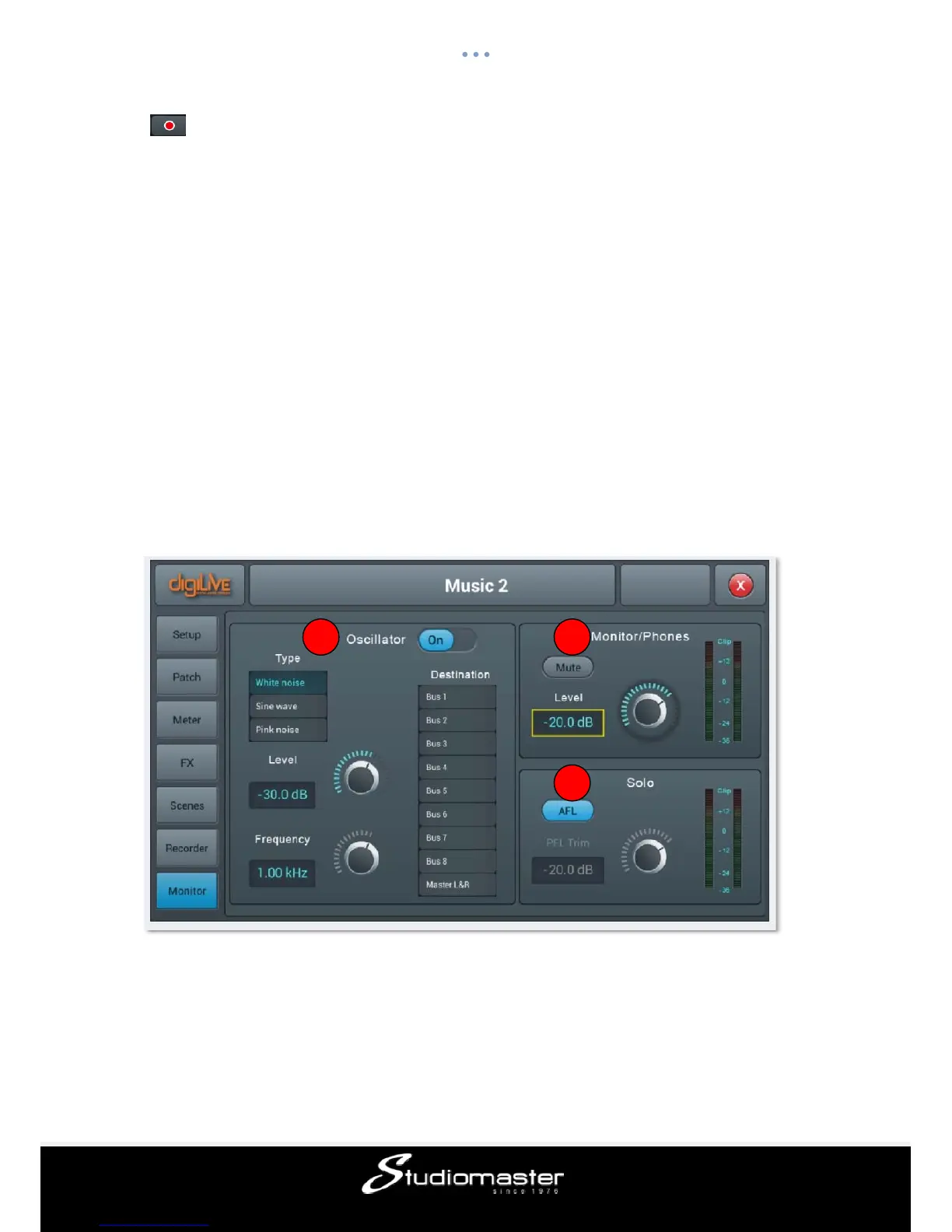
The page contains settings for Oscillator, Monitor / Phones and Solo.
① Oscillator
Oscillator of the console used for system test and calibration.
On/Off Swtich:Single press the button to switch on(ON)Oscillator, press again to
switch off. The default is disabled.
Type:there are three types of signals generated by Oscillator——White noise / Sine wave /
Pink noise, Single press an option in the list to select a Oscillator type.
1 2
3














 To Next Page