42
try again.”.
Up:move scene upward. When select a scene, single press the button to move selected
scene upward, one press for one row.
Down:move scene downward. When select a scene, single press the button to move
selected scene downward, one press for one row.
Prev:browse previous scene. Single press“Load” to load the current scene once you
have seen the scene you want
Next:browse next scene. Single press“Load” to load the current scene once you have
seen the scene you want
Recorder Page
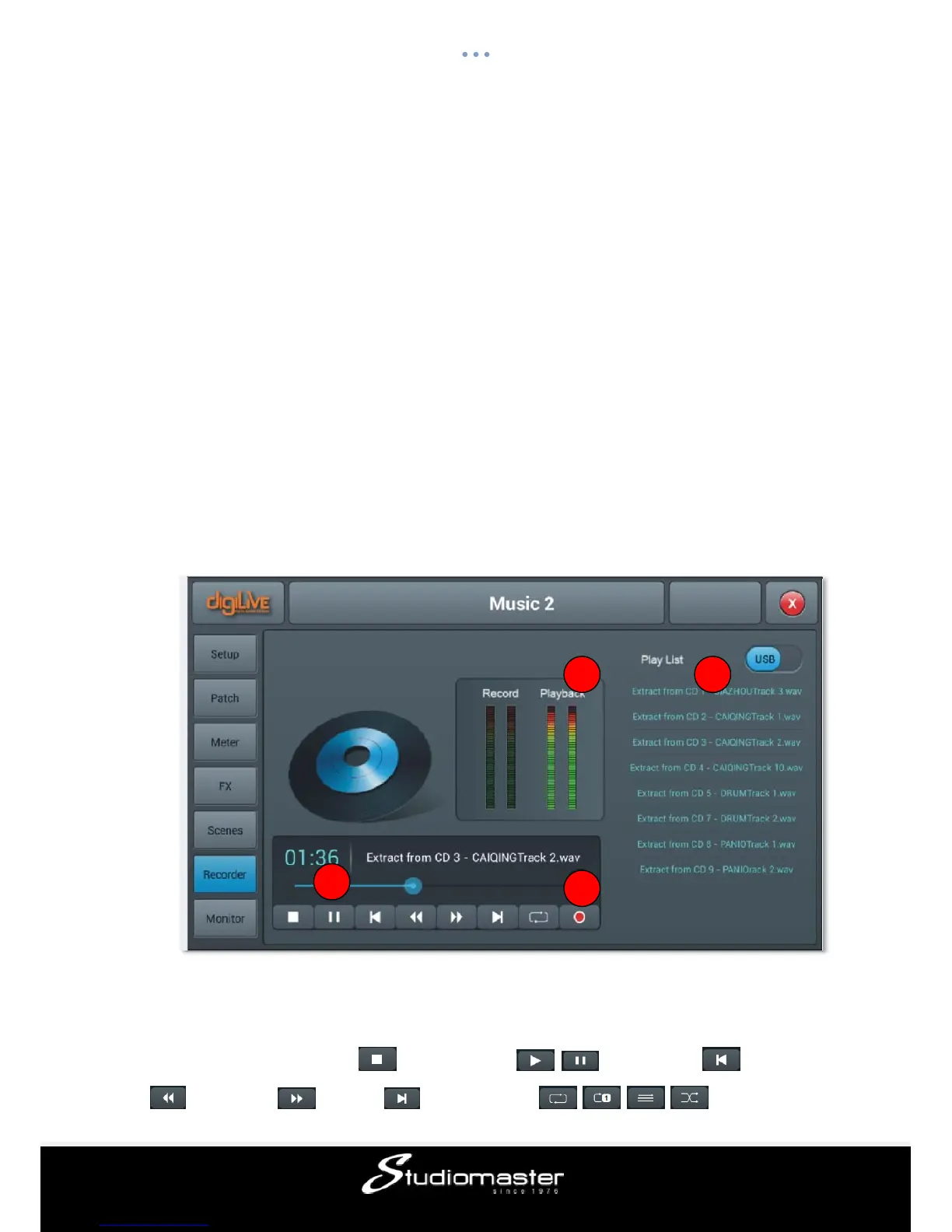
The recorder page will playback recorded material on a USB drive inserted in the digiLiVE
16 USB sockets, and also simultaneously (if required) allow recording of the stereo mix to
the USB drive.
① Player
The player will display the name of selected soundtracks and playback progress, includes 8
function buttons——stop ( )、play/pause ( / )、previous ( )、rewind
()、forward ( )、next ( )、play mode ( , , , ) and record
1
2 3
4














 To Next Page