6
② EQ
Shows a parametric EQ graph representing the EQ settings.
③ Dynamics
Shows a gate and compressor graph.
④ Bus Send
Shows send status: the busses being sent to along with its level and Pan value.
⑤ Output Stage
Displays the name, Pan value, Solo, Mute, fader- and meter level information. Double click,
e.g., to edit the name of the selected channel through an on-screen soft keyboard
that will pop-up.
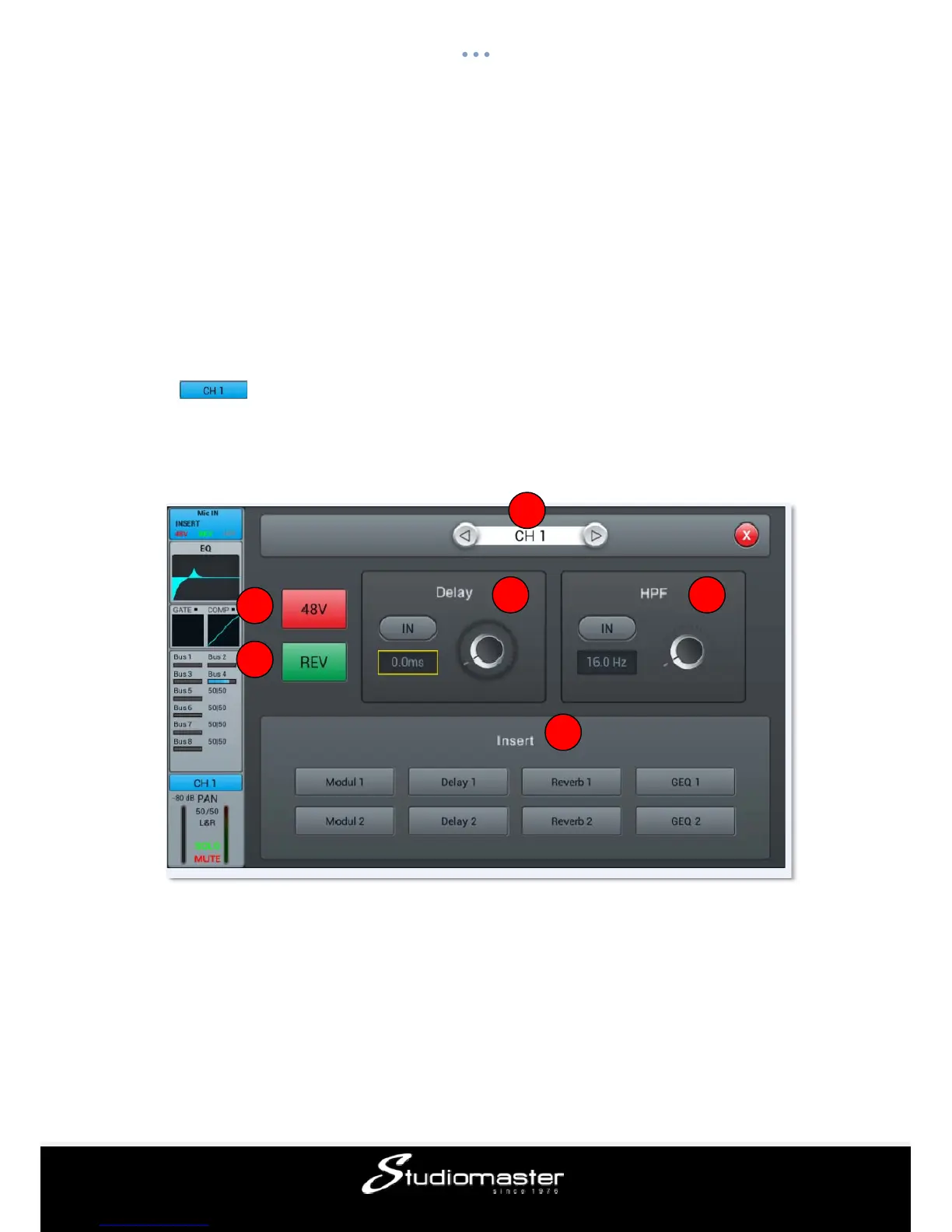
Input Stage Sub-page
① Switch channels
Press the arrow-buttons, to choose the previous or next channel within the same layer
② 48V phantom power
Press to enable 48V phantom power for the MIC channel. Press again to disable it. Default
is disabled.
③ REV
Press to enable phase invert. Press again for normal phase. Default is normal phase.
1
2
3
4 5
6














 To Next Page