4. Fan Speed Control Buttons
Press the fan speed control buttons
to select seven different fan
speed positions.
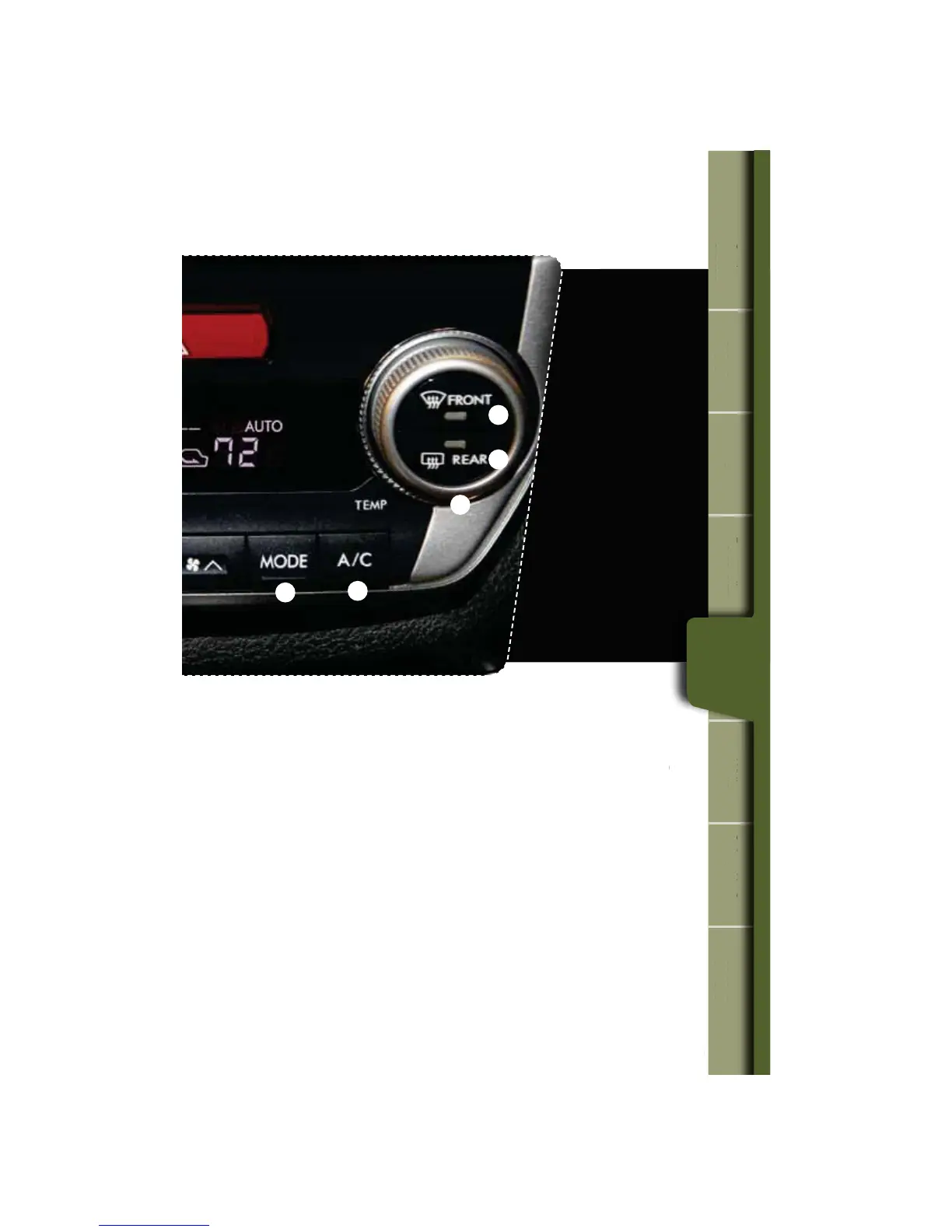
5. Air Flow Mode Selection Button
Press the button to select the desired
air ow mode. The selected air ow
NPEFoFJUIFSWFOUJMBUJPOCJMFWFM
IFBUPSIFBUEFGSPTUoJTTIPXOPO
the display.
6. Dual Mode Button
1SFTTUIFi%6"-wCVUUPOUPBDUJWBUF
or deactivate the dual mode. Dual
mode makes it possible to have
separate temperature settings for the
driver’s side and passenger’s side.
7. Air Conditioner Button
1SFTTUIFi"$wCVUUPOUPBDUJWBUFUIF
air conditioning. Press it again to turn
off the air conditioning.
8. Defroster Button
Press the button to defrost or
dehumidify the windshield and front
door windows.
9. Rear Window Defogger Button
Press the button to turn on the
defogger. It will automatically shut off
after about 15 minutes. If the window
clears before that time, you can
press the button again to turn it off.
19
Getting
Started
Instrument
Panel
Gauges
Personalize Controls While
Operating
Safety / In Case
of Emergency
Additional
Information
tarte
m
n
Panel
ges
son
z
trols
Operating
e
of Emergency
n
Information
Controls
8
9
7
5
2















 To Next Page