Black plate (215,1)
北米Model "A8170BE-A" EDITED: 2011/ 6/ 24
based on the following information. If you
cannot clear those messages, please
contact your SUBARU dealer.
! When “CHECK DEVICE” is dis-
played
This message is dis played under the
following conditions.
. When there is a short in the USB bus
. When an unsupported device (for ex-
ample a USB mouse) is connected
. When an unsupported iPod
®
is con-
nected
. When a connected iPod
®
is frozen
. When a transmission malfunction oc-
curs
. When an iPod
®
confirmation malfunc-
tion occurs
. When a HUB class USB storage
device is connected
Disconnect the USB storage device/iPod
®
and check it.
! When “NO USB” is displayed (type
D audio)
This message is dis played under the
following conditions.
. No USB storage devices/iPod
®
are
connected.
. A non-connectable USB storage de-
vice/iPod
®
is connected.
Connect a connectable USB storage
device/iPod
®
.
! When “No song” is displayed (type
D audio)
This message is displayed when there are
no playable audio tracks on the connected
USB storage device/iPod
®
. Connect a
USB storage device/iPod
®
that has play-
able audio tracks stored on it.
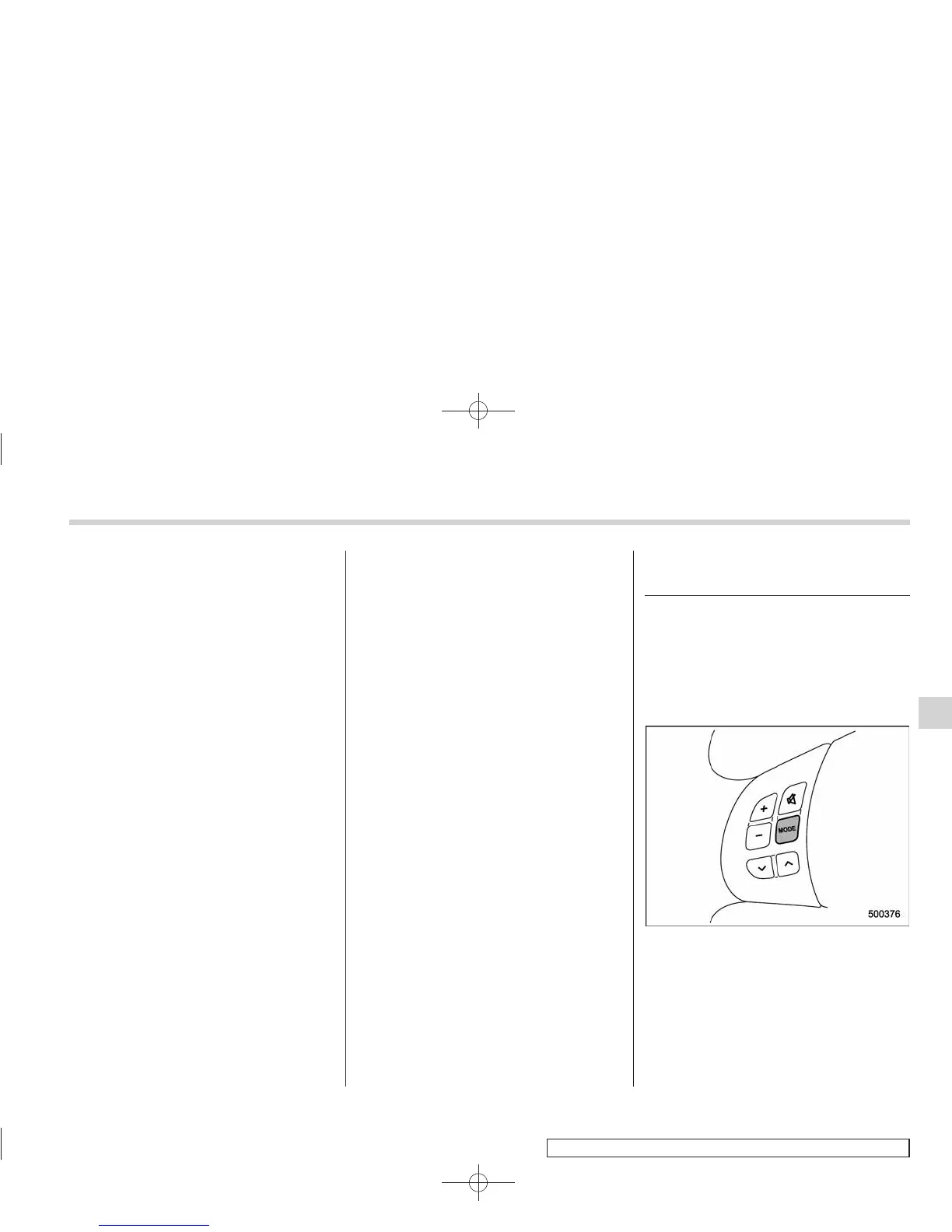
Audio control buttons (if
equipped)
These buttons are located on the spokes
of the steering wheel. They allow the
driver to control audio functions without
taking his/her hands off the steering
wheel.
& MODE button
Models without Hands-free system
Audio
5-37
– CONTINUED –
5















 To Next Page