10
Finding a Point of Interest
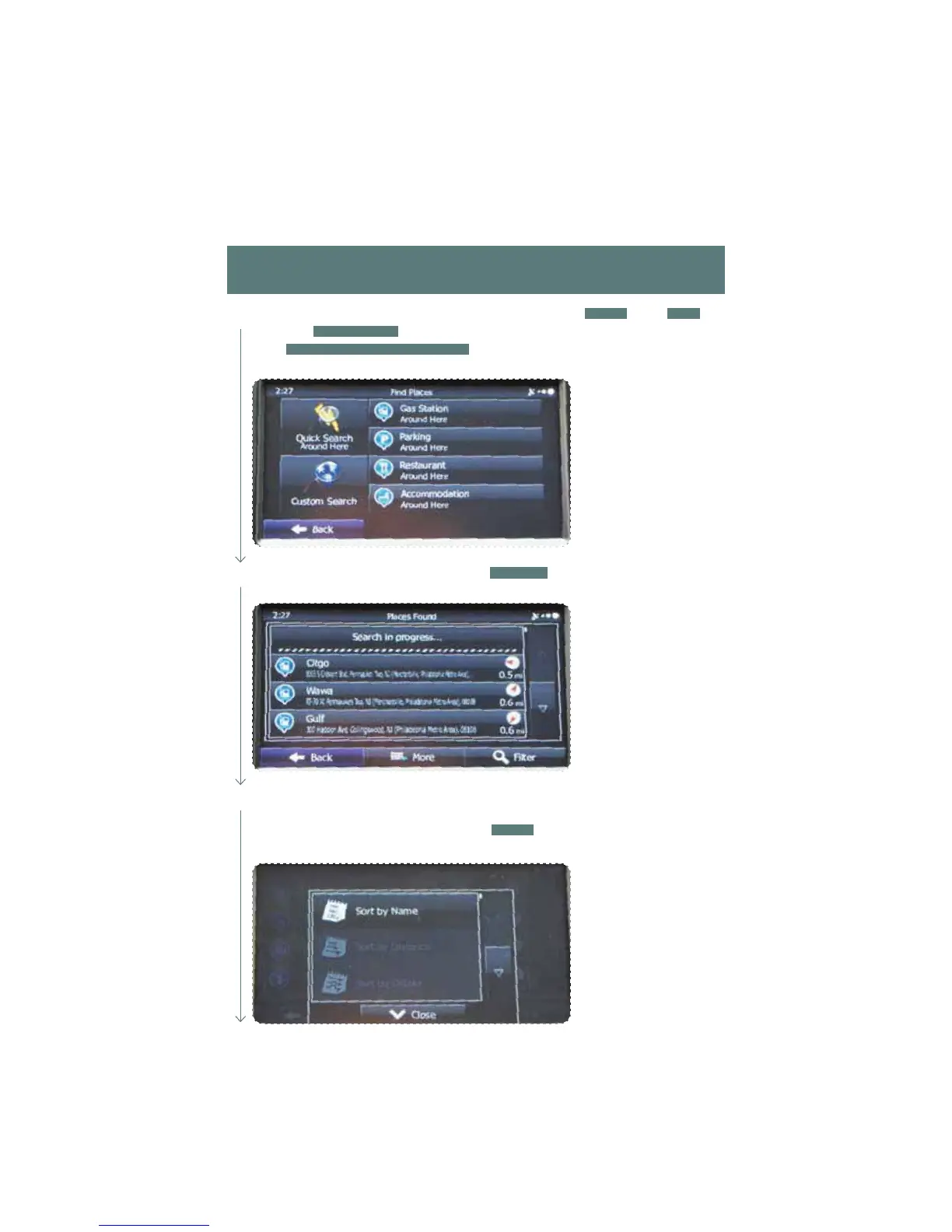
You can also nd addresses by using Find Places. You can use this in the event you do not
have a specic address but can refer to a specic place, such as a gas station, restaurant,
accommodation, etc.
1
Touch the Map Hard button to display the map screen. Touch
MENU
, touch
FIND
,
then touch
FIND PLACES
. You can select from the four preset categories shown or
touch
QUICK SEARCH AROUND HERE
. A keyboard appears for you to enter the
name of a specic location.
You can display locations on the list in name order, in order of the distance from the
current position or previously conrmed position. If you want to change the order in
which entries are presented in the list, touch
MORE
at the lower center of the screen
and select the style that you want.
3
2
After entering the rst few characters, touch
RESULTS
at the lower right of the
screen to view a list of names of characters you entered.















 To Next Page