Black plate (214,1)
北米Model "A8170BE-A" EDITED: 2011/ 6/ 24
5-36 Audio
to the shuffle playback on the entire
iPod
®
. It randomly repeats all of the
tracks on the iPod
®
.
. When an iPod
®
is connected, the
tracks are played back at random by
the shuffle function of the iPod
®
. There-
fore, iPod
®
operation may be different
depending on the model of the con-
nected iPod
®
.
. When an audiobook or a podcast is
playing, the mode does not change
even if you press the “RDM” button.
To cancel the random playback mode,
press the “RDM” button and select CAN-
CEL. The “RDM” indication will turn off
and the normal playback mode will re-
sume.
& SCAN (only when connecting
USB storage device) (type C
audio)
Scan is operated in the same way as for a
CD. For details, refer to “Scan (type A, B
and C audio)” F5-27.
NOTE
When an iP od
®
is connected, you
cannot select the SCAN mode.
& Selecting category (only
when connecting iPod
®
)
When the button is pressed briefly,
the iPod
®
menu is displayed.
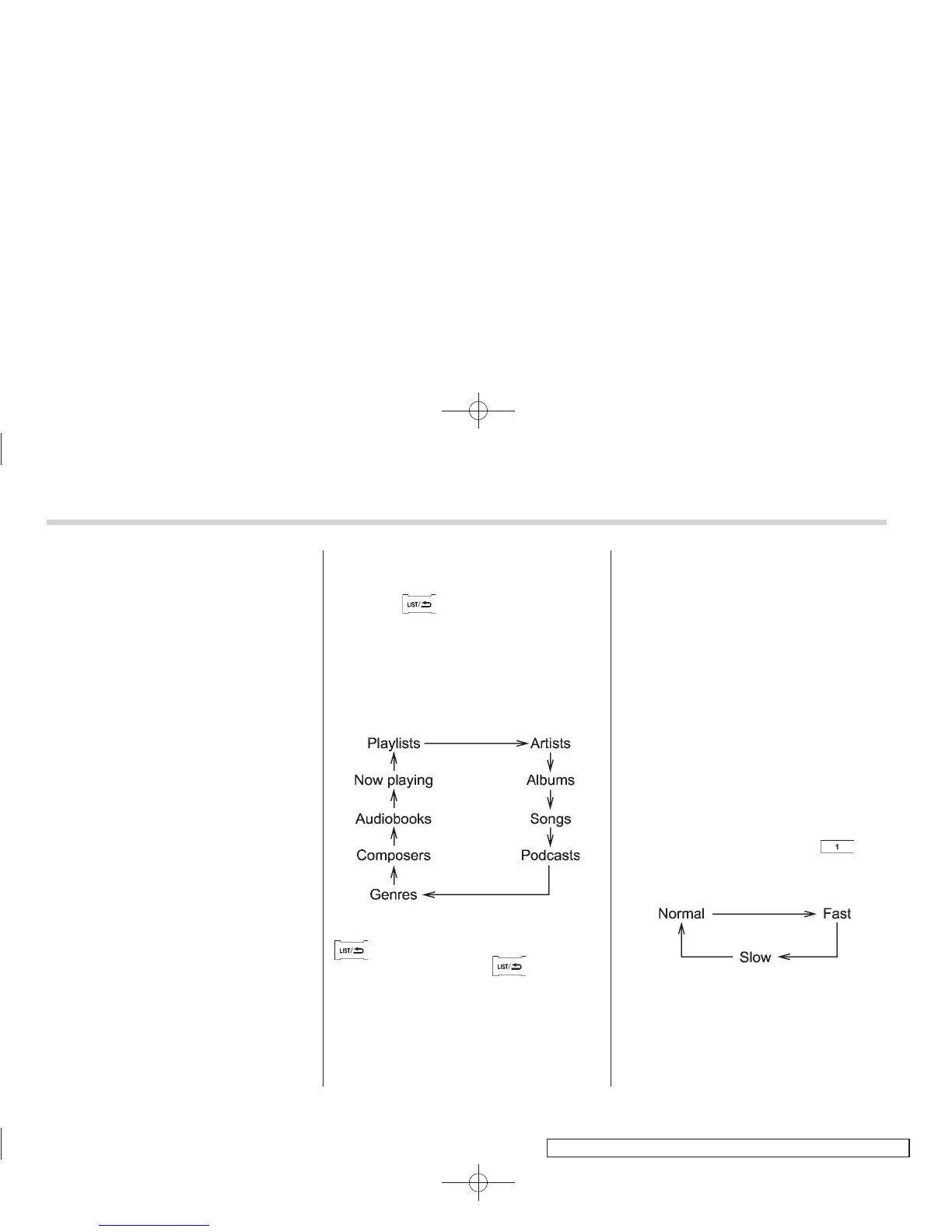
Each time you turn the “TUNE/TRACK/
CH” dial clockwise, the displayed category
changes in the following sequence. Each
time you turn the dial counterclockwise,
the displayed category changes in the
opposite sequence.
To select the category, press the dial. To
close the iPod
®
menu, press and hold the
button. To return to the previous
screen, briefly press the
button.
& Display selection
Refer to “Display selection (type A, B and
C audio)” F5-27.
! Page scroll
Refer to “Page (track/folder title) scroll”
F5-27.
& Folder selection (only when
connecting USB storage de-
vice)
Refer to “Folder selection” F5-28.
NOTE
When an iPod
®
is connected, y ou
cannot select a folder.
& Setting the playing speed
(only when the audiobook is
playing) (type D audio)
Each time you briefly press (the
“RPT” button) while the audiobook is
playing, the playing speed changes in
the following sequence.
& When the following mes-
sages are displayed
If one of the following messages is
displayed while connecting the USB sto-
rage device/iPod
®
, determine the cause















 To Next Page