Black plate (191,1)
北米Model "A8170BE-A" EDITED: 2011/ 6/ 24
FM/AM radio operation
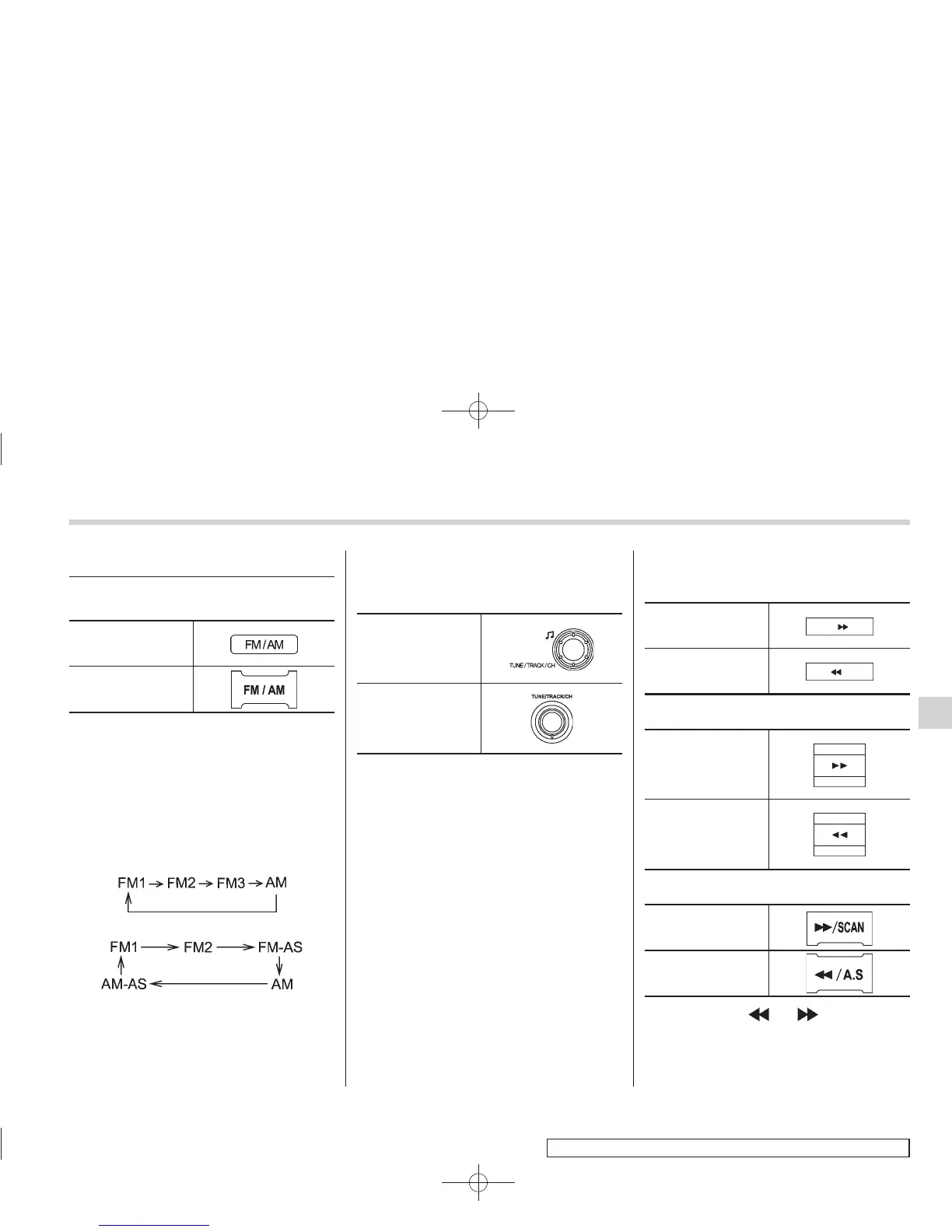
& FM/AM selection
Type A and B audio
Type C and D audio
Push the “FM/AM” button when the radio
is off to turn on the radio.
Push the “FM/AM” button when the radio
is on to select the reception mode.
Each brief press of the “FM/AM” button
changes the radio in the following se-
quence starting from the last radio band
you selected.
Type A, B and C audio:
Type D audio:
& Tuning
! Manual tuning
Type A and B audio
Type C and D audio
Turn the “TUNE/TRACK/CH” dial clock-
wise to increase the tuning frequency and
turn the “TUNE/TRACK/CH” dial counter-
clockwise to decrease it.
Turning the dial changes the frequency by
steps of 10 kHz in the AM mode or 0.2
MHz in the FM mode.
! Stereo indicator
The stereo indicator “ST” (type A, B and C
audio)/“STEREO” (type D audio) will
illuminate when an FM stereo broadcast
is received.
! Seek tuning (SEEK)
Type A and B audio:
Seek up
Seek down
Type C audio:
Seek up
Seek down
Type D audio:
Seek up
Seek down
If you press the “ ” or “ ” button briefly,
the radio will automatically search for a
receivable station and stop at the first one
it finds.
Audio 5-13
– CONTINUED –
5















 To Next Page