Black plate (188,1)
北米Model "A8170BE-A" EDITED: 2011/ 6/ 24
5-10 Audio
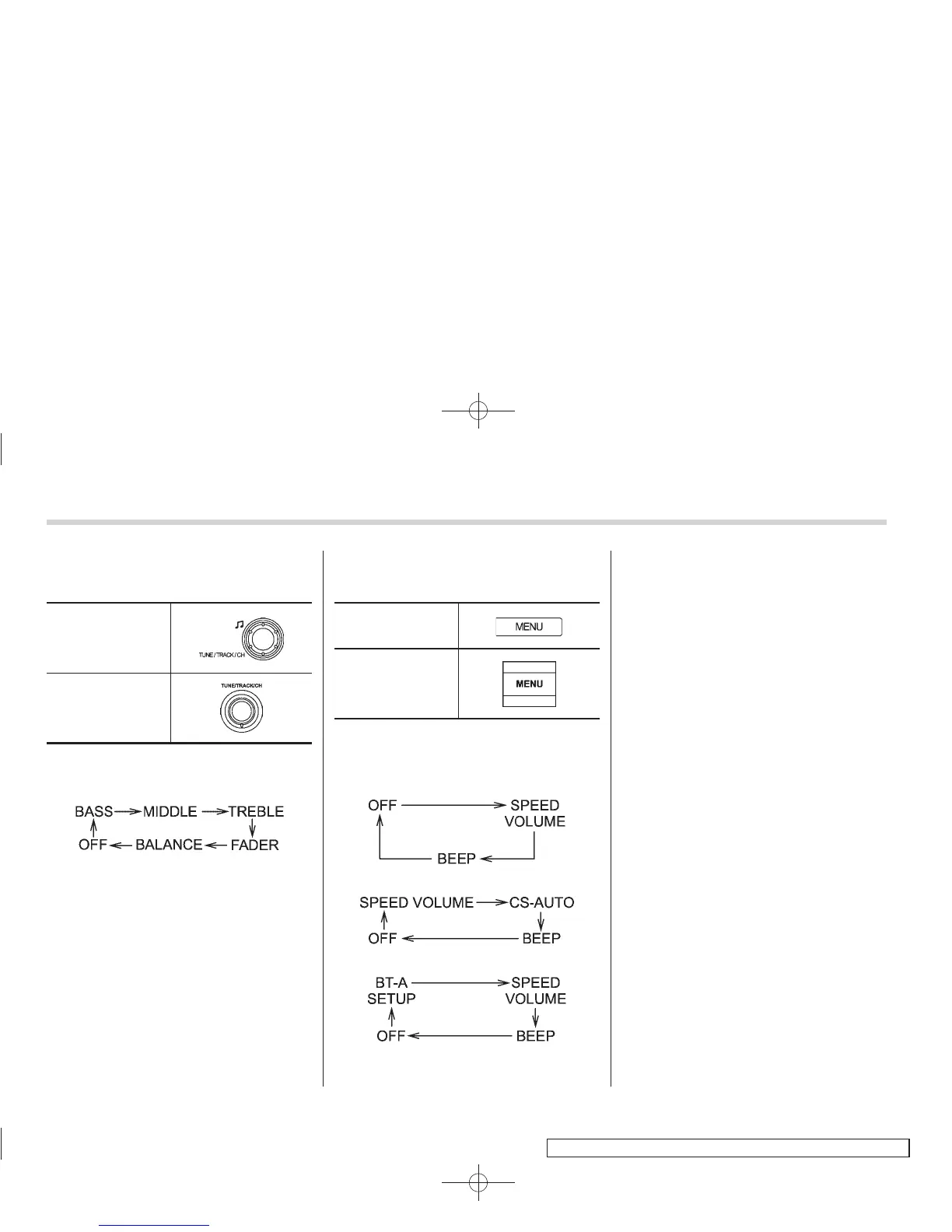
! Tone and balance control (type A, B
and C audio)
Type A and B audio
Type C audio
Each brief press of the “TUNE/TRACK/
CH” dial changes the control modes in the
following sequence.
Choose the preferred level for each mode
by turning the “TUNE/TRACK/CH” dial.
The control function returns to the tune/
track/channel control mode after approxi-
mately 5 seconds.
! Other settings (type A, B and C
audio)
Type A and B audio
Type C audio
Each brief press of the “MENU” button
changes the control modes in the follow-
ing sequence.
Type A audio:
Type B audio:
Type C audio:
Choose the preferred settings for each
mode by turning the “TUNE/TRACK/CH”
dial.
The control function returns to the tune/
track/channel control mode after approxi-
mately 5 seconds.
! Audio settings (type D audio)
1. Press the “TUNE/TRACK/CH” dial to
display “SETTING Menu”.
2. Operate the “TUNE/TRACK/CH” dial
to select the preferred menu. You can
select the menu as shown in the following
chart.















 To Next Page