29
Getting
Started
Instrument
Panel
Gauges
Personalize Controls While
Operating
Safety / In Case
of Emergency
Additional
Information
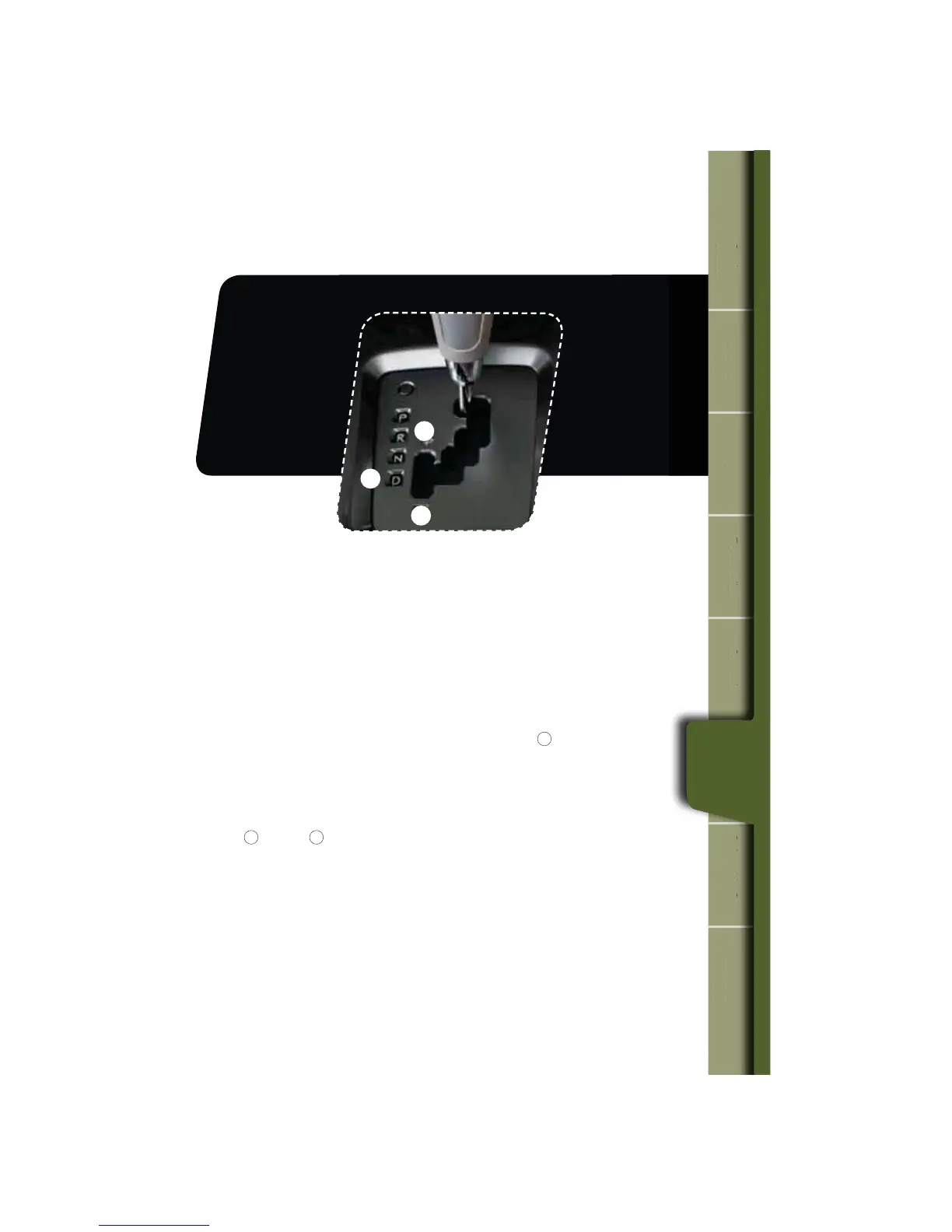
Automatic Transmission Shift Mode
The 4-Speed automatic transmission gives you ultimate control with three
EJGGFSFOUESJWJOHNPEFT/PSNBM.PEF4QPSU.PEFBOE.BOVBM.PEF
Normal Mode
8IFOUIFTFMFDUPSMFWFSJTJOUIFi%w%SJWFQPTJUJPOUIFUSBOTNJTTJPOJTJO
/PSNBMTIJGUNPEF5IFTIJGUQPTJUJPOJOEJDBUPSPOUIFJOTUSVNFOUQBOFMTIPXT
i%wBOEUIFUSBOTNJTTJPOBVUPNBUJDBMMZTIJGUTJOUPBTVJUBCMFGPSXBSEHFBS
Sport Mode
SPORT mode is used when power is needed for rapid acceleration or for uphill
driving. Moving the selector lever left into the manual gate
1
GSPNi%w%SJWF
position causes the transmission to change into Sport Mode.
Manual Mode
In Manual Mode, you select the desired gear position to obtain necessary
acceleration and engine braking. While in SPORT Mode, move the selector lever
up
2
or down
3
to select Manual Mode. The shift position indicator shows the
selected gear position.
When Manual Shifting Operation is Possible
t"SSPXTIBQFEMJHIUTJOUIFDFOUFSPGUIFJOTUSVNFOUQBOFMTIPXXIFUIFSBO
upshift is possible and whether a downshift is possible.
t#PUIBSSPXTBSFPO6QTIJGUJOHBOEEPXOTIJGUJOHBSFCPUIQPTTJCMF
t6QBSSPXPOMZJTPO0OMZVQTIJGUJOHJTQPTTJCMF
t%PXOBSSPXPOMZJTPO0OMZEPXOTIJGUJOHJTQPTTJCMF
1
2
3
tarte
m
n
Panel
ges
son
z
While
Operating
e
of Emergency
n
Information
While
Operating















 To Next Page