17
Bluetooth Basics
Bluetooth without
Navigation System
BlueConnect
®
Bluetooth with
Navigation System
Bluetooth with
TomTom
®
Navigation
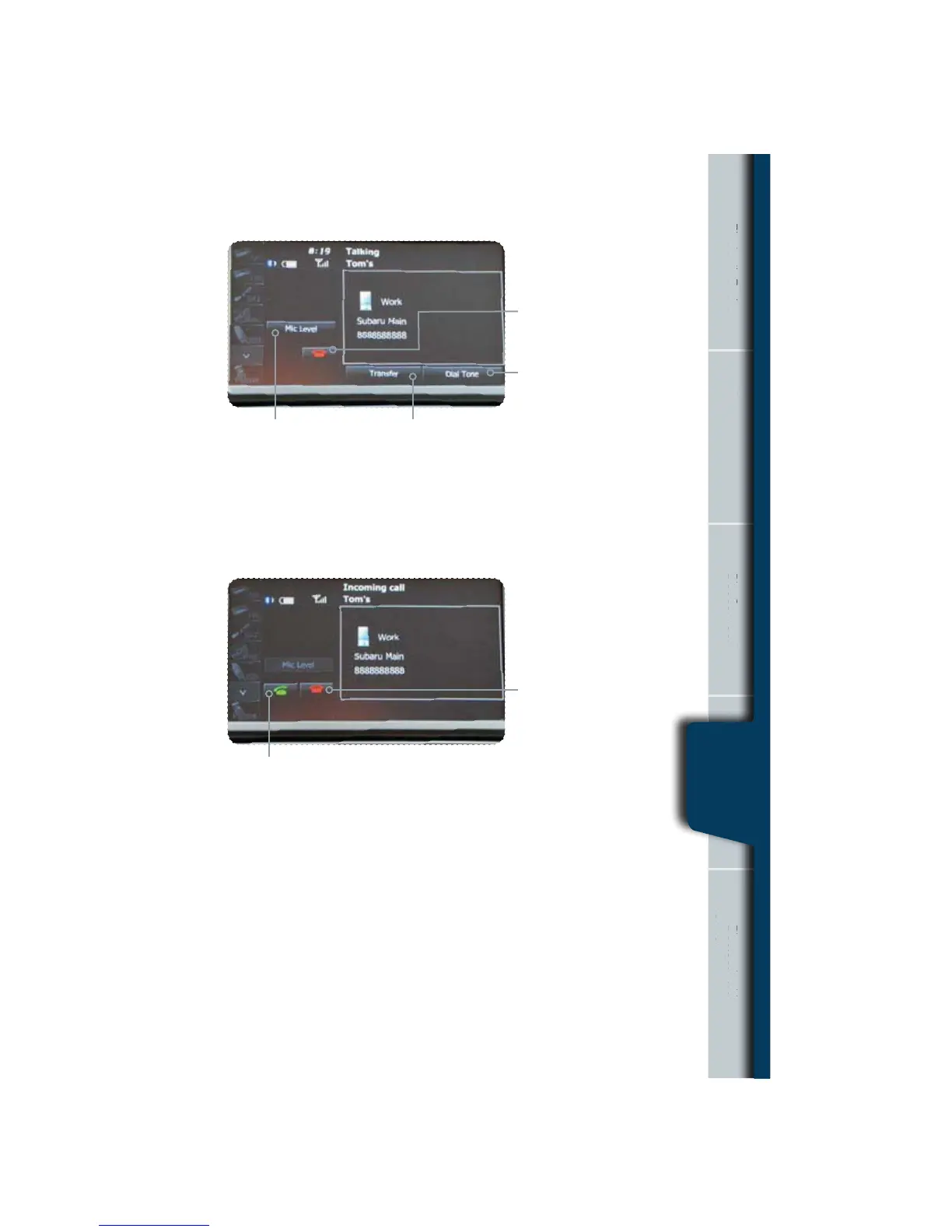
During a Call
Receiving a Call
Transfer – Touch to switch
the phone conversation back
to your cell phone.
.JD-FWFMo5PVDIUPDIBOHF
the volume of the call.
Red phone symbol –
Touch this to end a call.
%JBM5POFo5PVDIUPFOBCMF
numeric key input.
When a call comes in the incoming call screen appears automatically.
Touch the green phone soft key to answer the call.
5PVDIi%JTDPOOFDUwUP
decline the incoming call.
Nav
tion System
nne
Bluetooth with
avigation Syst
TomTo
Navigatio
Bluetooth with
Navigation
System















 To Next Page