
EasyManua.ls Logo

SUMAVISION TECHNOLOGIES EMR3B - User Manual

SUMAVISION TECHNOLOGIES EMR3B
56 pages
Print Icon
To Next Page IconTo Next Page
Loading...
SUMAVISION
Operating Instructions
Integrated Media Processing Platform
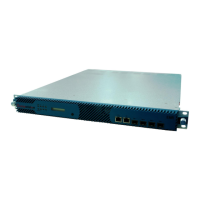
Enhanced Multimedia Router
SUMAVISION TECHNOLOGIES CO., LTD.

Table of Contents

Questions and Answers

  • K
    Kendra KaiserJul 31, 2025
    What to do if the QAM modulator output can’t be received by STB SUMAVISION TECHNOLOGIES Network Router?
    • J
      Jared PollardJul 31, 2025
      If the QAM modulator output of your SUMAVISION TECHNOLOGIES Network Router can’t be received by the STB, this may be due to the QAM output level being too high. In this case, lower the level or increase the number of attenuators. Another cause can be that the parameters of the STB are set incorrectly, so set parameters matching with QAM again.
  • J
    Jennifer EdwardsAug 4, 2025
    Why the main Gigabit card inputs no system bit rate SUMAVISION TECHNOLOGIES Network Router?
    • M
      Mary LeeAug 5, 2025
      If the main Gigabit card of your SUMAVISION TECHNOLOGIES Network Router inputs no system bit rate, it might be because the input program stream is interrupted. Check head-end program sources and network cable connection to resolve this.
  • E
    Elizabeth AllenAug 9, 2025
    Why the main Gigabit card outputs no valid bit rate SUMAVISION TECHNOLOGIES Network Router?
    • B
      briandominguezAug 9, 2025
      If the main Gigabit card of your SUMAVISION TECHNOLOGIES Network Router outputs no valid bit rate, it is likely that the input program stream is interrupted. To fix this, check whether the multiplexing program sources are normal.
  • B
    brandondunnAug 13, 2025
    What to do if the destination IP of the main Gigabit card is unreachable SUMAVISION TECHNOLOGIES Network Router?
    • K
      Karen HamiltonAug 13, 2025
      If the destination IP of the main Gigabit card in your SUMAVISION TECHNOLOGIES Network Router is unreachable, it indicates that the connection with the sending device is broken. Check the network settings of destination device and network cable connection to fix it.
  • S
    Stephanie SweeneyAug 17, 2025
    What to do if ASI 4-channel output card fails to output the decoding normally SUMAVISION TECHNOLOGIES Network Router?
    • D
      David KellerAug 18, 2025
      If the ASI 4-channel output card of your SUMAVISION TECHNOLOGIES Network Router fails to output the decoding normally, it could be due to a couple of reasons: * The output program stream decoding turns out no video & audio frequency. In this case, check the multiplexing program sources. * The output program stream decoding turns out mosaic. Then you should check the output system bit rate.
  • M
    Mark YoungAug 21, 2025
    How to fix LCD if it does not display after powering on SUMAVISION TECHNOLOGIES Network Router?
    • H
      hannahortizAug 21, 2025
      If the LCD of your SUMAVISION TECHNOLOGIES Network Router does not display or the working indicator is not on after powering on, it could be due to: * A poorly connected power lead. Replace the power lead. * A broken fuse on the power socket. Replace the fuse.
  • O
    osbornepaulaAug 27, 2025
    What to do if ASI 5-channel input card fails to refresh any input signals SUMAVISION TECHNOLOGIES Network Router?
    • K
      kelsey10Aug 27, 2025
      If the ASI 5-channel input card of your SUMAVISION TECHNOLOGIES Network Router fails to refresh any input signals, it may be because no input signal is available. Check the line for input signal. Also, check the input signal sources.

Summary

Chapter 1 Overview

1.1 Network Solution

Illustrates a typical networking diagram for the EMR system.

1.2 Main Performance Parameters

Lists the key technical specifications and capabilities of the EMR device.

Chapter 2 Product Descriptions

2.2.4 Connector of the Device

Details the rear panel layout, slots, and connectors for sub-cards.

2.2.5 Interface Performance

Details the performance and interfaces of various EMR module cards.

Heat Emission Descriptions

Control Descriptions

Outlines the methods for controlling the EMR via network management.

Chapter 3 Safety Precautions

3.3 Environmental Requirements

Details the necessary environmental conditions for EMR operation and storage.

3.3.3 Power supply Requirement

Details the electrical power specifications including voltage, frequency, and consumption.

Chapter 4 Installation and Debugging

4.3 Steps and Methods of Installation

Provides detailed steps for physically installing the EMR into a cabinet.

4.4 Debugging

Outlines the procedures for debugging, testing, and initial power-on checks of the EMR.

4.6 Device Upgrade

Details the process for upgrading the EMR's firmware and software.

Chapter 5 Operating Methods

5.1 Web Network Management

Introduces the web-based network management system for EMR configuration.

5.1.1 System Setting

Covers system-level configurations like IP address, gateway, and subnet mask.

5.1.2 Operating Method

Explains the core operational procedures for configuring EMR functions.

5.1.2.2 Multiplexing Setting

Guides users on setting up program multiplexing and data routing.

5.2 Board Card Description

Introduces and describes the various functional board cards available for the EMR.

5.3 Web Network Management for Scrambling Module

Explains web-based management of the EMR scrambling module.

5.3.1 System Setting

Covers system parameters, license info, and other settings for the scramble module.

5.3.2 Program Scramble

Guides on selecting programs and applying scrambling settings.

5.3.4 CAS Setting

Covers the configuration of Conditional Access System (CAS) parameters.

Chapter 6 Descriptions of Advanced

6.1 Output Settings

Explains how to configure output ports for pass-through of input streams.

Chapter 7 Fault Analysis and Troubleshooting

7.1 Alarm Information

Explains how to interpret and manage system alarms and error indicators.

Chapter 8 Maintenance

8.1 Maintenance method

Outlines the general principles and rules for performing EMR maintenance.

8.2 Maintenance details

Lists specific details and precautions for routine EMR maintenance tasks.

8.3 Routine maintenance

Details the procedures and checks for routine maintenance activities.

SUMAVISION TECHNOLOGIES EMR3B Specifications

General IconGeneral
BrandSUMAVISION TECHNOLOGIES
ModelEMR3B
CategoryNetwork Router
LanguageEnglish