78 Sun Fire 280R Server Service Manual • January 2001
What to Do
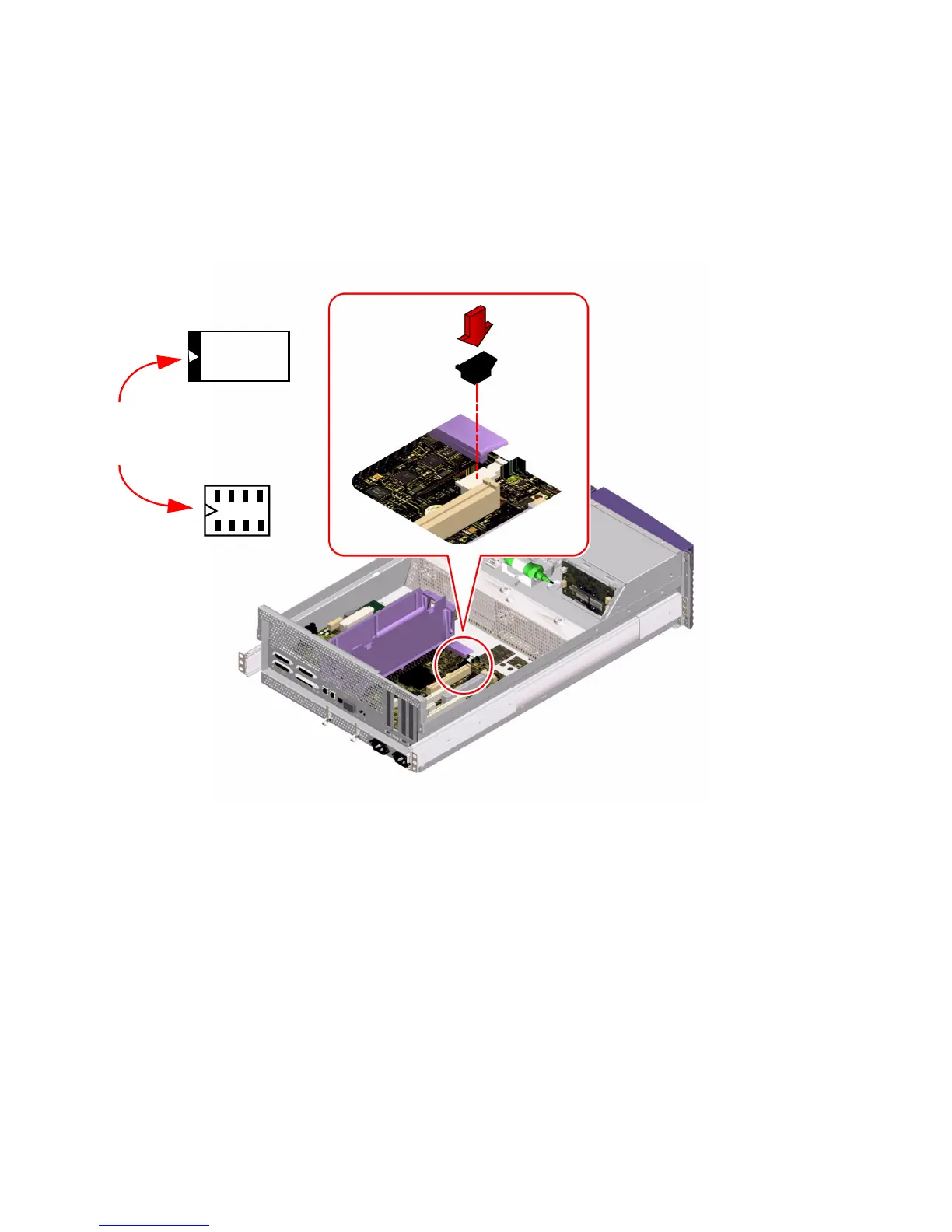
1. Insert the ID SEEPROM module into its socket on the main logic board.
Make sure that the notch on the ID SEEPROM module is on the same side as the
notch on the connector on the main logic board.
2. Push down firmly on the ID SEEPROM module until it seats in its socket.
What Next
To reassemble the system, complete these tasks:
■ If you had to remove a PCI card from PCI slot 4, “How to Install a PCI Card” on
page 61
■ “How to Replace the System Cover” on page 33
Matching
notches
ID SEEPROM
module
Connector on
main logic
board













 To Next Page