116 Sun Fire 280R Server Service Manual • January 2001
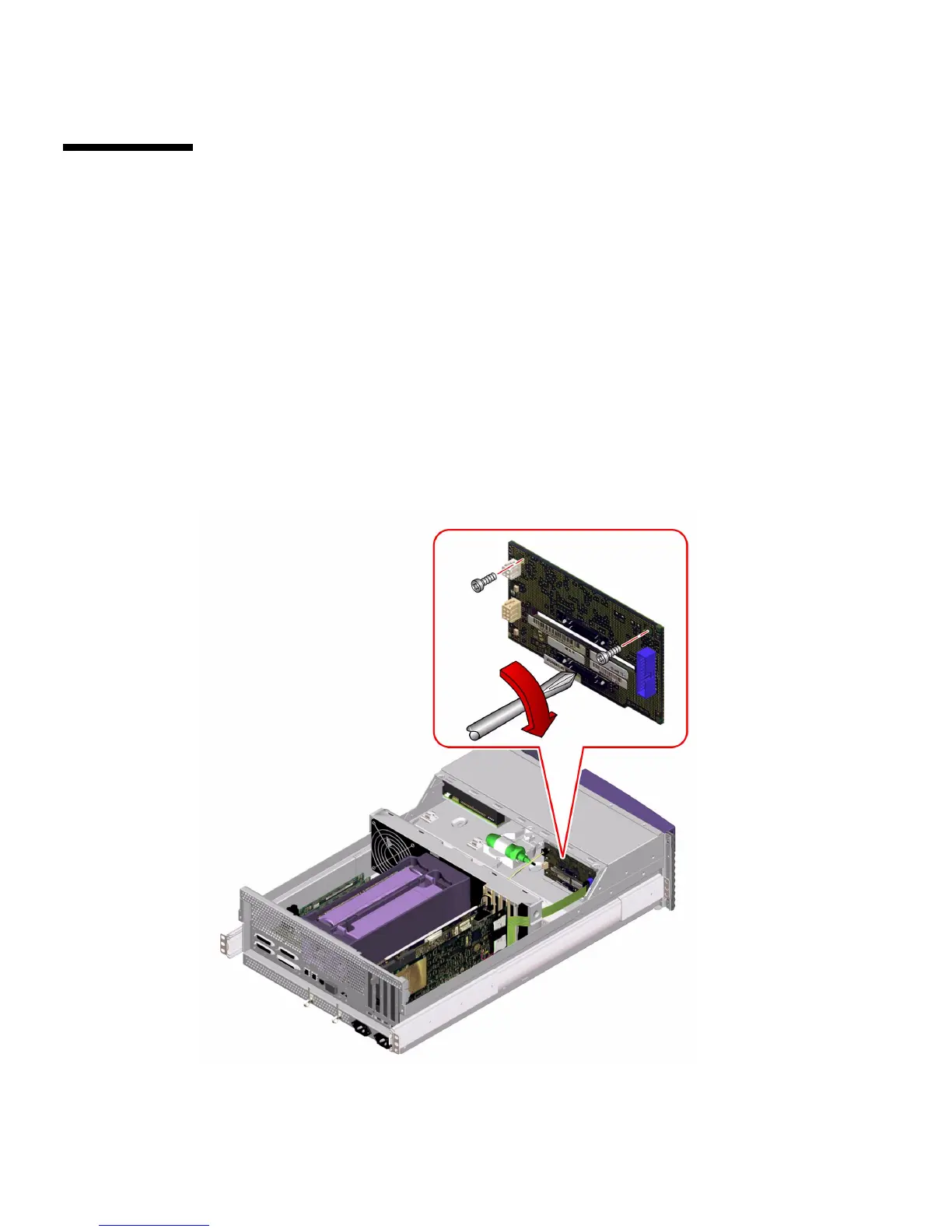
How to Replace the FC-AL Backplane
Before You Begin
Complete this task:
■ “How to Avoid Electrostatic Discharge” on page 35
What to Do
1. Position the FC-AL backplane in place behind the disk drive bay in the chassis.
Insert the bottom tab on the backplane into the slot on the chassis.
2. Replace the two Phillips screws that secure the FC-AL backplane to the chassis.













 To Next Page