Chapter 4 Removing and Replacing Backplanes and Cables 117
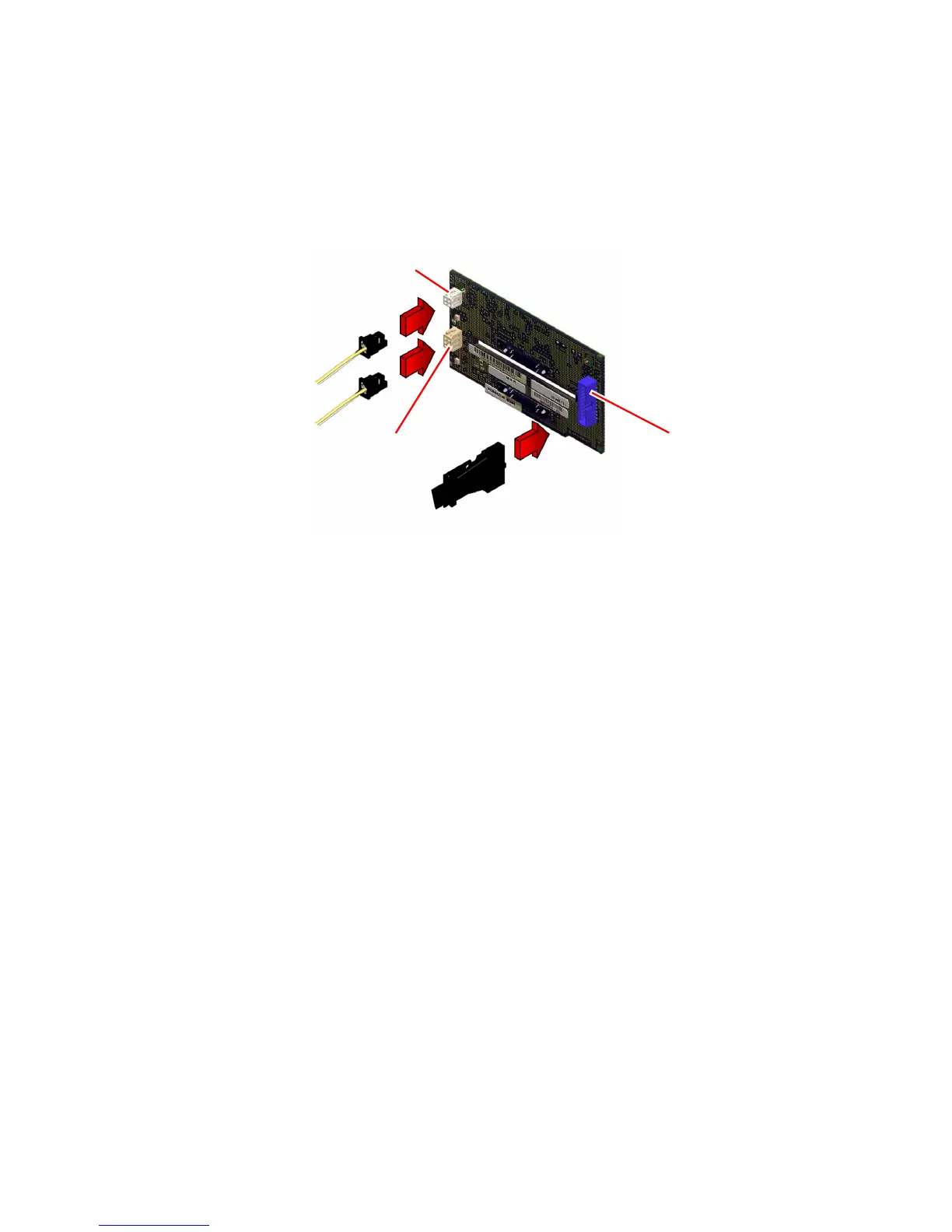
3. Connect the FC-AL data cable from the main logic board at J0102 on the FC-AL
backplane.
The connector is keyed to attach in only one way.
4. Connect the I/O power cable at J0101 on the FC-AL backplane.
The connector is keyed to attach in only one way.
5. Connect the I
2
C cable at J0103 on the FC-AL backplane.
The connector is keyed to attach in only one way.
What Next
To reassemble the system, complete these tasks:
■ “How to Replace the System Cover” on page 33
■ “How to Install a Disk Drive” on page 94 or “How to Replace the Removable
Media Assembly” on page 107
J0102
J0101
J0103













 To Next Page