Chapter 4 Removing and Replacing Backplanes and Cables 119
c. Disconnect the power interlock cable at J0209.
d. Disconnect the I
2
C cable at J0505.
e. Disconnect the CPU power sense cable at J0205.
f. Disconnect the keyswitch/Power button/LED cable at J0500.
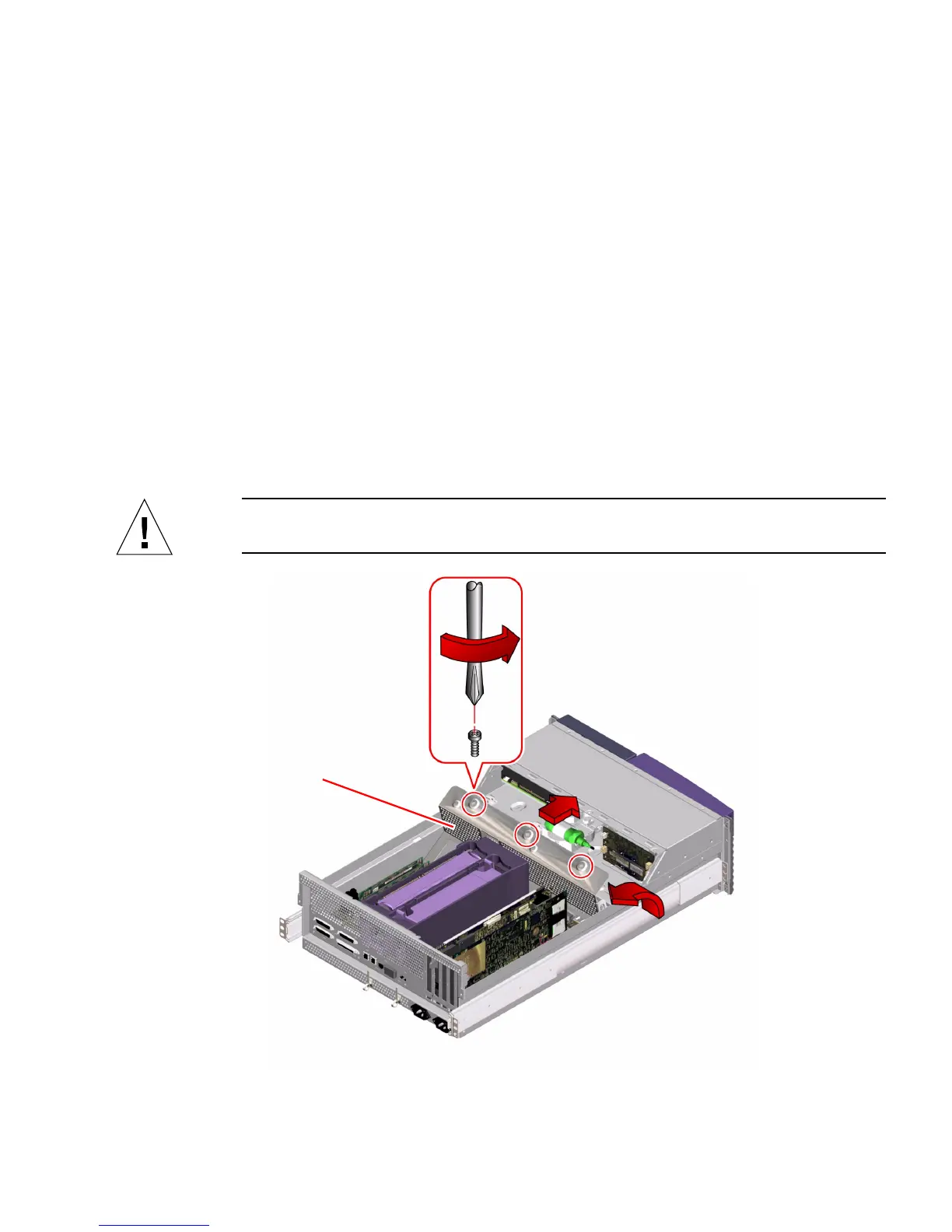
2. Loosen the three captive Phillips screws that secure the power distribution board
cover panel to the chassis.
3. Remove the power distribution board cover panel.
a. Tilt the panel toward the back of the chassis approximately 30 degrees.
Hold the cover panel by the edge nearest the front of the chassis.
b. Gently pull the cover panel forward and up, out of the chassis.
Set the power distribution cover panel aside.
Caution – Be careful not to damage the main logic board when removing the cover
panel.
Cover panel













 To Next Page