Chapter 4 Removing and Replacing Backplanes and Cables 125
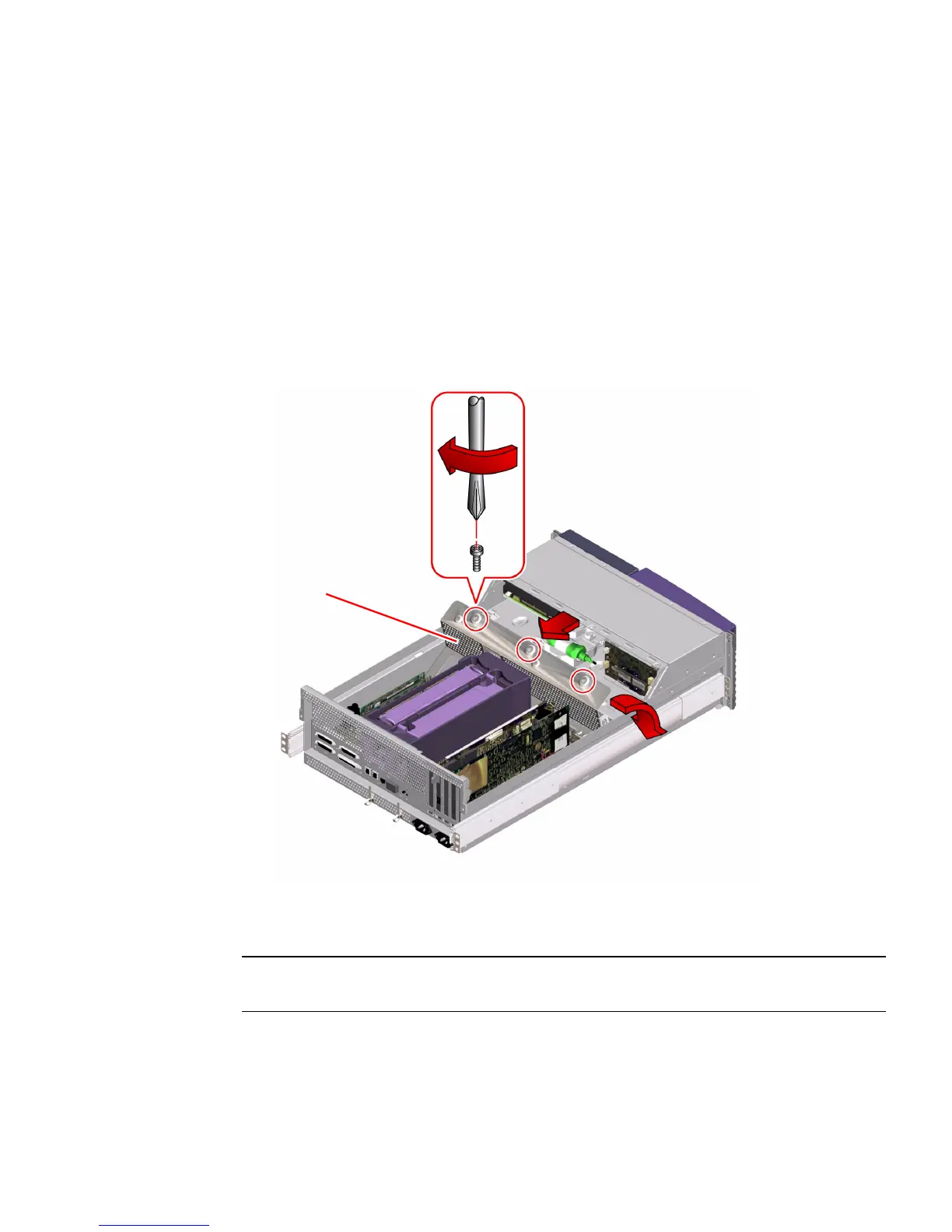
5. Replace the power distribution board cover panel.
a. Position the cover in place over the chassis.
Hold the cover at an approximately 30-degree angle from the chassis, aligning the
slots on the cover with the tabs on the main logic board mounting plate.
b. Lower the cover into place.
Make sure that you insert the slots on the cover around the tabs on the main logic
board mounting plate.
6. Tighten the three captive Phillips screws that secure the power distribution board
cover panel to the chassis.
7. Reconnect the power distribution board cables:
Note – See “Power Distribution Board Connectors” on page 130 for connector
locations.
a. Connect the power interlock switch cable at J0209.
b. Connect the I
2
C cable at J0505.
Cover panel







 To Next Page