132 Sun Fire 280R Server Service Manual • January 2001
Note – Pull the cable out by its connector, not by the cable itself.
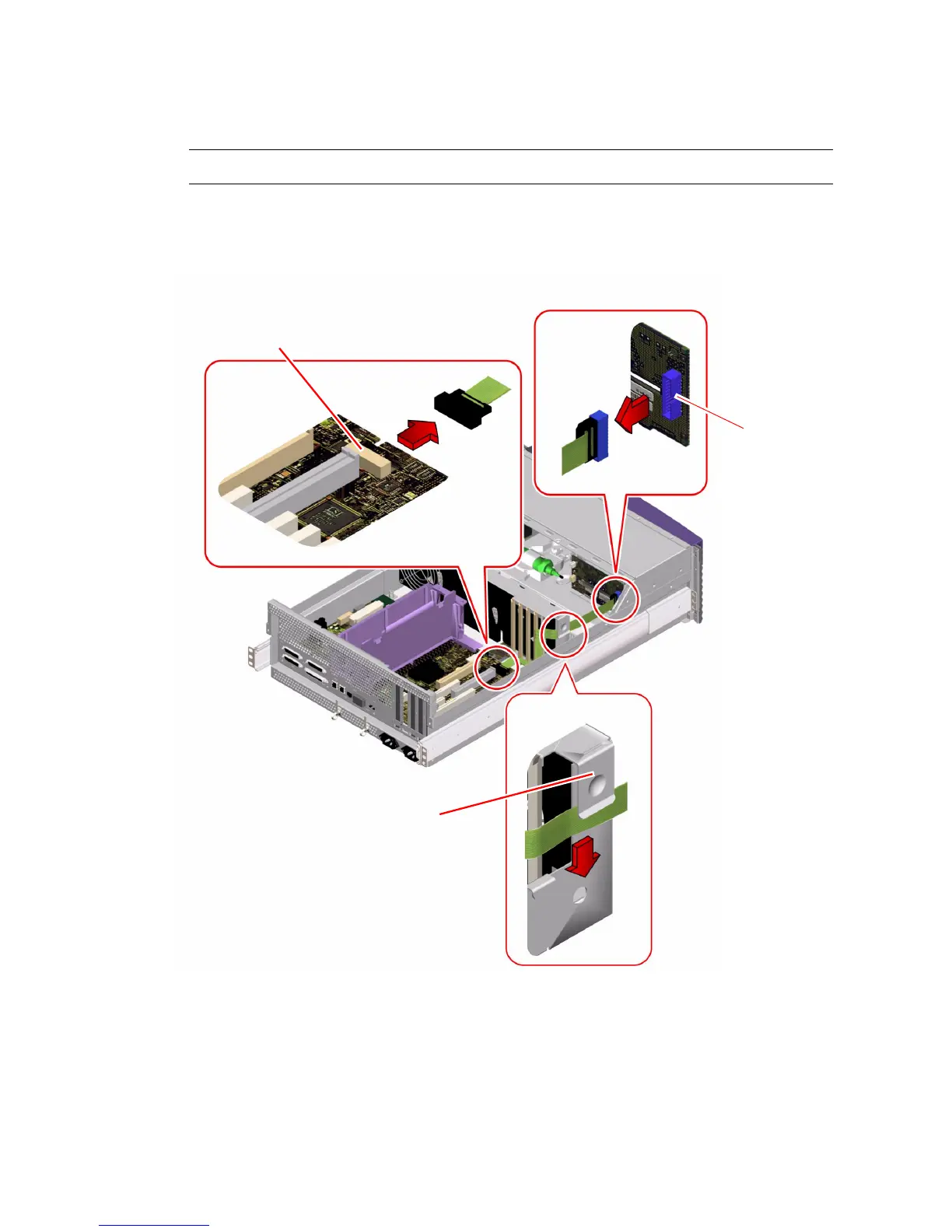
a. Unplug the cable end from J0102 on the FC-AL backplane.
b. Unplug the remaining cable end from J2901 on the main logic board.
3. Slide the FC-AL cable out from under the clip on the side of the fan tray.
J0102
J2901
Fan tray clip













 To Next Page