Chapter 1 Preparing to Service the System 29
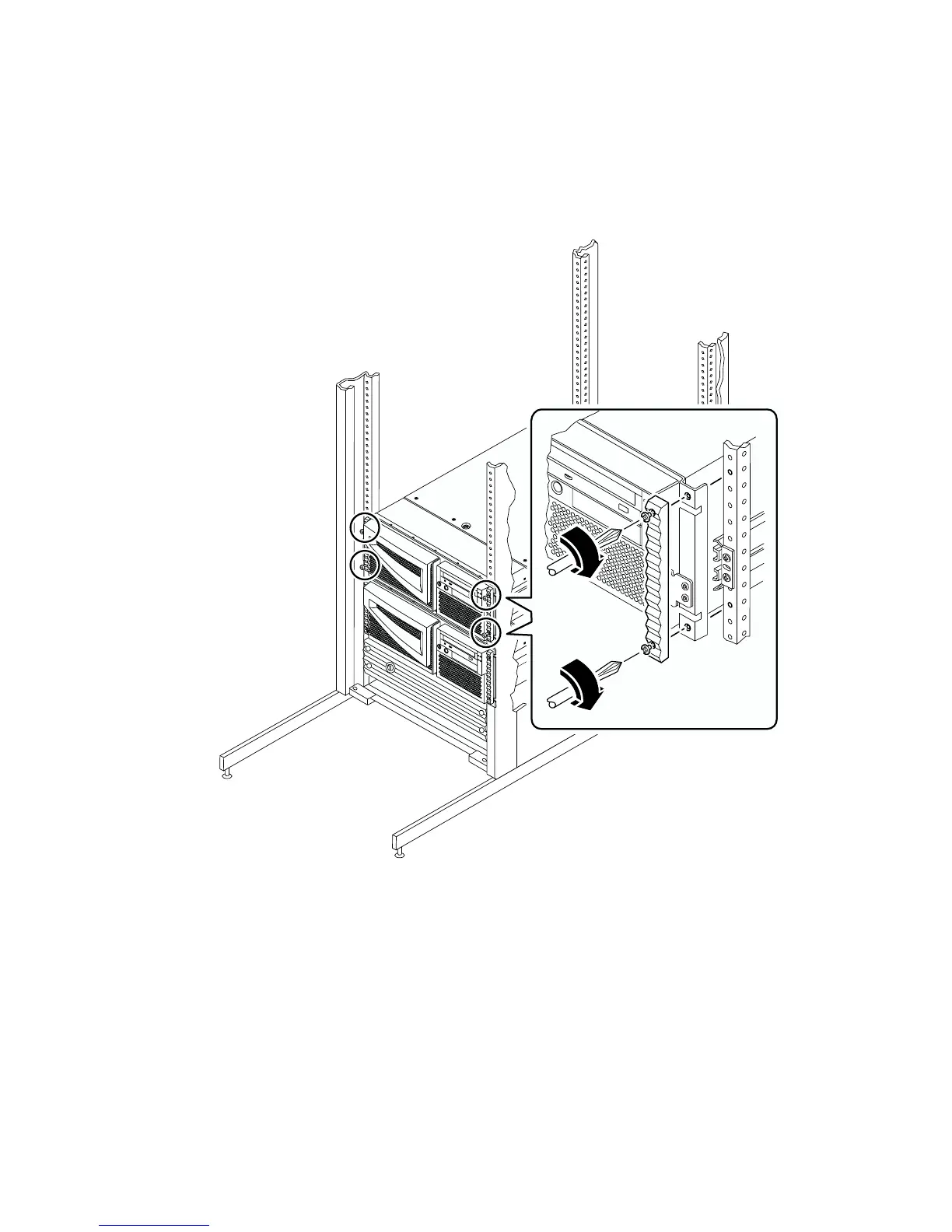
8. Secure the system to the left and right vertical rails at the front of the rack.
Use a Phillips No. 2 screwdriver to tighten the four captive screws that secure the
system in the rack enclosure. These screws are in recessed access holes in the
decorative panels affixed to the system’s front panel.
9. Connect all external cables that were attached to the back panel of the system.
Examine each disconnected cable for information indicating the cable’s origin and its
terminating connection.
10. Replace, close, and lock the rack enclosure doors, as appropriate.


 To Next Page
 Loading...











