32 Sun Fire 280R Server Service Manual • January 2001
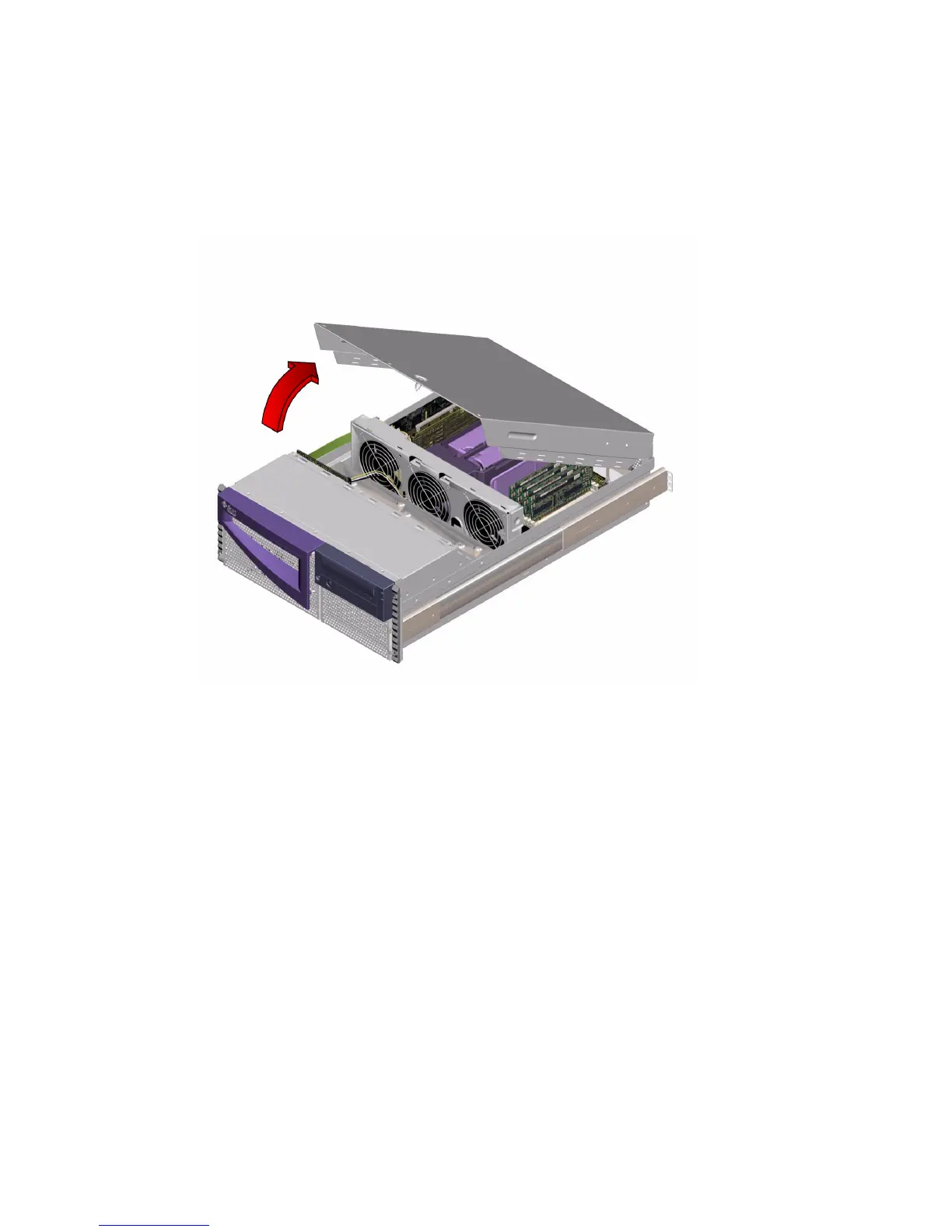
3. Grasp the system cover by its sides, and lift the cover up and away from the front
of the enclosure. Remove the cover and set it aside.
The system cover hinges on two cutouts in the enclosure back panel. Lift the system
cover away from the back of the enclosure.
What Next
You are now ready to install, remove, or replace components inside the
system chassis.
To reassemble the system, see:
■ “How to Replace the System Cover” on page 33







 To Next Page