40 Sun Fire 280R Server Service Manual • January 2001
What to Do
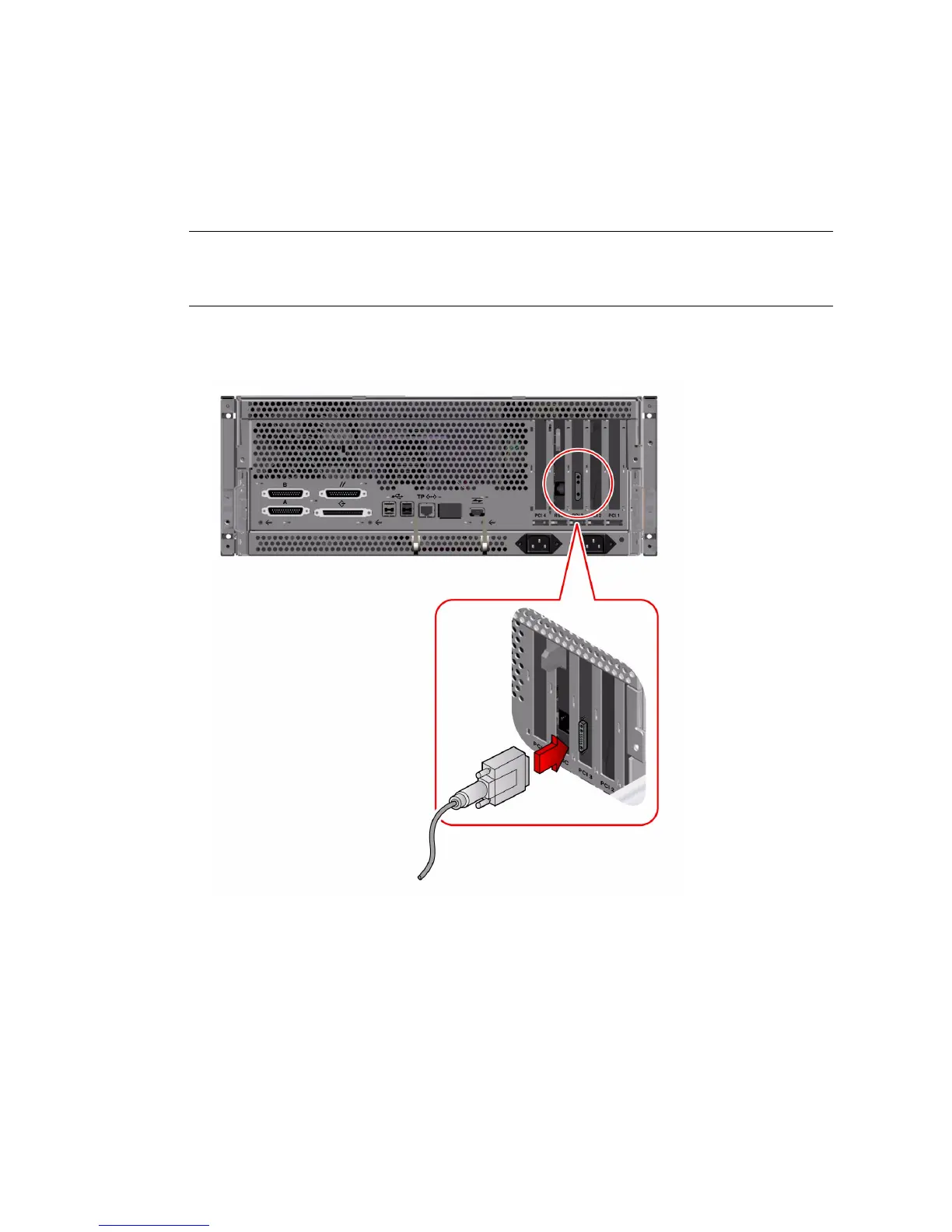
1. Install the graphics card into an appropriate PCI slot.
Note – Installation must be performed by a qualified service provider. For further
information, see “How to Install a PCI Card” on page 61 or contact your qualified
service provider.
2. Attach the monitor video cable to the graphic card’s video port.
Tighten the thumbscrews to secure the connection.








 To Next Page