Chapter 2 Servicing the Main Logic Board and Components 59
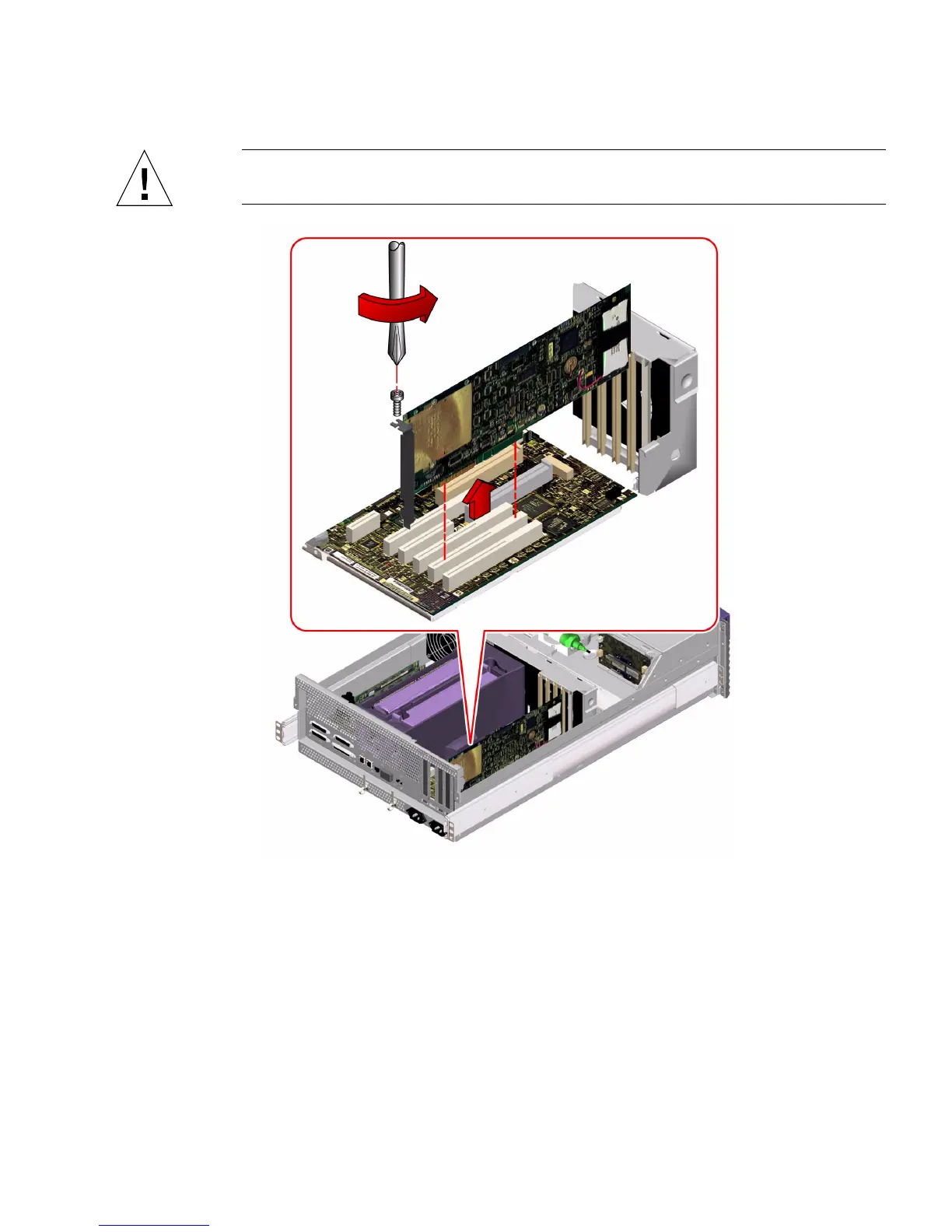
Caution – Do not apply excessive force to one end or one side of the card. Doing so
could damage the card.
4. Pull the PCI card from its slot.
Hold the card by the faceplate and its opposite edge, and pull up while rocking the
card from end to end until it is freed from its slot.
5. Place the PCI card on an antistatic mat.
6. If you are not replacing the PCI card, cover the vacated space with a PCI filler
panel.
a. Slide the filler panel into the appropriate slot.













 To Next Page