Chapter 4 Maintaining the Sun Fire V40z Server 4-23
4.5.2.3 Installing an Optional Sixth HDD and Adapter
You can optionally install a sixth HDD in the bay that normally contains the
DVD/diskette drive assembly. To do this, install the required adapter in the bay as
described in the following procedure.
1. Remove any DVD/diskette drive assembly from its bay.
See “DVD-ROM/Diskette Drive Assembly” on page 4-24 for instructions.
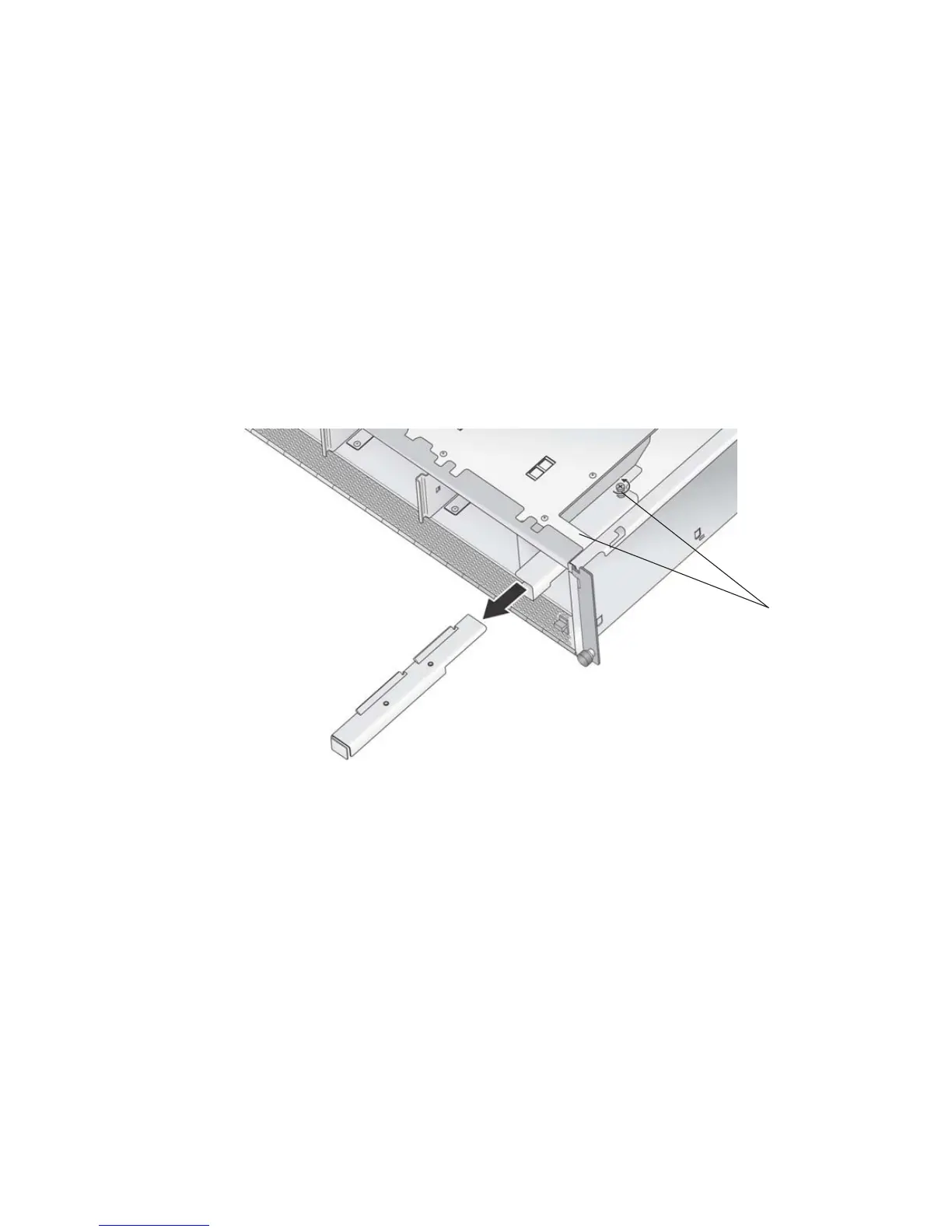
2. Install the adapter into the chassis below the operator-panel assembly, as shown
in
FIGURE 4-13. Push the adapter in until it stops against the chassis.
3. Tighten the two captive screws as shown to secure the adapter in place.
FIGURE 4-13 Installing the Sixth HDD Bay Adapter
4. Install the HDD and carrier as described in “Installing an HDD and Carrier” on
page 4-22.
5. Disable the diskette-drive setting in the server BIOS:
a. Reboot the server and press F2 to enter BIOS setup when the server reboots.
b. In the BIOS Main menu, select Legacy Diskette A and change its setting to
Disabled.
c. Press F10 to exit BIOS settings.
When you are prompted whether to save changes, select Yes.
Captive screws












 To Next Page