Chapter 3 Maintaining the Sun Fire V20z Server 3-13
3.5.1 I/O Board
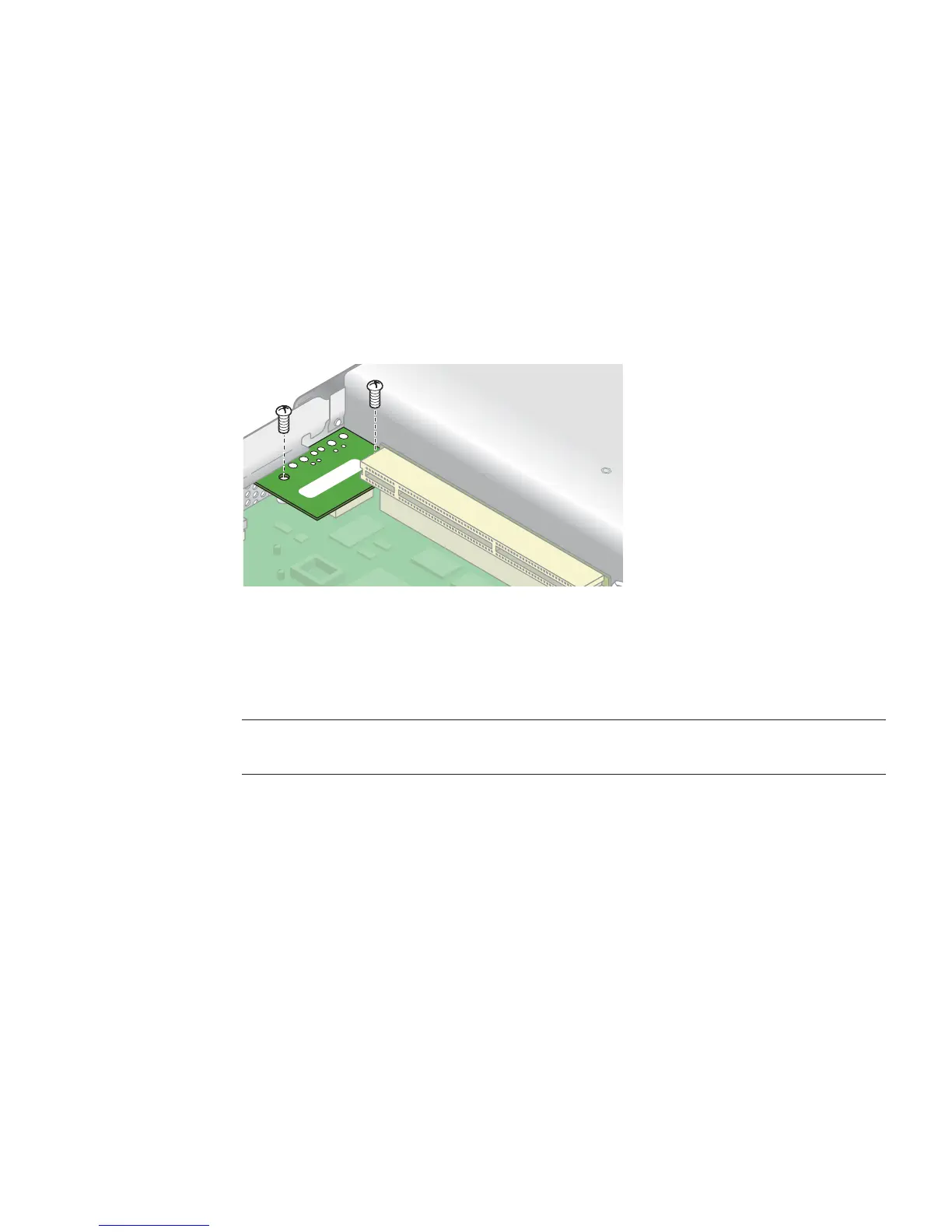
Follow these steps to remove and replace the I/O board:
1. Power off the server, including any attached peripherals, and disconnect the
server from the electrical outlet.
Refer to “Powering Off the Server and Removing the Cover” on page 3-2.
2. Remove the two screws securing the I/O board to the motherboard (see
FIGURE 3-5).
FIGURE 3-5 Removing the I/O Board
3. Lift the I/O board straight up to free it from the connector on the motherboard.
Installation is the reverse of this procedure.
Note – When re-installing the I/O board, ensure that the connector on the I/O
board is seated in the corresponding connector on the motherboard.
4. Before re-installing the cover on the server, check the routing of all cables for
obstructions.











 To Next Page