3-18 Sun Fire V20z and Sun Fire V40z Servers—User Guide • March 2005
3.5.4 SCSI Backplane
The following procedure describes how to replace the SCSI backplane.
1. Power off the server, including any attached peripherals, and disconnect the
server from the electrical outlet.
Refer to “Powering Off the Server and Removing the Cover” on page 3-2.
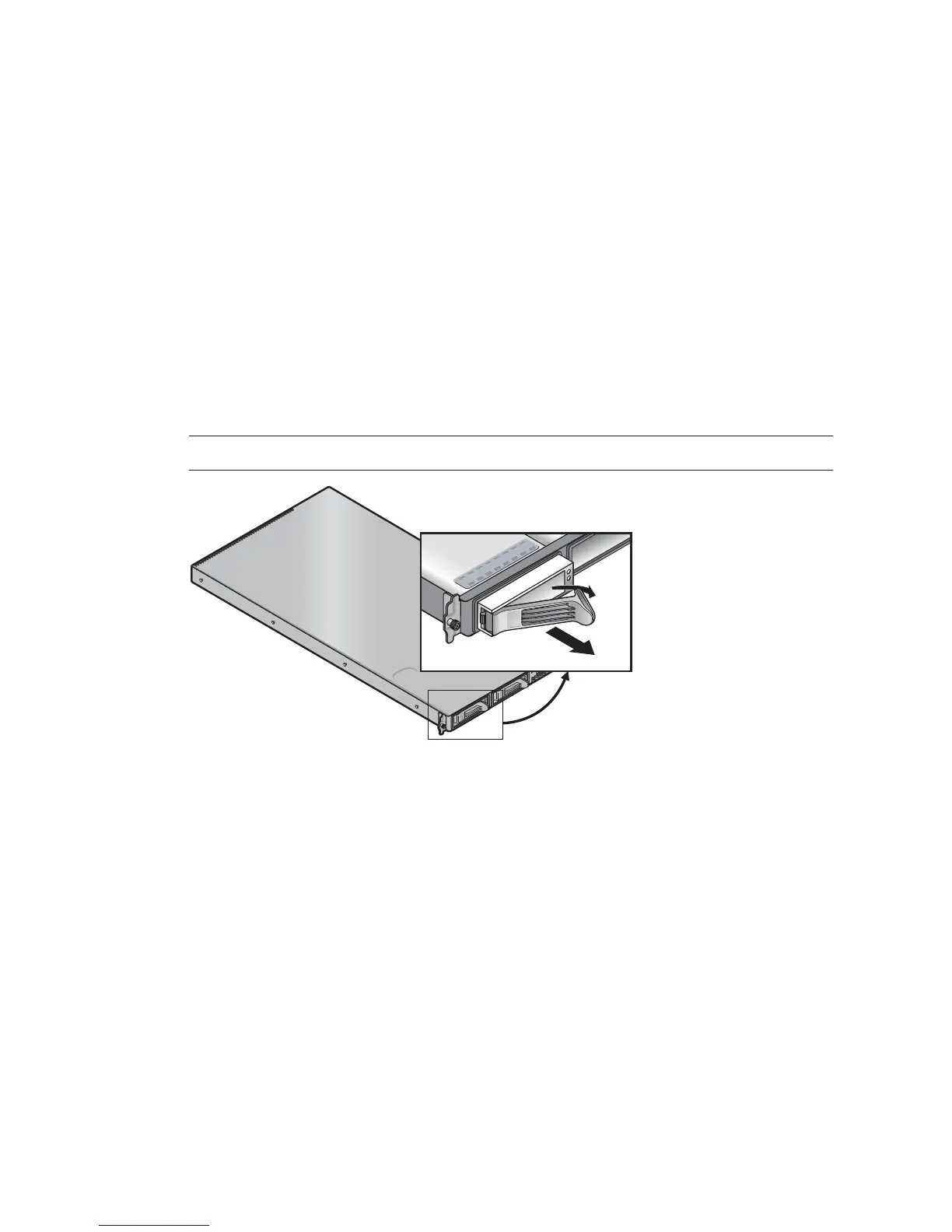
2. Remove all hard disk drive (HDD) carriers:
a. Squeeze the release latch and swing the arm to the left as far as it will go.
b. Grasp the carrier bezel with both hands and carefully pull the carrier out of the
drive bay (see
FIGURE 3-9).
Note – Avoid using the arm to remove the carrier.
FIGURE 3-9 SCSI HDD Carrier and Release Latch
3. Remove screw that holds the center air baffle and remove the baffle from the
server (see
FIGURE 3-10).











 To Next Page