Chapter 3 Maintaining the Sun Fire V20z Server 3-19
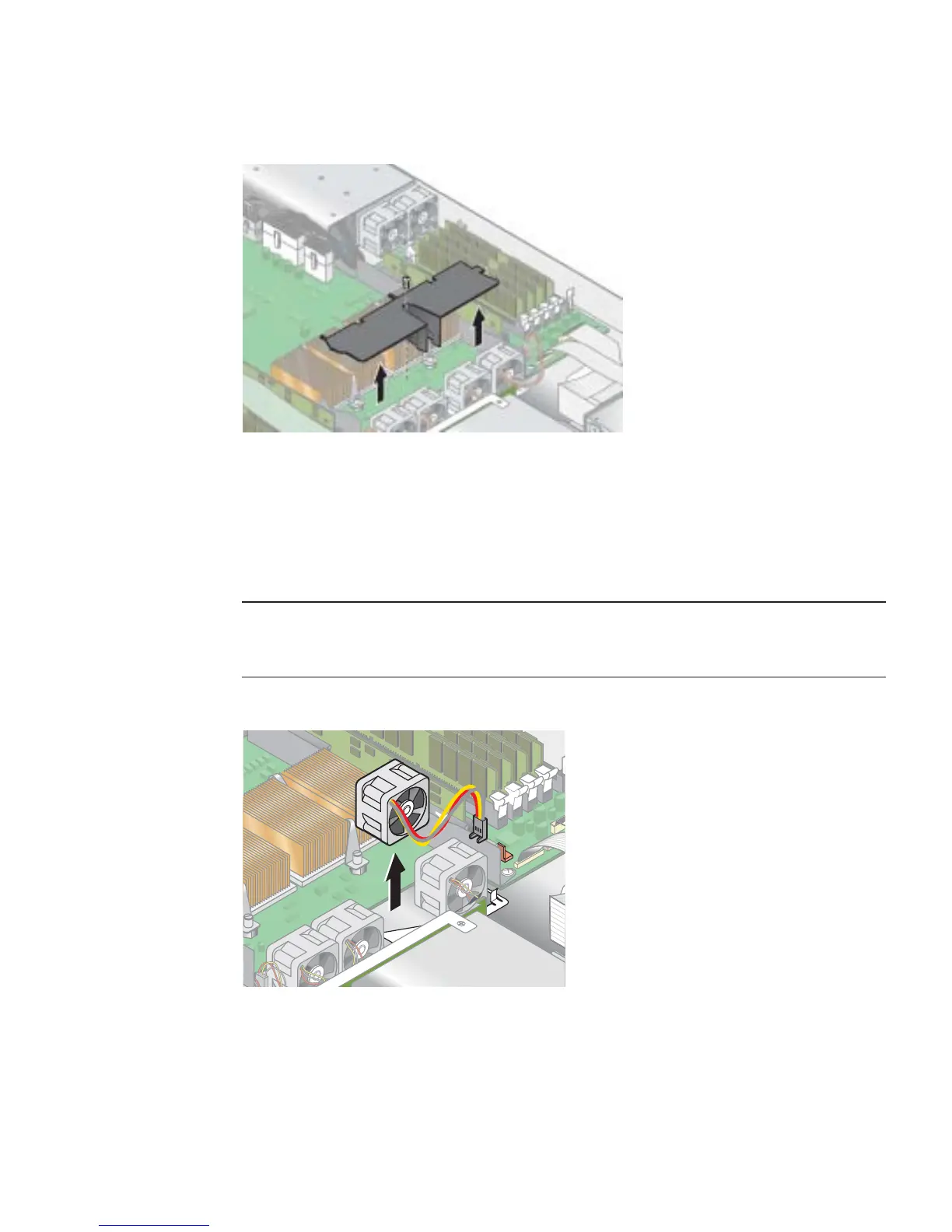
FIGURE 3-10 Removing the Center Air Baffle
4. Remove the second processor fan from the right (see FIGURE 3-11):
a. Unplug the fan’s power connector from the motherboard.
b. Pull the fan straight up to remove it from the fan tray.
Note – Note exactly which motherboard connector to which the fan was connected.
If you plug a fan back into an incorrect connector, the SP cannot correctly identify a
fan failure.
FIGURE 3-11 Removing a Cooling Fan
5. Remove the CPU VRM for CPU 1 (left-hand CPU) by pulling it straight up, out of
its sockets (see
FIGURE 3-12).











 To Next Page