3-40 Sun Fire V20z and Sun Fire V40z Servers—User Guide • March 2005
7. Place the heatsink upside-down on a flat surface to prevent the thermal grease
from contaminating other components.
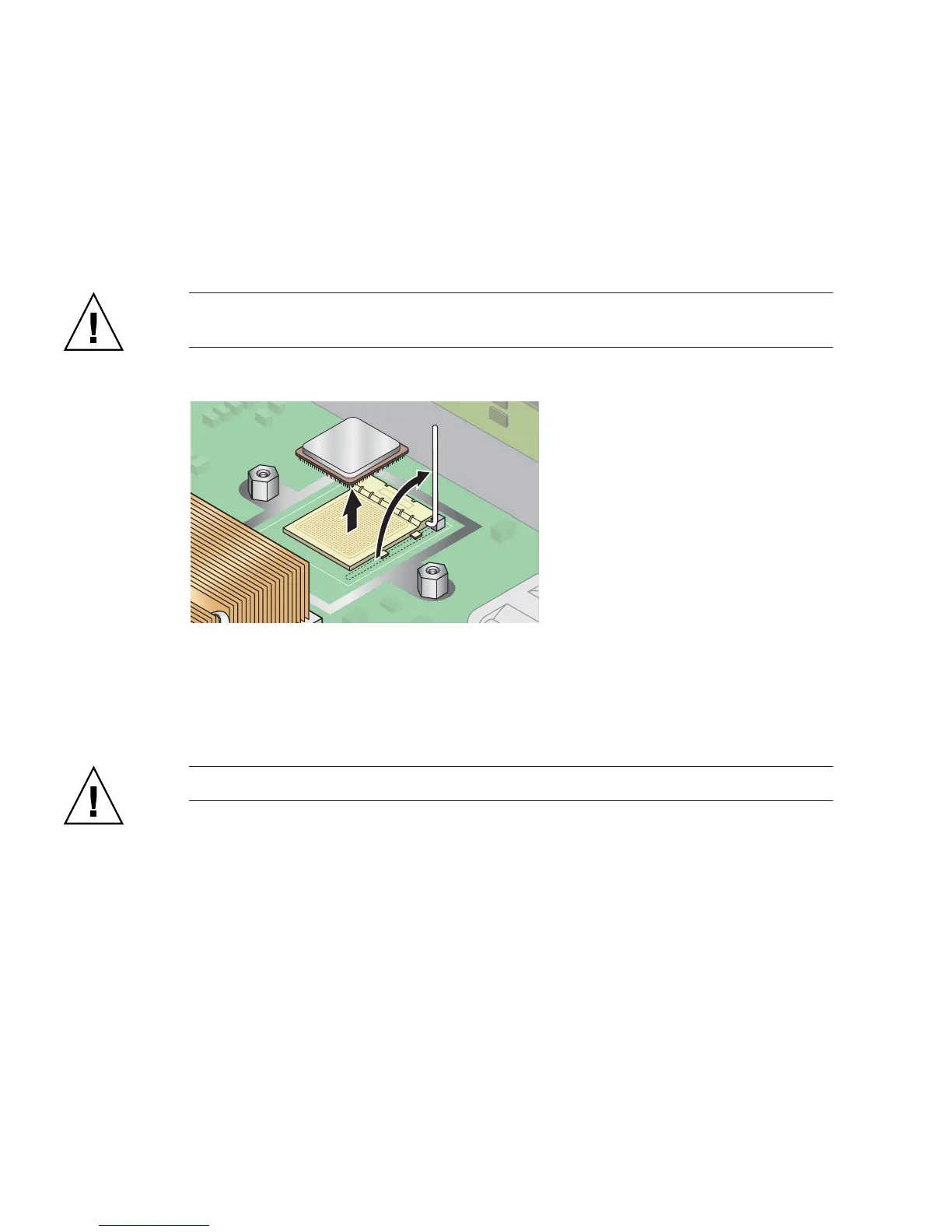
8. Pull the socket release lever up to the fully open, perpendicular position (see
FIGURE 3-33).
9. Lift the CPU out of the socket, leaving the release lever in the open position.
Caution – Ensure that any thermal grease that might remain from the heatsink
does not come into contact with the CPU socket or pins.
FIGURE 3-33 Removing a CPU from its Socket
3.5.14.3 Installing a CPU and Heatsink
1. Unpack the new CPU.
Caution – Observe the appropriate ESD precautions.
2. Ensure that the socket release lever is in the fully open, perpendicular position
(see FIGURE 3-34).
3. Align the small triangle, on the corner of the CPU, with the triangle on the corner
of the socket.











 To Next Page