3-20 Sun Fire V20z and Sun Fire V40z Servers—User Guide • March 2005
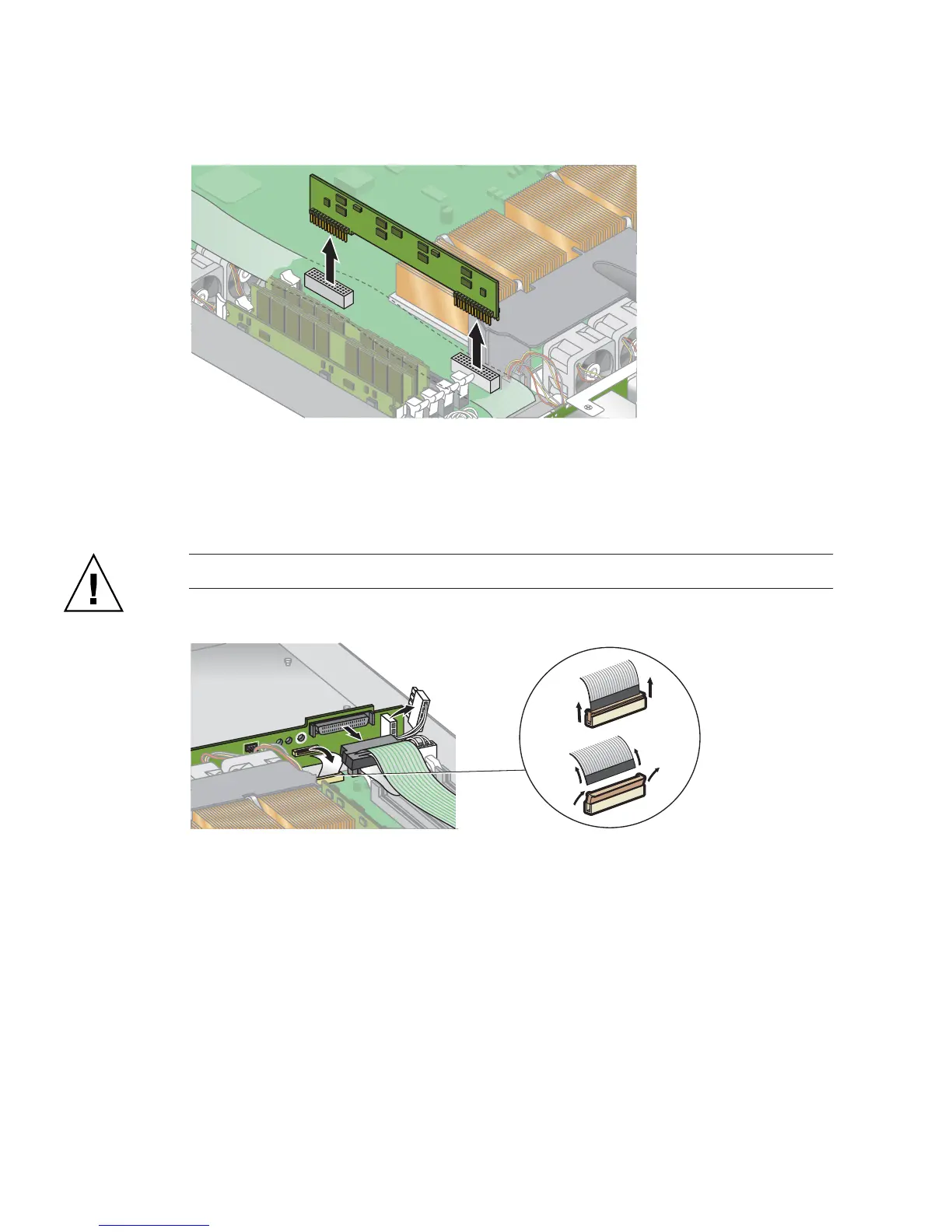
FIGURE 3-12 Removing the CPU 1 VRM
6. Disconnect the 5-pin power cable, the small, flat cable and the 68-pin ribbon
signal cable from the SCSI backplane (see
FIGURE 3-13).
Caution – Use care with the small flat cables. They are extremely fragile.
FIGURE 3-13 Uncabling the SCSI Backplane
7. Unfasten the two screws that secure the backplane to the chassis.
8. Lift the SCSI backplane up and out of the chassis (see
FIGURE 3-14).











 To Next Page