4-26 Sun Fire V20z and Sun Fire V40z Servers—User Guide • March 2005
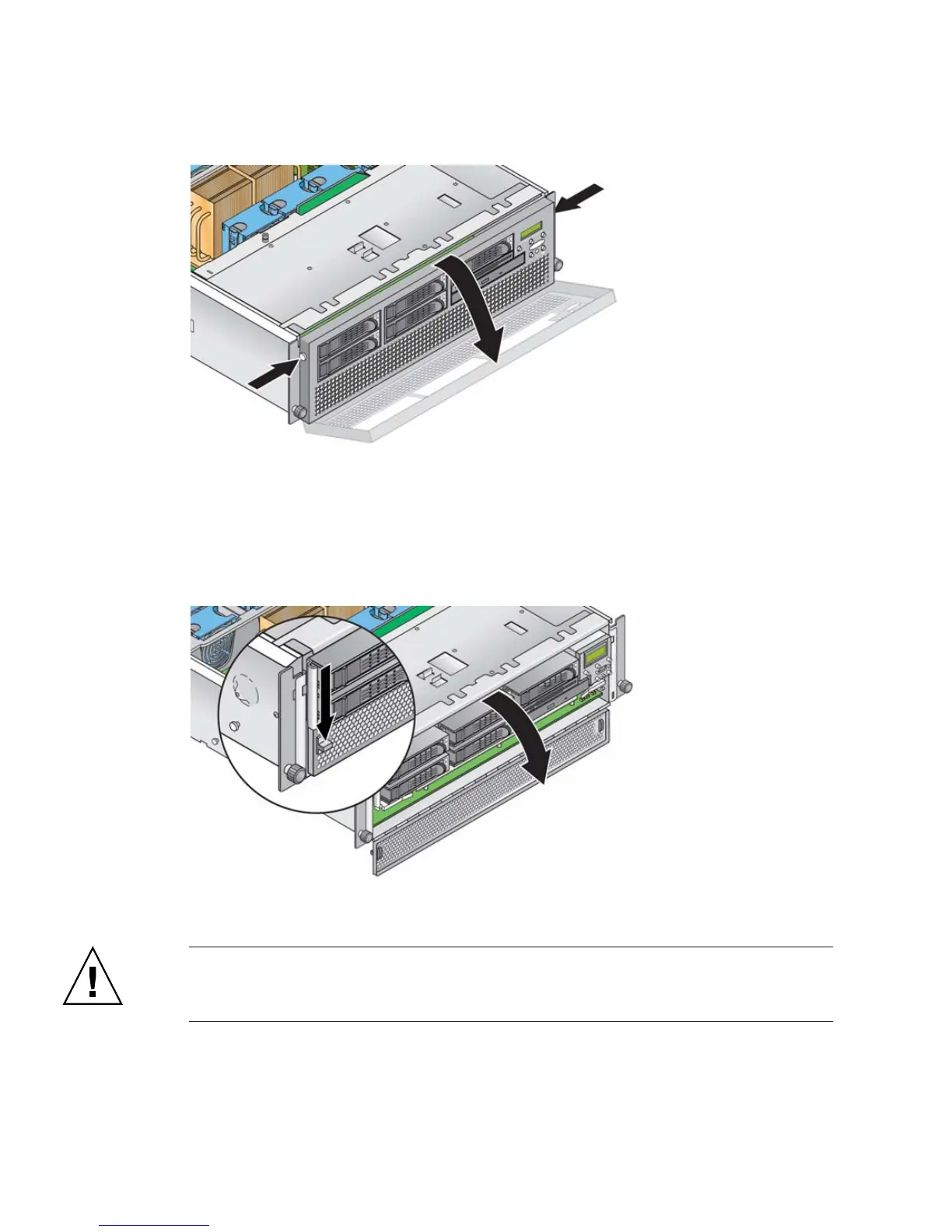
FIGURE 4-15 Removing the Front Bezel
3. Open the CPU card door, which is located under the hard drive bays, to access the
CPU card. Press down on the two buttons on the door and swing it downward so
that it is open 180 degrees from the closed position (see
FIGURE 4-16).
FIGURE 4-16 Opening the CPU Card Door
Caution – The electronic components and solder joints on the bottom of the CPU
card are fragile. Use care to avoid scraping the bottom of the CPU card on the
chassis or door when removing or installing it.











 To Next Page