4-28 Sun Fire V20z and Sun Fire V40z Servers—User Guide • March 2005
Caution – The electronic components and solder joints on the bottom of the CPU
card are fragile. Use care to avoid scraping the bottom of the CPU card on the
chassis or door when removing or installing it.
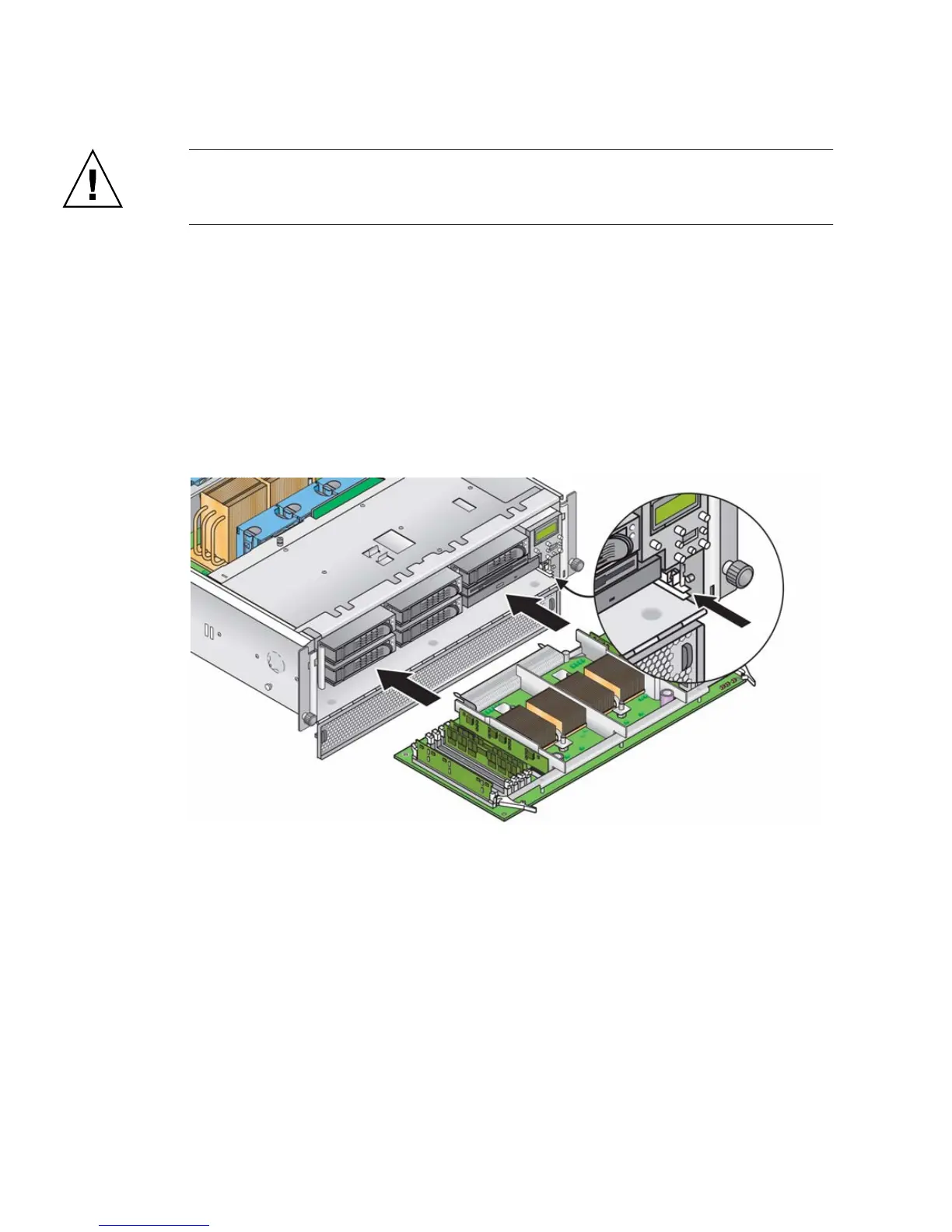
9. After you install all components to the new CPU card, install it into the server:
a. Carefully align the rear corners of the CPU card with the plastic alignment
guides inside the server chassis, then slide the CPU card into the chassis.
b. Press in firmly and evenly on both corners of the CPU card until it engages the
backplane.
c. Lock down the two plastic levers on the corners of the CPU card simultaneously
to secure it in place.
FIGURE 4-18 Installing the CPU Card Into the Chassis
10. Close the CPU card door.
11. Replace the front bezel onto the server.











 To Next Page