4-36 Sun Fire V20z and Sun Fire V40z Servers—User Guide • March 2005
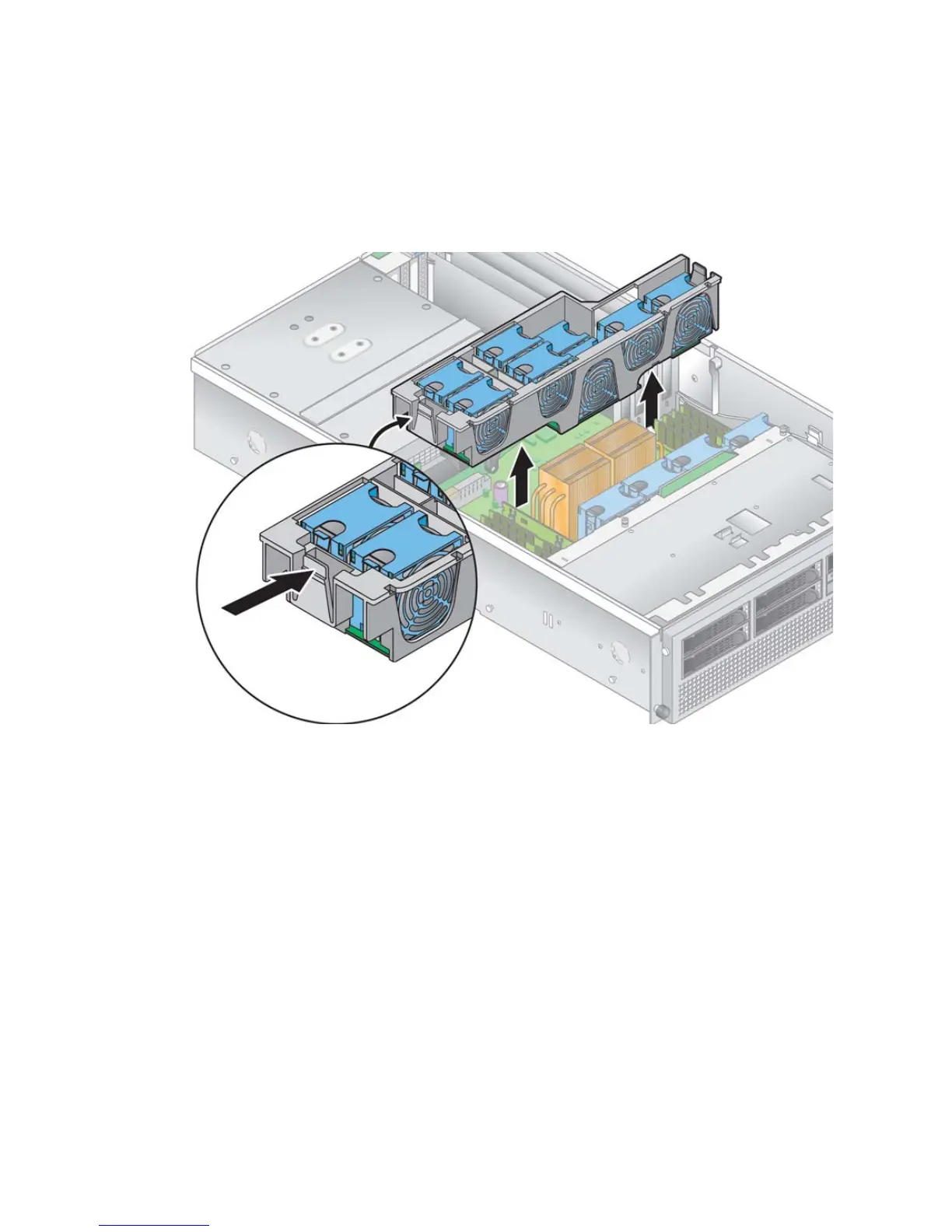
3. Squeeze the retainer clips on each end of the fan cage inward (see FIGURE 4-25)
4. Pull straight up on the fan-cage assembly to disengage it from the motherboard
connector.
FIGURE 4-25 Removing the Rear Fan-Cage Assembly
5. Lift the assembly up and out of the server.
6. Remove all individual fans from the fan cage.
Squeeze the retainer clip on the edge of a fan, then pull the fan straight up to
disengage its connector and remove it from the fan cage (see
FIGURE 4-23).
7. To install the new fan-cage assembly, first install all individual fans into the new
fan cage (see “Replacing an Individual Cooling Fan” on page 32).











 To Next Page