4-38 Sun Fire V20z and Sun Fire V40z Servers—User Guide • March 2005
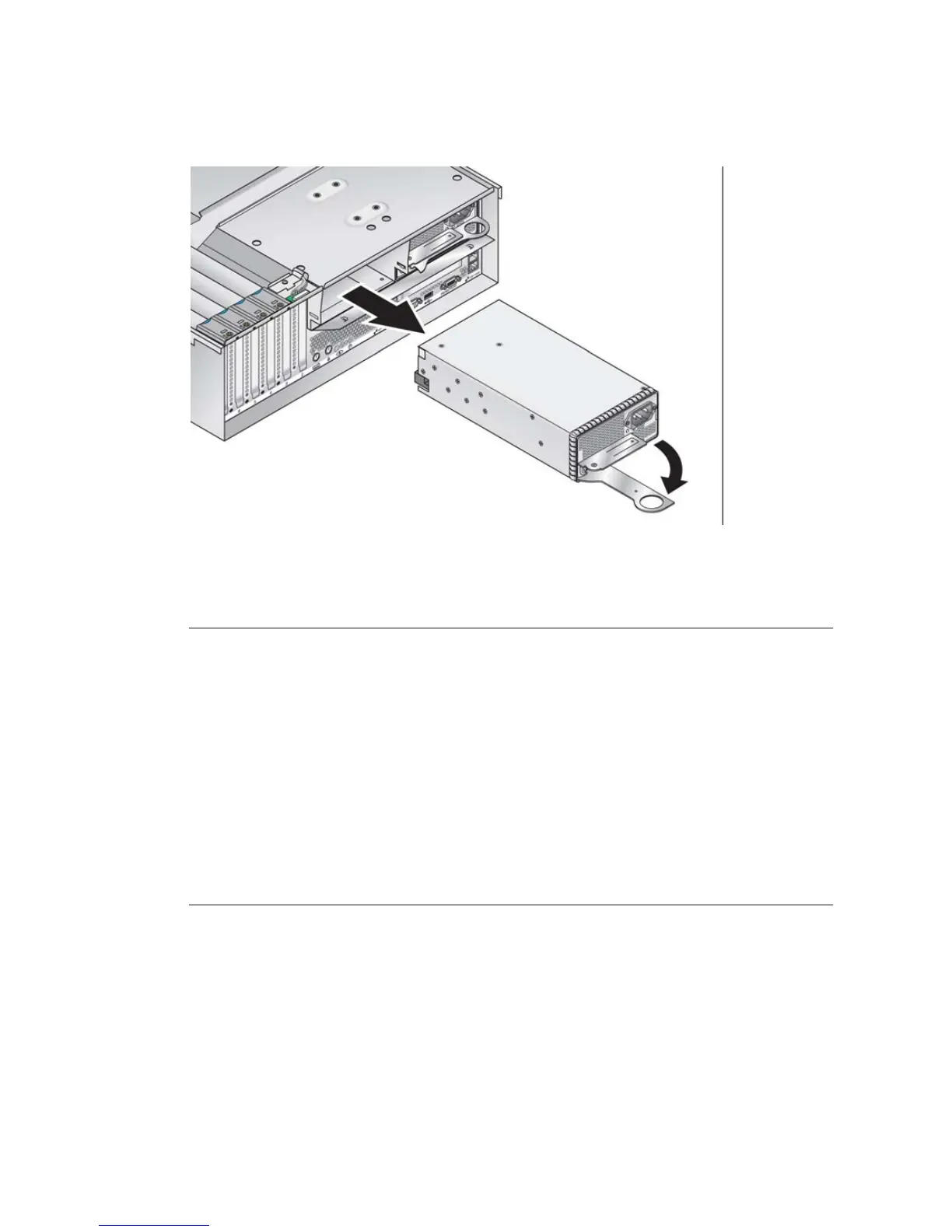
FIGURE 4-26 Removing an Individual Power Supply
2. Slide the power supply out of the power-supply cage and chassis.
Caution – You must open the power supply’s handle before you insert it into the
power-supply cage. If the handle is left closed, it will deform the metal to which it
latches.
Also, failure to open the power-supply handle only partially engages the power
supply’s connector, which can cause the power-reset sequence (PRS) code to enter a
failed state. If this happens, the system-fault LED on the front panel will blink twice
per second.
To recover a system in this bad PRS state:
1) Disconnect all AC power and reseat all power supplies.
2) Wait five minutes.
3) Reconnect AC power cords to all power supplies.











 To Next Page