6
Step 1
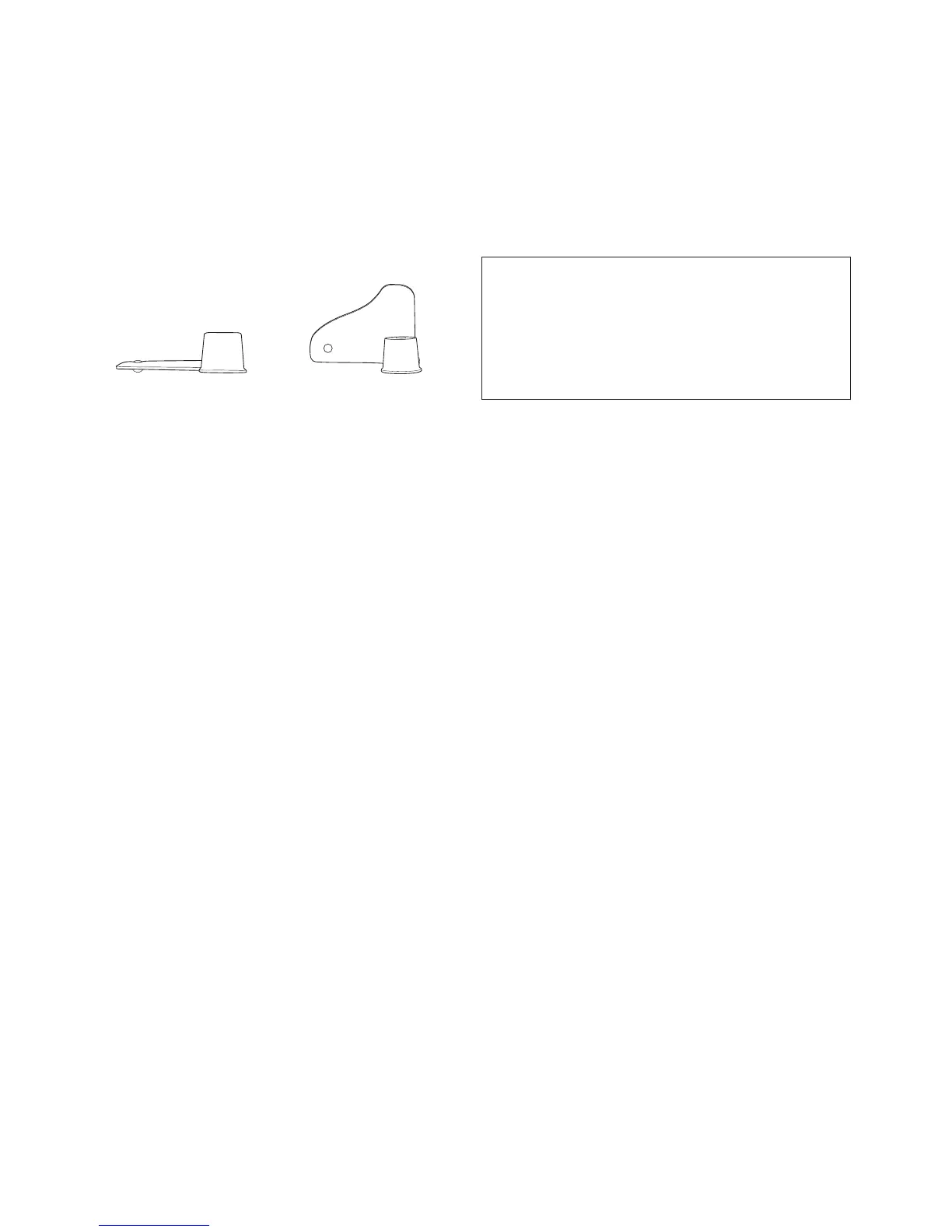
Insert the kneading blade into the bread pan
ensuring that it is in the upright position.
Step 2
Add ingredients into the bread pan before
placing in the bread maker.
1. Liquid ingredients
2. Dry ingredients
3. Yeast
Step 3
Insert the bread pan into the baking chamber
until you hear a click sound and close the
lid.
Step 4
Add fruit and nuts to the automatic dispenser
if required.
Step 5
Select the desired menu using the MENU
button.
Step 6
Set the Time Delay if required.
Step 7
Select the crust colour using the CRUST
button.
Step 8
Select the loaf size using the SIZE button.
Step 9
Press the START button.
HINT: LIFT THE LID AND CHECK THE
CONSISTENCY DURING THE FIRST 15 MINUTES
OF KNEADING, TO ENSURE IT'S A FIRM, ROUND
DOUGH. IF IT'S A LITTLE DRY, ADD A LITTLE
WATER, IF IT'S A LITTLE WET, ADD A LITTLE
FLOUR.
Keep Warm
If the bread is not removed after baking it
will enter Keep Warm cycle for 60 minutes.
Removing the Bread
Allow the bread to cool in the pan for 10
minutes before removing. The collapsible
blade is designed to stay in the bread pan
however sometime it can be baked into the
bread. ensure this is removed using the
bonus blade hook.
Quick Start Guide
Down Position Upright Position




 To Next Page