User Manual 7 iSolarCloud APP
63
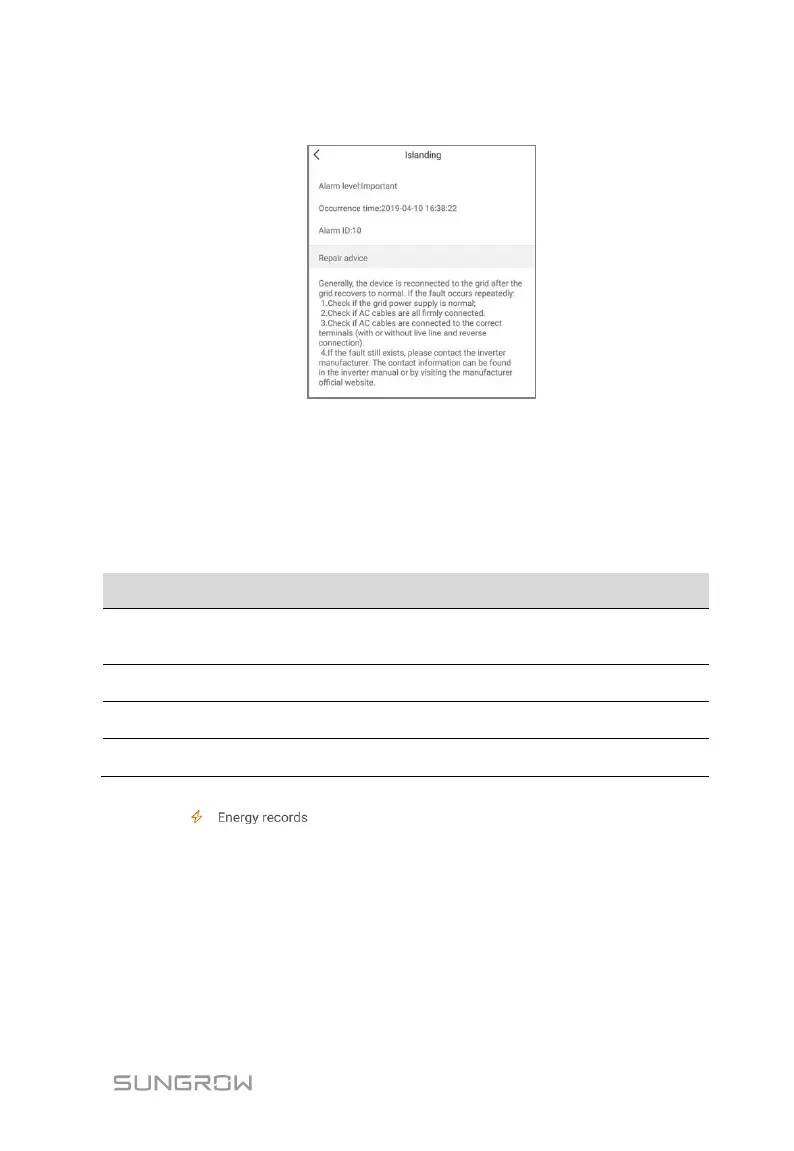
fault info as shown in following figure.
Fig. 7-9 Detailed fault alarm info
7.7.2 Power Yields Records
User can view various energy records: power curve, daily energy histogram,
daily energy histogram, monthly energy histogram, and annual energy
histogram.
Tab. 7-5 Explanation of power yields records
Show the power output from 5 am to 11 pm in a single
day. Each point in the curve is the percentage of
present power and nominal power.
Shows the power output every day in the present
month.
Shows the power output every month in a year.
Shows the power output every year.
Click the “ ” to view the power curve page as shown in following
figure.





 To Next Page