User Manual 7 iSolarCloud APP
65
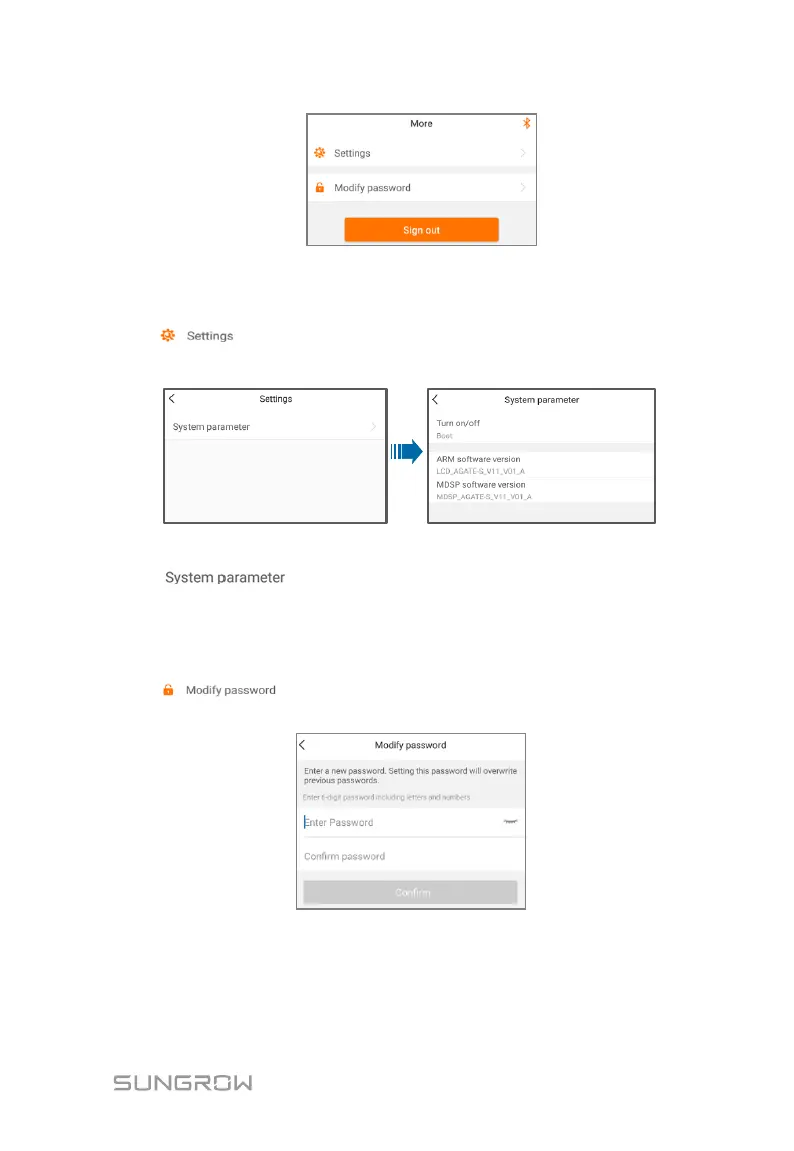
Fig. 7-11 More
7.8.1 Parameter Setting
Tap " " to enter the parameter setting screen, as shown in the
following figure.
Fig. 7-12 Parameter setting
Tap " " to enter the system parameter screen on which
start/stop instruction can be sent to the inverter and information such as ARM
version and MDSP version can be viewed.
7.8.2 Password Changing
Tap " " to enter the modify password screen, as shown in the
following figure.
Fig. 7-13 Change password
The new password should consist of 6 characters, a combination of letters and
digits.





 To Next Page