4. Configuration:
ʳ ʳ ʳ ʳ ʳ ʳ ʳ ʳ ʳ ʳ ʳ ʳ ʳ ʳ ʳ ʳ ʳ ʳ ʳ ʳ ʳ ʳ ʳ ʳ ʳ ʳ ʳ
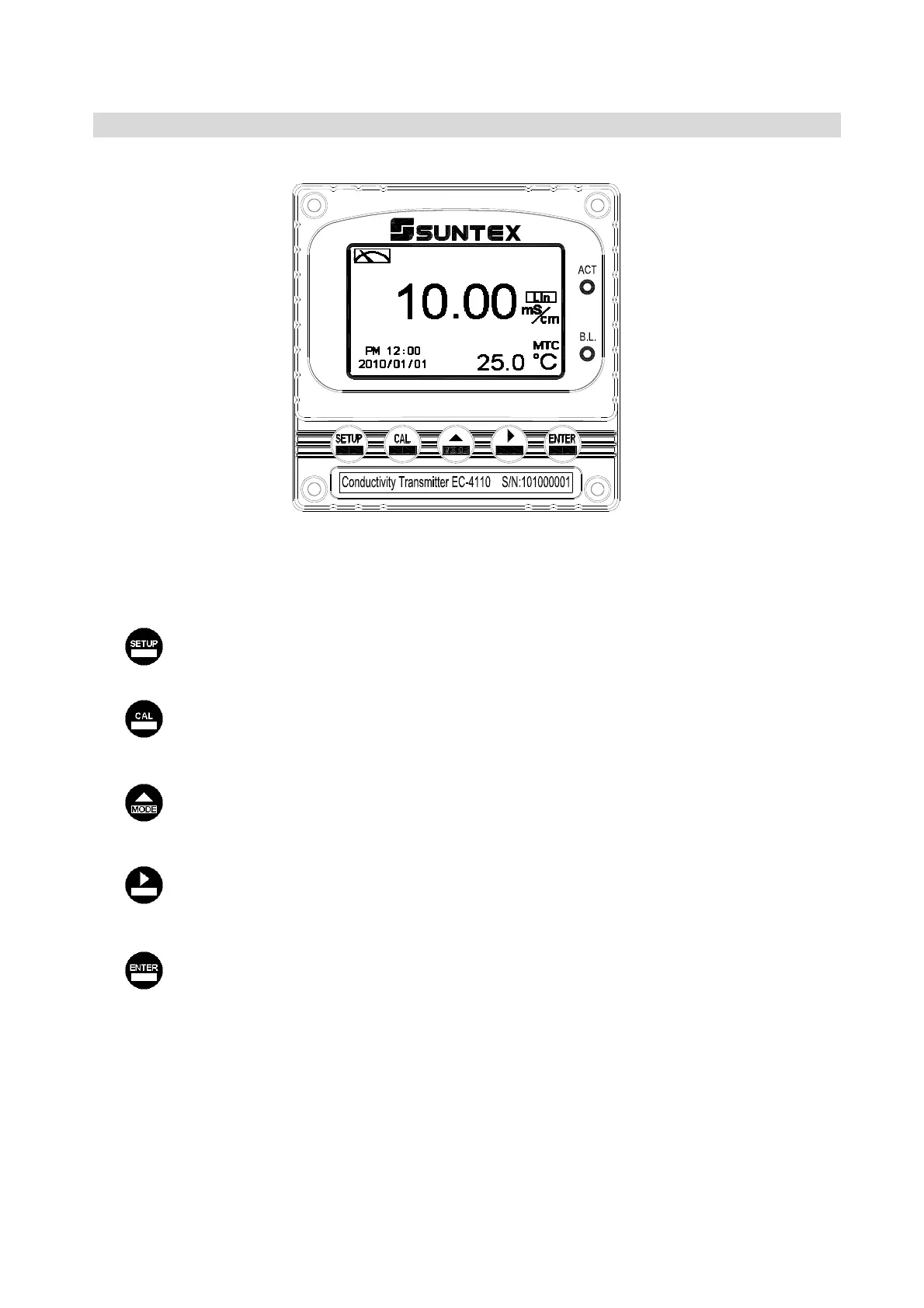
4.1 Illustration of front panel:
4.2 Keypad:
In order to prevent inappropriate operation by others, before the parameter setting and
calibration, the operation applies multi-keysʿʳand coding protection if necessary. Description of
the key functions is in the following:
ΚIn the parameter set-up mode, pressing this key allows you exit parameter set-up mode
and back to Measurement mode.
ˍ In the Calibration mode, pressing this key allows you exit Calibration mode and back to
Measurement mode.
Κ1. In the parameter set-up mode and Calibration mode, pressing this key to select
leftward or change to another page.
2. When adjusting value, press this key to increase the value.
Κ1. In the parameter set-up mode and Calibration mode, pressing this key to select
rightward or change to another page.
2. When adjusting value, press this key to decrease the value.
ΚKey for confirmation; pressing this key is essential when modifying data value or
selecting the parameter setting items in the window.
4.3 LED indicators:
ACT
Washing device operation indicator ˴˷ʳ˶ontrolling operation indicator (Relay 1ΕRelay 2)
B.L. : Light sensor; in the automatic display backlit mode, the lamp will light or go out as the
change of environmental brightness.
кк



 To Next Page