6.5 Compensation
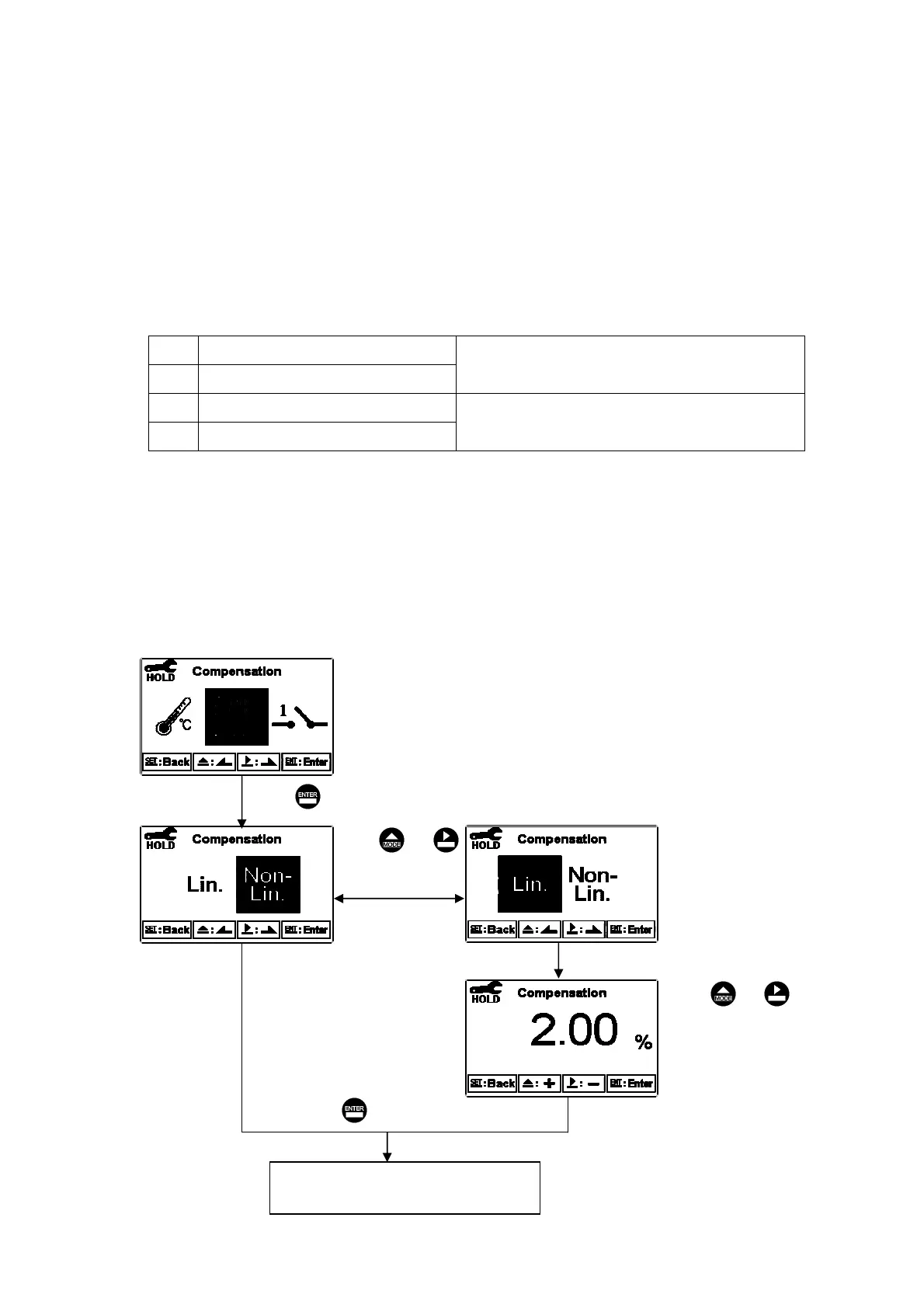
Enter setup of compensation mode, and select Linear Compensation or Non-linear
compensation mode. According your measurement need for temperature coefficient,
you may select linear (Lin), non-linear (nLin), or non-compensated (Lin 0.00%).
Normally, select linear compensation for conductivity measurement(Cond), and select
non-linear compensation for Resistivity measurement.
Temperature coefficient (hereinafter referred to as TC): Conductivity of solution
increase with temperature rise. The relationship is as follows:
C
25
Conductivity at 25C
Ct
Conductivity at TC
Formula 1ΚCt = C
25
{ 1+( TЁ25 ) }
T
Measured solution temperature
Temperature compensation
Formula 2Κ= ( CtЁC
25
) / { C
25
( TЁ25 )}
How to get TC of solution: For obtaining higher accuracy of measurement, you may
calculate the TC value according to the formulas above and set an appropriate TC value
for the instrument. Take an example for 0.01N KCl. Set the TC of the instrument to
non-compensatedΰLin, 0.00иα, and control the temperature at 25
C and at 20C.ʳC
25
means the measurement value at 25C(Such as C
25
= 1413S). Ct means the
measurement value at 20C(Such as C
25
= 1278S). According to the formulas above,
Ј1.91%.
Enter “Relay 1” Setup
The range of linear compensation:
0.00% ~ 40.00%
Press to confirm it.
Pressʳ or ʳʳ
to select Linear or
Non-linear
com
ensation.
Pressʳ or ʳʳ
to set percentage
Linear compensation.
MAX: 40.00%
Default: 2.00%
Press to confirm it.
лй


 To Next Page