7.4.2 Conductivity (Cond)
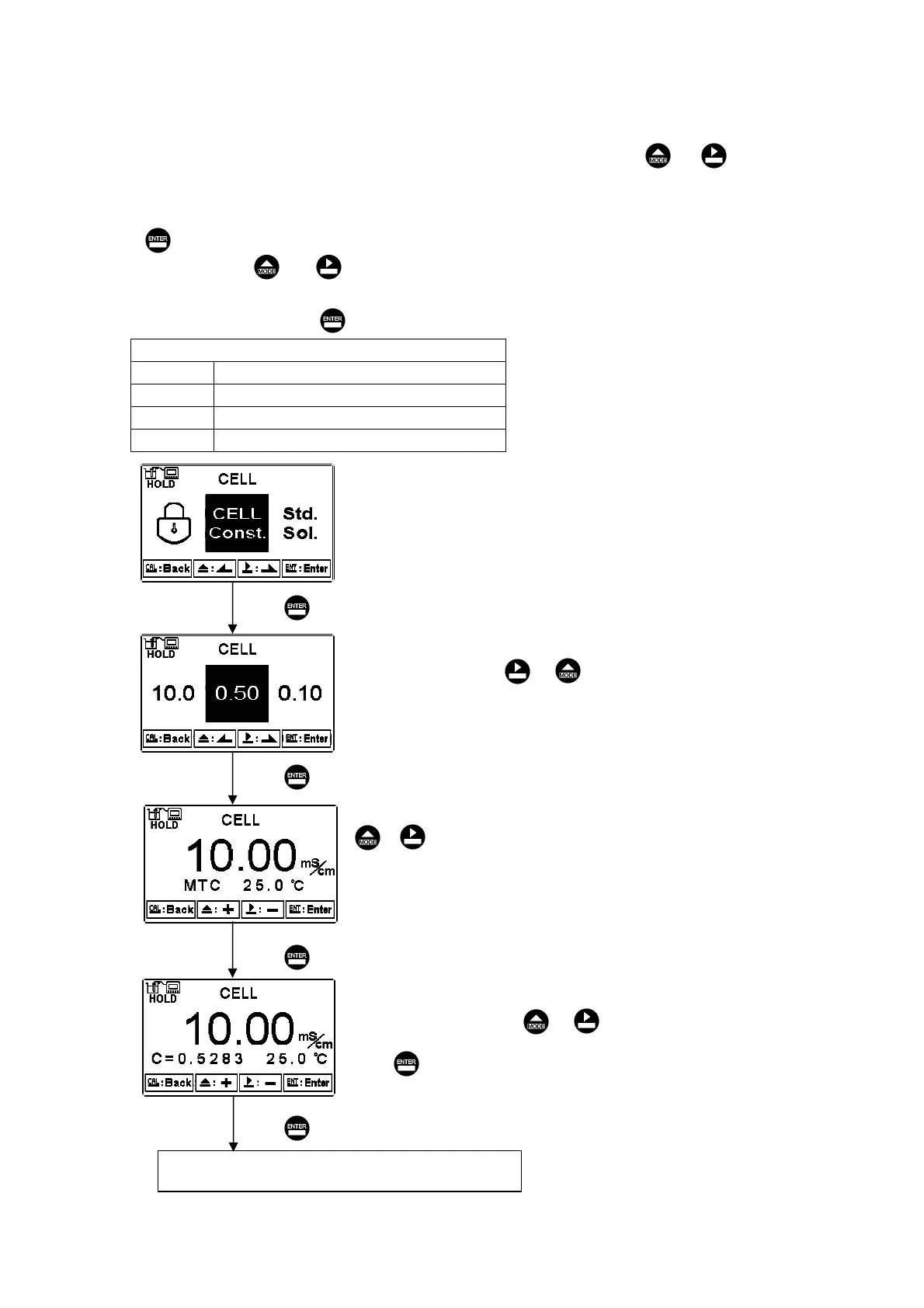
Enter setup of cell constant to directly set cell constant. Press or to
select the preset value to near an appropriate one. There are four sets of preset value
(0.01Ε0.10Ε0.50Ε10.00). Select the most appropriate cell constant value and press
to confirm it and enter to the next screen. At the time, the cell constant starts to
twinkle. Press or to adjust the cell constant value. Correct the measurement
value to known standard solution value by adjust cell constant, or set the known cell
constant directly. Press to confirm it.
Conductivity cell constant setting range:
0.0100 Adjustable range: 0.0080Д0.1200
0.1000 Adjustable range: 0.0400Д0.6000
0.500 Adjustable range: 0.0800Д1.999
10.00 Adjustable range: 2.00Д19.99
Enter “Standard solution calibtaion” mode
Under MTC temperature mode, press
or to adjust temperature value.
If under ATC temperature mode(PTC or
NTC), the temperature value is read
automatically, and the instrument
directly goes to next screen.
According to the cell constant of the
resistivity sensor, press or
to select the nearest preset value.
According to labeled cell constant of the
conductivity sensor, press or
to adjust to the corresponding value.
Press to confirm it.
Press to confirm it.
Press to confirm it.
Press to confirm it.
Press to confirm it.
мр


 To Next Page