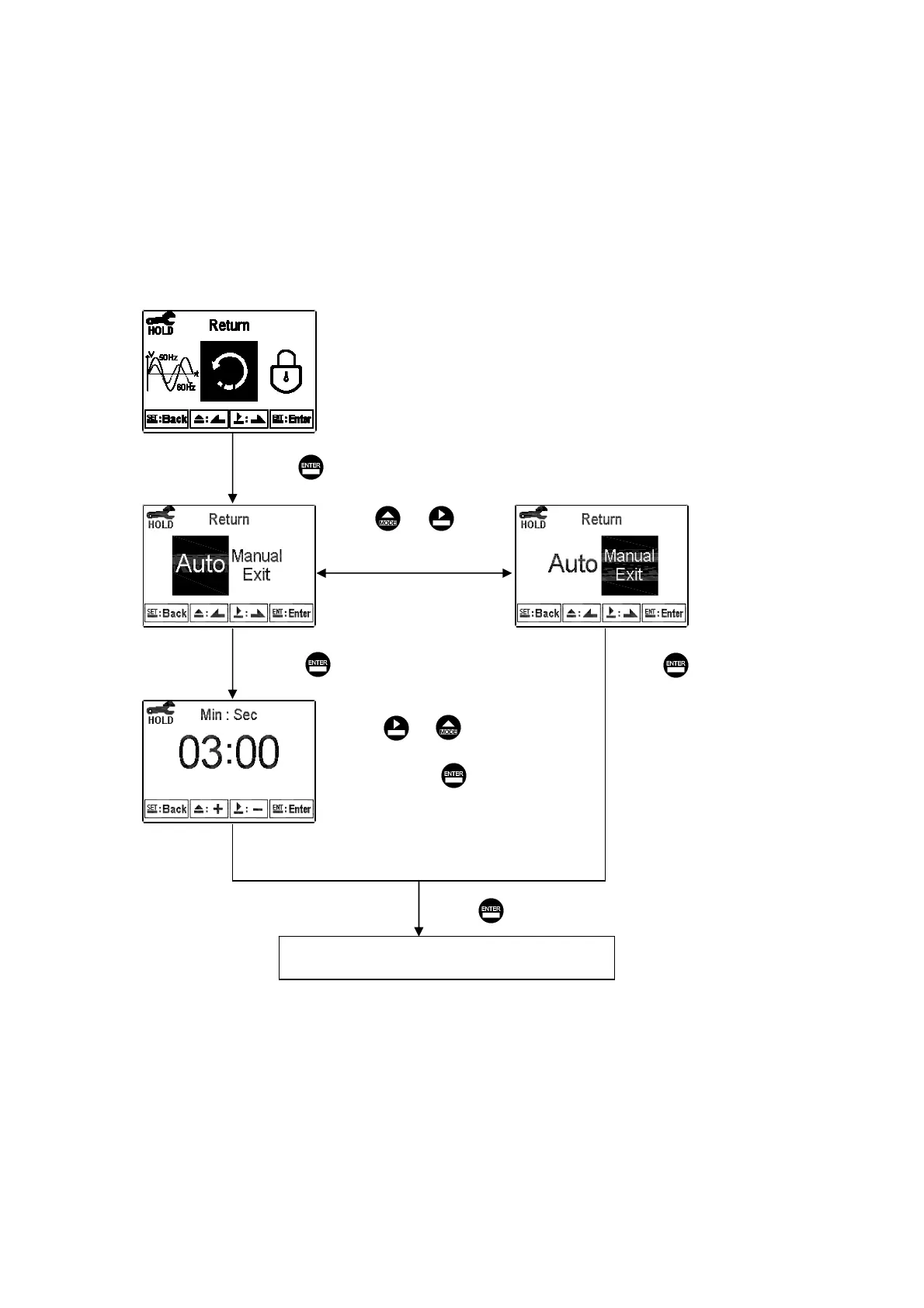
6.16 Return
Enter setup of auto return mode (Return) to set the function that the instrument
automatically exit the setup menu after a period of time without pressing any key. The
“Manual Exit” means that it needs to exit setup menu manually, while “Auto” means
that the display automatically exit the setup menu and back to measurement mode after
a period of time without pressing any key.
Pressʳ or ʳʳ
to adjust “minute”
part, and press
to confirm it and
move to” second” part.
Pressʳ or ʳʳ
to select Auto return
or manual exit.
Return to “Password (Code)”Setup
Press to confirm it.
Press to confirm it.
Press to confirm it.
Press to confirm it.
мк


 To Next Page