Sutron Corporation Satlink Operations & Maintenance Manual, Rev 8.04.2 11/3/2016 pg. 163
Setup changed
!TX1 Power Output = 5.000 Watts, Range (0.000, 25.000), Default
0.000
>tx1 adjust power -1.5
Power Output = 3.500 Watts
>tx1 adjust power 2dB
Power Output = 5.547 Watts
>tx1 adjust power 200
Power not changed. 205.547134 Watts is invalid.
Power Output = 5.547 Watts
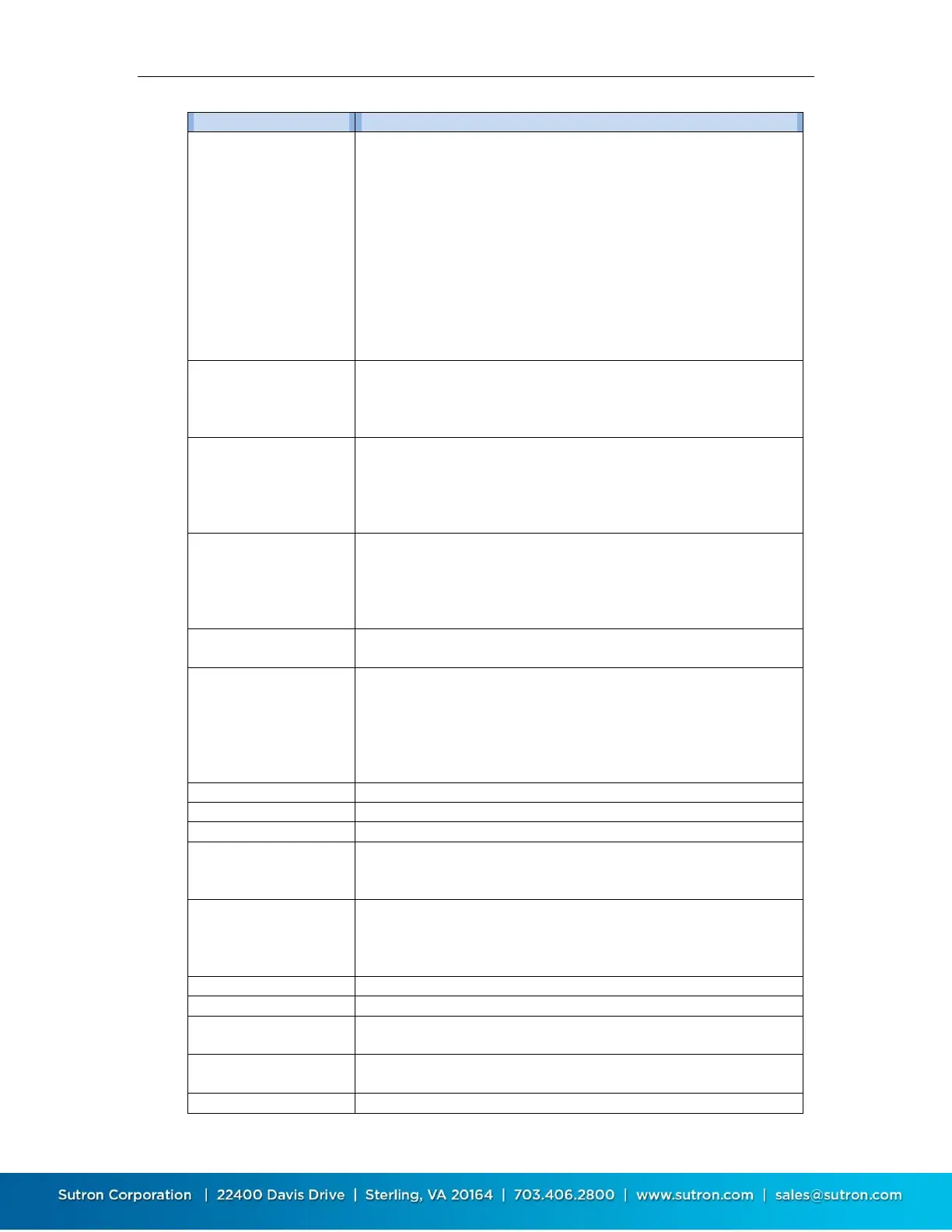
BATTERY
BATT COIN
BATT LOAD
BATT shows the current power supply battery reading.
BATT COIN shows the voltage of the internal coin cell battery.
BATT LOAD shows the voltage under load measured during last
environmental satellite transmission.
Cutoff Temp Tx High = 85.0 C, Range (40.0, 100.0)
Cutoff Temp Tx Low = -45.0 C, Range (-80.0, -20.0)
The unit will automatically disable the GOES transmissions if the
temperature falls outside user specified limits. Transmissions will
recommence with the temperatures return within range.
Cutoff Tx High = 20.00 V, Range (14.00, 20.00)
Cutoff Tx Low = 9.00 V, Range (9.00, 13.00)
The unit will automatically disable the GOES transmissions if the
voltage falls outside user specified limits. Transmissions will
recommence with the voltages return within range.
Shows system diagnostics, including system resets. If followed by 0,
it will clear system resets.
CUTOFF SYSTEM LOW
CUTOFF TX HIGH
CUTOFF TX LOW
CUTOFF TEMP TX HIGH
CUTOFF TEMP TX LOW
These are the cutoff settings. Please see the Cutoff section for
details.
This command sets the setup to defaults, clears status (which
includes system errors and transmission counts), zeroes reset
counts, and clears asserts.
Checks failsafe status, returning "Failsafe is TRIPPED" or "Failsafe is
NOT tripped". Read access required.
If tripped, additional information will be provided on the cause of
the trip.
Resets a tripped failsafe. Maintenance access is required.
Trips the failsafe for test purposes. Full access is required.
Provides comprehensive diagnostic information, including status
and setup.
Initiates a GPS time synchronization. Use STATUS GPS to find status
and result of the sync.
Brings up the help (lists commands).


 To Next Page