Sutron Corporation Satlink Operations & Maintenance Manual, Rev 8.04.2 11/3/2016 pg. 116
The Wi-Fi hotspot is turned on for 10 minutes:
at boot up
when the station is connected to, whether via
USB, over the modem, or over Wi-Fi
after an SMS is received
after a LISTEN command.
The Wi-Fi hotspot turns on for one hour when:
The wakeup button is pressed
The station goes into alarm
11.2. Log Daily Values
Satlink can log diagnostic information at 23:59:59 each day. That information consists of battery
voltage and telemetry accounting, such as the number of transmissions made and the number of
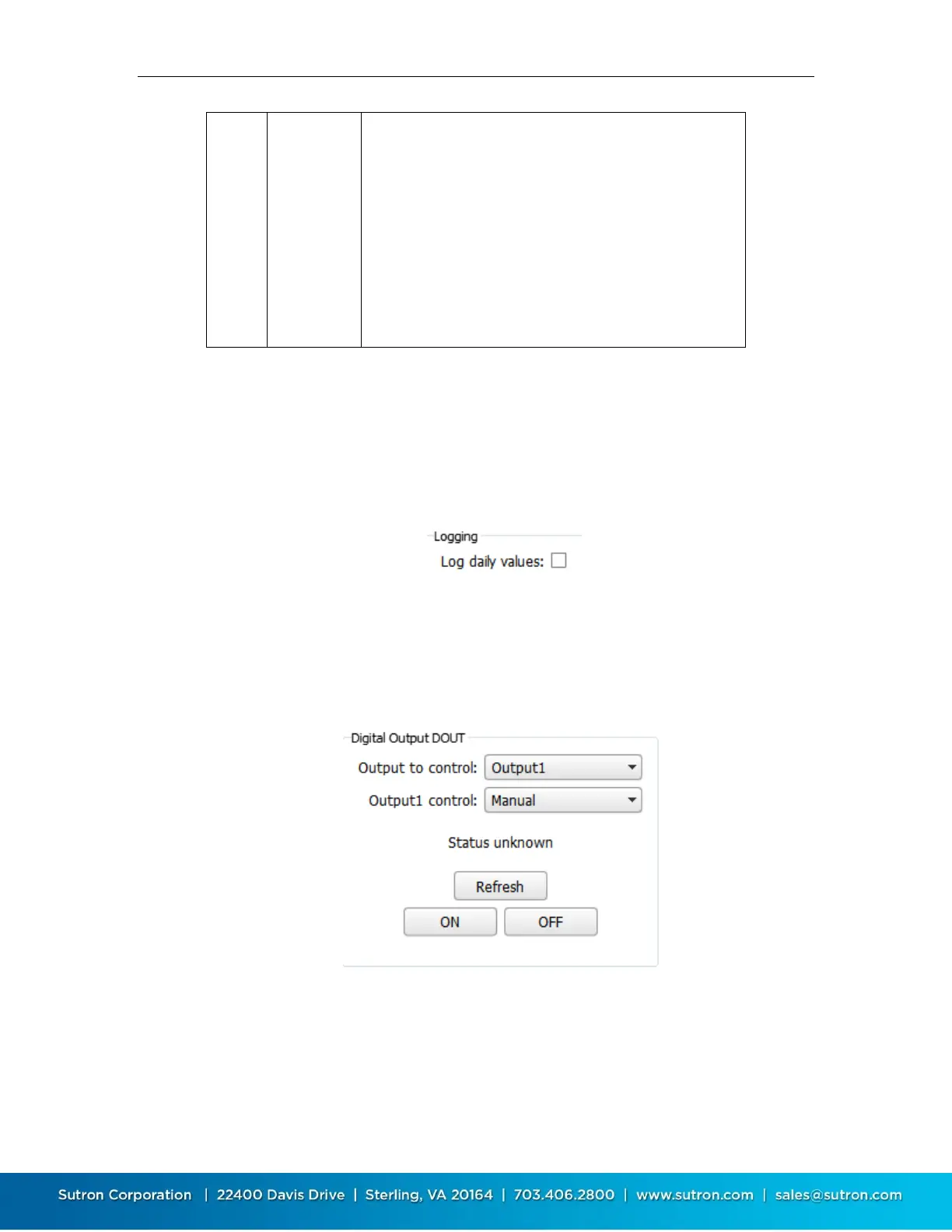
bytes transmitted. To prevent this data from being logged, disable the Log Daily Values setting as
shown below.
11.3. Digital Output DOUT
Satlink features a digital output labeled DOUT. Satlink can automatically activate the output
based on the settings below. The outputs are controlled by the Other Setup/Digital Output
settings (shown below), Command line or equation OUTPUT function (see Equations: Syntax).
The controls in the Digital Output DOUT section can be used to view the status of the digital
output, and to control its state. Press the Refresh button to display the current state of DOUT.
The current state is displayed just above the button. Press the ON button to turn DOUT on. Press
the OFF button to turn DOUT off.



 To Next Page